
Fuz_cyber - Minecraft Skins & Skin History
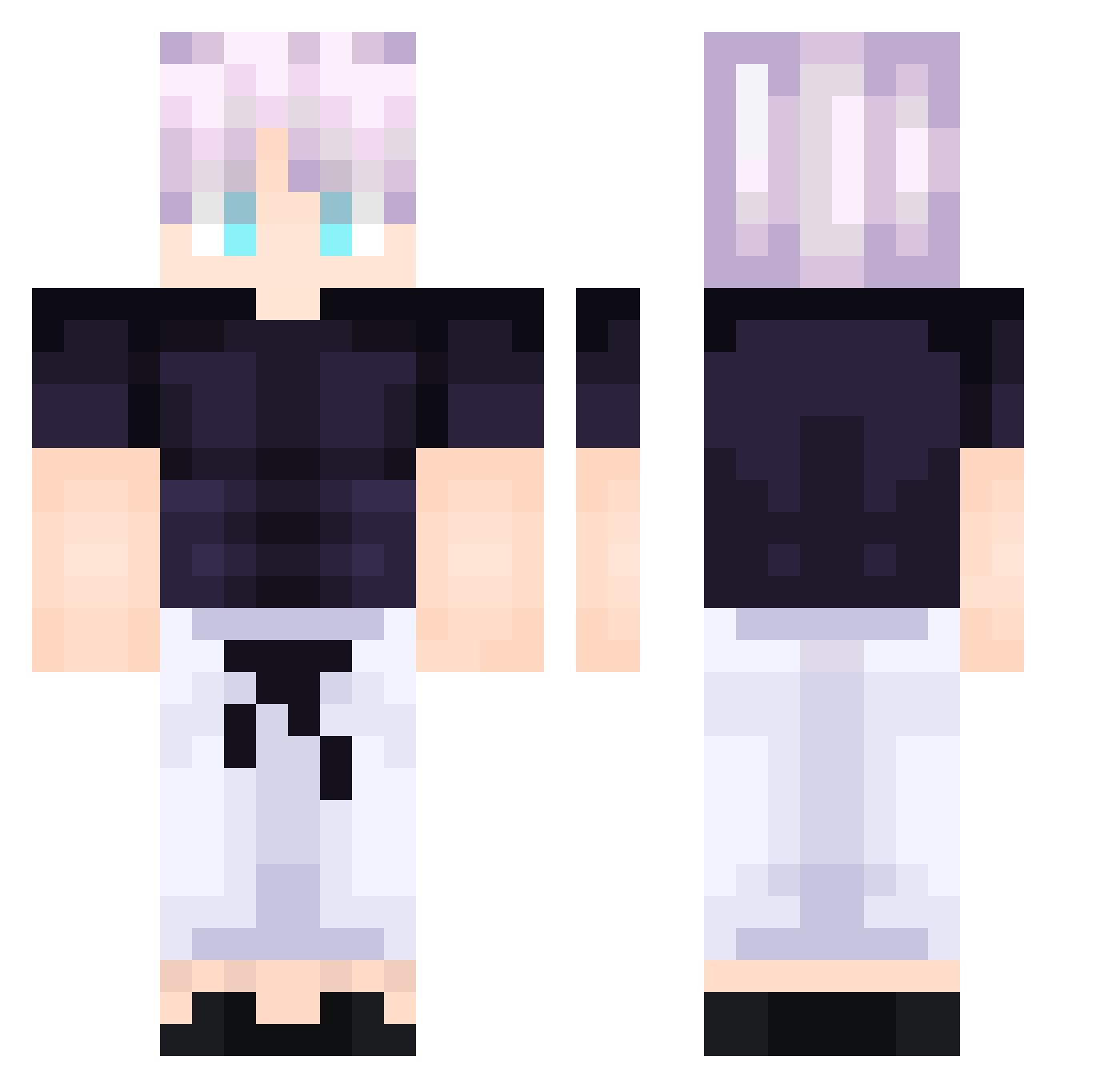
Current Minecraft skin of the player Fuz_cyber, loaded from the official Mojang API. Rotate the 3D model with your mouse or finger, then download the skin as a PNG file and use it in Minecraft: Bedrock Edition or Java Edition for free. When Fuz_cyber changes their skin, this page updates automatically and the old skin stays in the history below.
Other players with this skin (72)
Fuz_cyber was the 18th player we have seen with this skin, first spotted on 17.08.2026. The same skin was seen on these players. Open a nickname to see their current skin and skin history.
 CapybaraLEE Dcovery zano09 Escancr ToxicSplotchy
 Horiiiz0n
 121Tank121 KrzysiuMisiu2115 davdago RasecLadiv UmbrqXLL xClaqped 1_Sz0n_Enj0yer_1 Sutton112 MonkeyD_Luffy1 MTTM2 Andriuha_ AnnoyingKid2402 DantePZO pedrinho1684 Kelaodiwu Lachesis_ED JojoBanana122 Azrael15 alejogamer08 3udokai Katya_chan mnog BoubisBoy ElleReine ian292002 Amphibian3333 JEREMY_STILO jakson404 Cowbaio seanyen 3ezooo SunlIweI bonlovespsylocke g0dToste marukujp Rimuruking KyoungCheol Kutay1661 Pili321 Nikodeemlol no_sweat1 chu8ne ElTorb Dln973 Puchisiento sexture J0ovan itsmeeaidann Santxv JinDragoX korea0926 turhann2001 syph2 Padoks
More Satoru Gojo Minecraft skins
See all 1317 Satoru Gojo skins
How to install the Fuz_cyber skin
- Press the Download button above to save the skin as a PNG file.
- Minecraft: Bedrock Edition (PE): open the Dressing Room from the main menu (or tap your character → Edit Character), go to Classic Skins → Owned, press the + (new skin) button, choose the downloaded PNG and pick the Classic (Steve) model. Works on PC and mobile; consoles cannot import custom skins.
- Minecraft: Java Edition: open the Minecraft Launcher, go to the Skins tab, click New Skin, load the PNG, pick the Classic (Steve) model and press Save & Use. You can also upload it at minecraft.net → Profile → Change Skin.
The skin does not show up after import - what should I do?
Restart Minecraft and open the Dressing Room again - imported skins sometimes appear only after a restart. Also make sure you selected the imported skin and picked the Classic (Steve) model.
Which model should I choose, Classic or Slim?
This skin is designed for the Classic (Steve) model. If you pick the wrong model, the arms of the skin will look stretched or squeezed.
Is the skin of Fuz_cyber free to download?
Yes. Press Download, save the PNG file and use it in Minecraft: Bedrock Edition or Java Edition - no payment or registration needed. The skin also works on multiplayer servers and Realms.
More skins
Looking for more? Go back to all Minecraft skins and check the top skins of the week, month and all time, or find any player's skin by nickname.