
Furiousdestory15 - Minecraft Skins & Skin History
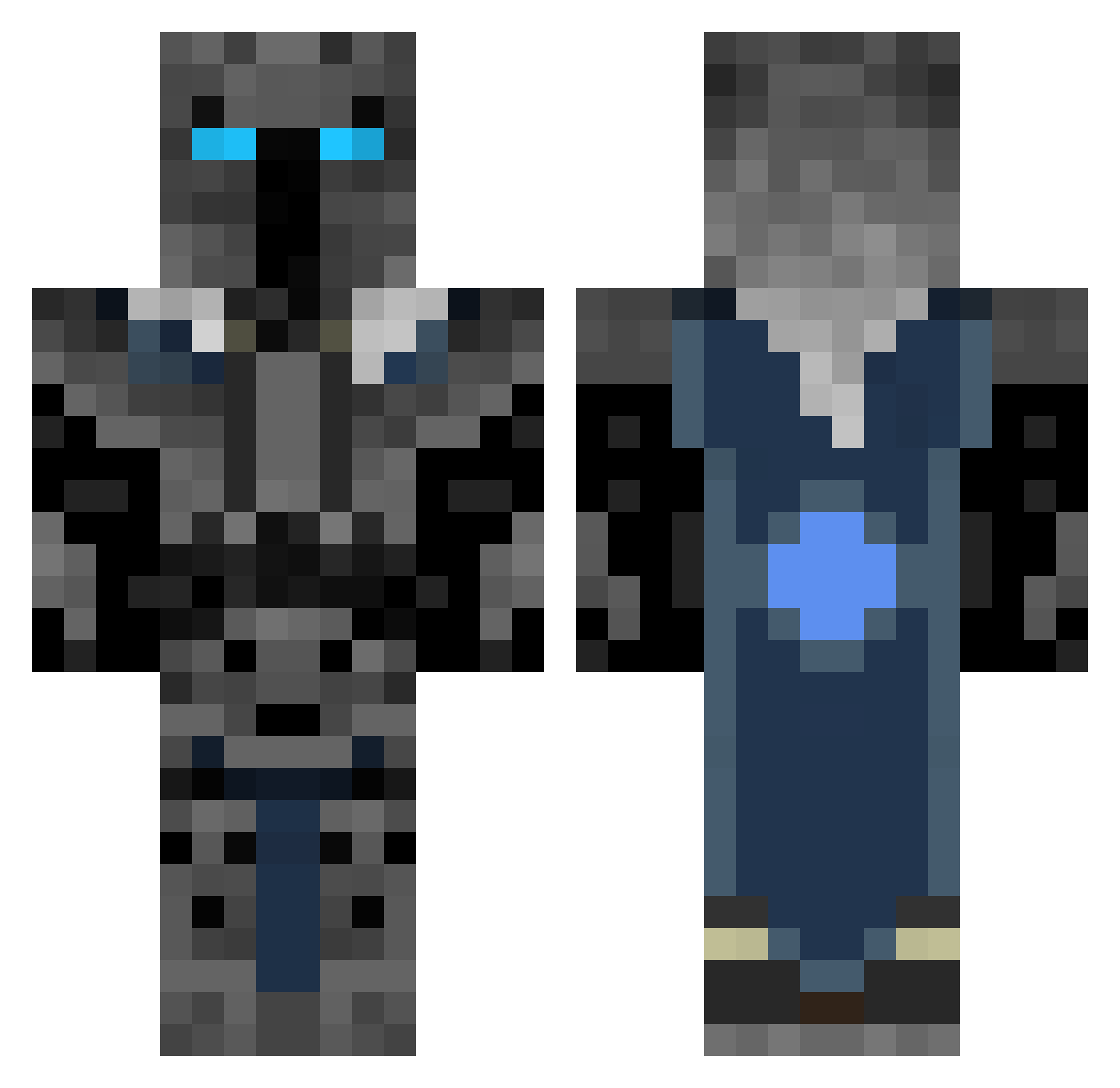
Current Minecraft skin of the player Furiousdestory15, loaded from the official Mojang API. Rotate the 3D model with your mouse or finger, then download the skin as a PNG file and use it in Minecraft: Bedrock Edition or Java Edition for free. When Furiousdestory15 changes their skin, this page updates automatically and the old skin stays in the history below.
Other players with this skin (360)
Furiousdestory15 was the 337th player we have seen with this skin, first spotted on 16.10.2026. The same skin was seen on these players. Open a nickname to see their current skin and skin history.
 MrDarkKing loudnclear Ironclad094 Sinora2 LilPiggyOink Alfredox01 farmreboyp Firepro99 stampylonghead15 MinoSoftHD Patti300 awesomerider100 XBluemaster Buehner_ Will071001 dtexus Tucaram crefe Nichiari Fuyoo oliprostyle Swag_money30 Reptorn hinojosa2003 GoLdenAres 12belleb Lukrieg Kakuna you_poop FlyingSloth_69 StavrosPav MaukenLen fjbkip The_Ivan nicklasvj123nvj YoshiHasSwag27 DRENLOOK KingFrederator wessites Hordegrunt miguel1603 Peppermint_Pig romain12 HornJ96 WildHogDog liamfarese keke77170 Swixxo Moxiiie growingfungus101 Oranoskin HughJassNuts zzzzzzzzzz tylerwb2003 Mr_Hawk12 lolo8331 COLENDER Secretsun VaeBor23 Tardisguy25
More Knight Minecraft skins
How to install the Furiousdestory15 skin
- Press the Download button above to save the skin as a PNG file.
- Minecraft: Bedrock Edition (PE): open the Dressing Room from the main menu (or tap your character → Edit Character), go to Classic Skins → Owned, press the + (new skin) button, choose the downloaded PNG and pick the Classic (Steve) model. Works on PC and mobile; consoles cannot import custom skins.
- Minecraft: Java Edition: open the Minecraft Launcher, go to the Skins tab, click New Skin, load the PNG, pick the Classic (Steve) model and press Save & Use. You can also upload it at minecraft.net → Profile → Change Skin.
The skin does not show up after import - what should I do?
Restart Minecraft and open the Dressing Room again - imported skins sometimes appear only after a restart. Also make sure you selected the imported skin and picked the Classic (Steve) model.
Which model should I choose, Classic or Slim?
This skin is designed for the Classic (Steve) model. If you pick the wrong model, the arms of the skin will look stretched or squeezed.
Is the skin of Furiousdestory15 free to download?
Yes. Press Download, save the PNG file and use it in Minecraft: Bedrock Edition or Java Edition - no payment or registration needed. The skin also works on multiplayer servers and Realms.
More skins
Looking for more? Go back to all Minecraft skins and check the top skins of the week, month and all time, or find any player's skin by nickname.