
FriendlyPelinal - Minecraft Skins & Skin History
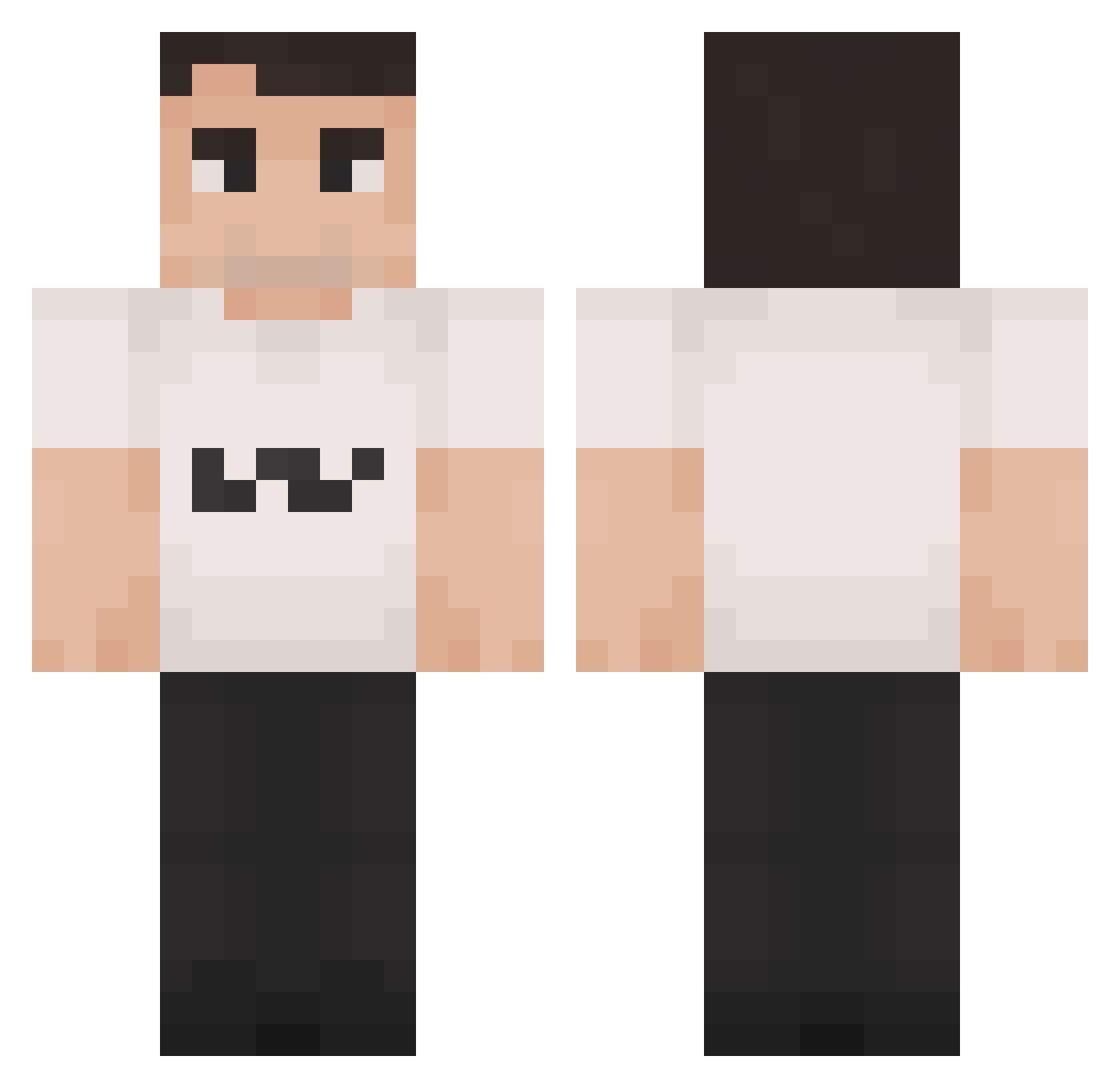
Current Minecraft skin of the player FriendlyPelinal, loaded from the official Mojang API. Rotate the 3D model with your mouse or finger, then download the skin as a PNG file and use it in Minecraft: Bedrock Edition or Java Edition for free. When FriendlyPelinal changes their skin, this page updates automatically and the old skin stays in the history below.
Other players with this skin (1419)
FriendlyPelinal was the 354th player we have seen with this skin, first spotted on 19.08.2026. The same skin was seen on these players. Open a nickname to see their current skin and skin history.
 Diexelpana bubbabirdie MysticalMoose20 DINACHTER majyeye Locless Faz3carl Flying__Turtle booboochu Driver100a
 Koszi55 osugamer123 Femb0yToes69 blueman1427 ArthurSean Emidolo AlejandroPinedo
 MeekyXO Mr_CON2 VlonePredator Monkey21360 camyoony
 PapaKenway NichiNacho1603 ouiuoi PaydayLegend F63FROST Alexea14 Heather_Vance
 zcosta NaterTater68 JJR_Slaught3r WeAreCharlieKlrk CactusFIower desTROYer10169 Dronzel55
 LittleTimmyyy GMbabababab nurrro sexycalin Kriegsgewehr Harkshot Strogonof4Life WedJeans3535098 Jbone45 Zaccaouette Mehmedakif RioceGrain Maxkhs RyanChappelle xXCharlieKirk67 the_piggy_nation MKInvincible CharlieEpstien
 Stick_05 orangepurplecute PewPewGun6 etbentley DCarleton mailnig
More Schlatt Minecraft skins
How to install the FriendlyPelinal skin
- Press the Download button above to save the skin as a PNG file.
- Minecraft: Bedrock Edition (PE): open the Dressing Room from the main menu (or tap your character → Edit Character), go to Classic Skins → Owned, press the + (new skin) button, choose the downloaded PNG and pick the Classic (Steve) model. Works on PC and mobile; consoles cannot import custom skins.
- Minecraft: Java Edition: open the Minecraft Launcher, go to the Skins tab, click New Skin, load the PNG, pick the Classic (Steve) model and press Save & Use. You can also upload it at minecraft.net → Profile → Change Skin.
The skin does not show up after import - what should I do?
Restart Minecraft and open the Dressing Room again - imported skins sometimes appear only after a restart. Also make sure you selected the imported skin and picked the Classic (Steve) model.
Which model should I choose, Classic or Slim?
This skin is designed for the Classic (Steve) model. If you pick the wrong model, the arms of the skin will look stretched or squeezed.
Is the skin of FriendlyPelinal free to download?
Yes. Press Download, save the PNG file and use it in Minecraft: Bedrock Edition or Java Edition - no payment or registration needed. The skin also works on multiplayer servers and Realms.
More skins
Looking for more? Go back to all Minecraft skins and check the top skins of the week, month and all time, or find any player's skin by nickname.