
FreeLoganRain547 - Minecraft Skins & Skin History
Current Minecraft skin of the player FreeLoganRain547, loaded from the official Mojang API. Rotate the 3D model with your mouse or finger, then download the skin as a PNG file and use it in Minecraft: Bedrock Edition or Java Edition for free. When FreeLoganRain547 changes their skin, this page updates automatically and the old skin stays in the history below.
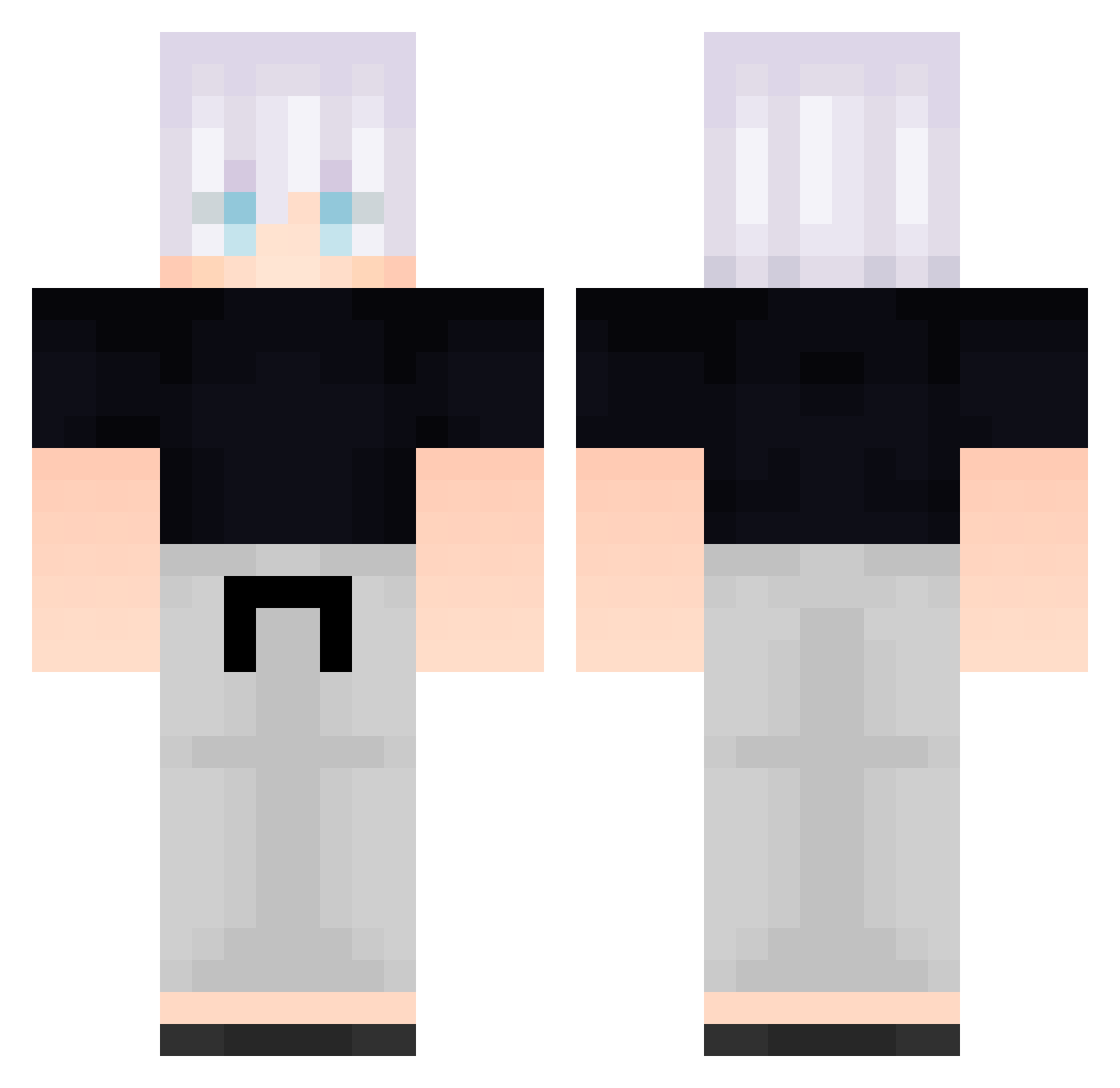
Other players with this skin (584)
FreeLoganRain547 was the 177th player we have seen with this skin, first spotted on 28.08.2026. The same skin was seen on these players. Open a nickname to see their current skin and skin history.
 FreeLoganRain82 XXP936 Particularize023 Zve839 HLo872 wcE142 SnazzyOW s0ti Dabosir Spq258 FreeLoganRain366 arG455 FreeLoganRain262 Kinne39 B_FgInTAHPhza827 FreeLoganRain549 svkyy24 UhonorowanyJeden Wingz54 B_RvUWKbpqIbh834 FolloMinecraft35 VERNAZA1 B_auSxmUuILek683 B_SxduxLMoAvw106 FreeLoganRain462 dBsKcWsdocHzS102 legionchen
 96tenshi JTY637 bLe783 tairatia whitestorm117 TDK_RuY FreeLoganRain669 AwesomeBro1510 FreeLoganRain716 Hugod_14
 SilverMist23 kECgUpEBBHCXH118 _M7MD DiegoC_DG vUm8 FreeLoganRain222 COOOvDwcelcRJ319 ArTongTong rebornxo cPN930 _backbeingafr342 THESUPERJJ Ncn138 bRb179 pwX252 siwoo05 dobbyUnU ipg592 Lkd327 PSY385 zPandaGOD weC954 FreeLoganRain535
More Satoru Gojo Minecraft skins
See all 1317 Satoru Gojo skins
How to install the FreeLoganRain547 skin
- Press the Download button above to save the skin as a PNG file.
- Minecraft: Bedrock Edition (PE): open the Dressing Room from the main menu (or tap your character → Edit Character), go to Classic Skins → Owned, press the + (new skin) button, choose the downloaded PNG and pick the Classic (Steve) model. Works on PC and mobile; consoles cannot import custom skins.
- Minecraft: Java Edition: open the Minecraft Launcher, go to the Skins tab, click New Skin, load the PNG, pick the Classic (Steve) model and press Save & Use. You can also upload it at minecraft.net → Profile → Change Skin.
The skin does not show up after import - what should I do?
Restart Minecraft and open the Dressing Room again - imported skins sometimes appear only after a restart. Also make sure you selected the imported skin and picked the Classic (Steve) model.
Which model should I choose, Classic or Slim?
This skin is designed for the Classic (Steve) model. If you pick the wrong model, the arms of the skin will look stretched or squeezed.
Is the skin of FreeLoganRain547 free to download?
Yes. Press Download, save the PNG file and use it in Minecraft: Bedrock Edition or Java Edition - no payment or registration needed. The skin also works on multiplayer servers and Realms.
More skins
Looking for more? Go back to all Minecraft skins and check the top skins of the week, month and all time, or find any player's skin by nickname.