
FreeLoganRain174 - Minecraft Skins & Skin History
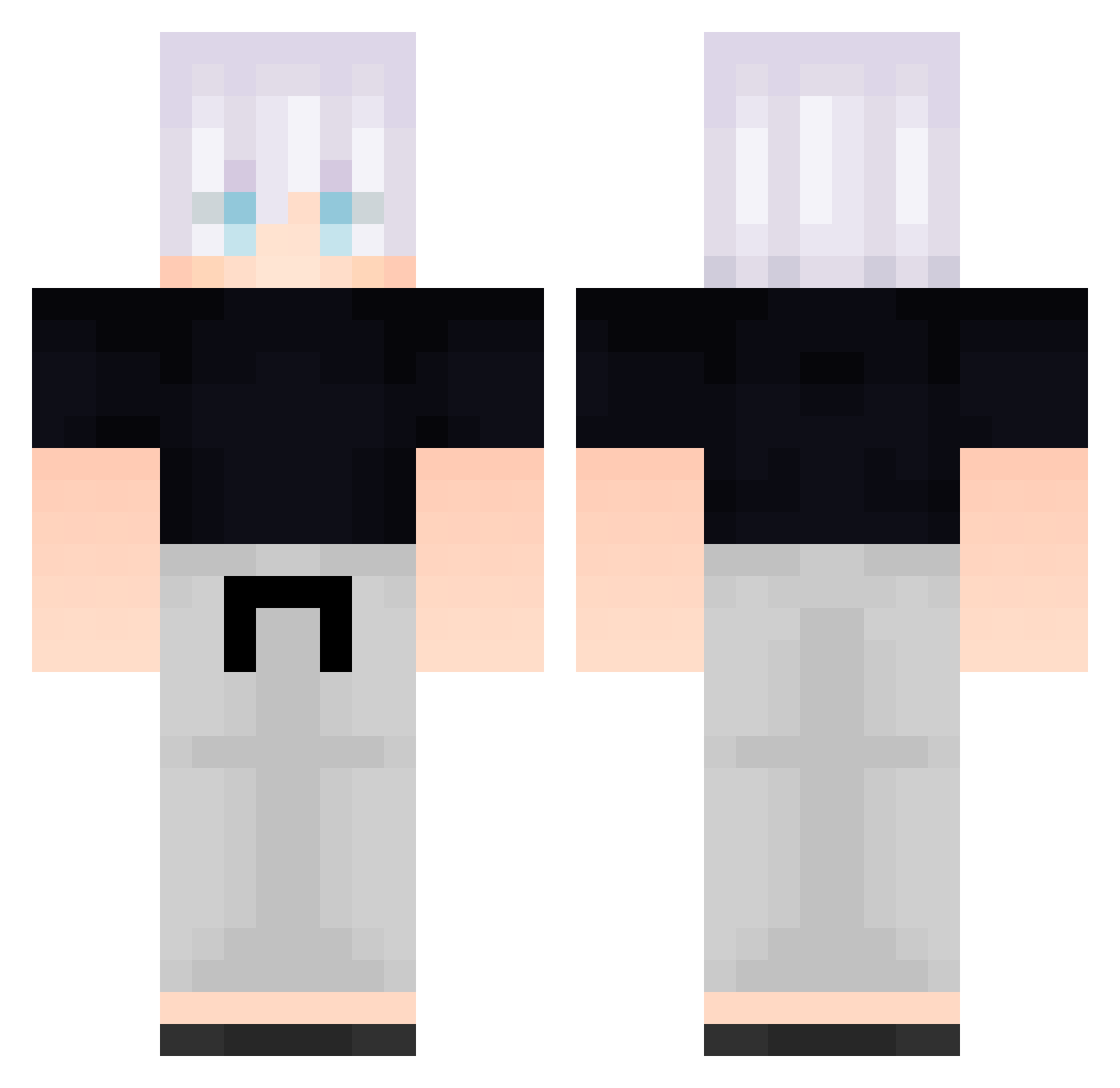
Current Minecraft skin of the player FreeLoganRain174, loaded from the official Mojang API. Rotate the 3D model with your mouse or finger, then download the skin as a PNG file and use it in Minecraft: Bedrock Edition or Java Edition for free. When FreeLoganRain174 changes their skin, this page updates automatically and the old skin stays in the history below.
Other players with this skin (584)
FreeLoganRain174 was the 356th player we have seen with this skin, first spotted on 01.10.2026. The same skin was seen on these players. Open a nickname to see their current skin and skin history.
 Aql274 NoHaxBruvv dara39 hPB564 Kmm567 rkivFLrXtqiBU941 _backbeingaGm966 _backbeingaaY646 jeQ882 Particularize077 jotx HasanAbii pFk41 RY926 Particularize013 GBf369 _backbeingavM189 Varg_137 Nori1x Particularize03 MrWearx PujwhGiYeDXDn377 Lxmp24 Congratulation6 Ifz72 Fernand058T FurbitoALas7 Particularize079 Wad626 f0n3ra ElPenitente AAwhydLaJCbsd648 FolloMinecraft79 jYf434 qwv505 PENG5678 QAy43 Particularize045 Xizzlerzz QwF659 Toji1011 Congratulation48 GGSgalaxy B_CJHGVtOjQUJ431 dgV594 yxL593 eol3315 DragonE31 exiiste nickolasha AEolvOFnvNNbt353 Dieghino03 fpd506 Emiristan AUHEloVEhUoJR519 AsPgagYCAwDHE287 BQG321 WrI627 ItzHIMJacob kamztg
More Satoru Gojo Minecraft skins
See all 1317 Satoru Gojo skins
How to install the FreeLoganRain174 skin
- Press the Download button above to save the skin as a PNG file.
- Minecraft: Bedrock Edition (PE): open the Dressing Room from the main menu (or tap your character → Edit Character), go to Classic Skins → Owned, press the + (new skin) button, choose the downloaded PNG and pick the Classic (Steve) model. Works on PC and mobile; consoles cannot import custom skins.
- Minecraft: Java Edition: open the Minecraft Launcher, go to the Skins tab, click New Skin, load the PNG, pick the Classic (Steve) model and press Save & Use. You can also upload it at minecraft.net → Profile → Change Skin.
The skin does not show up after import - what should I do?
Restart Minecraft and open the Dressing Room again - imported skins sometimes appear only after a restart. Also make sure you selected the imported skin and picked the Classic (Steve) model.
Which model should I choose, Classic or Slim?
This skin is designed for the Classic (Steve) model. If you pick the wrong model, the arms of the skin will look stretched or squeezed.
Is the skin of FreeLoganRain174 free to download?
Yes. Press Download, save the PNG file and use it in Minecraft: Bedrock Edition or Java Edition - no payment or registration needed. The skin also works on multiplayer servers and Realms.
More skins
Looking for more? Go back to all Minecraft skins and check the top skins of the week, month and all time, or find any player's skin by nickname.