
Franncko - Minecraft Skins & Skin History
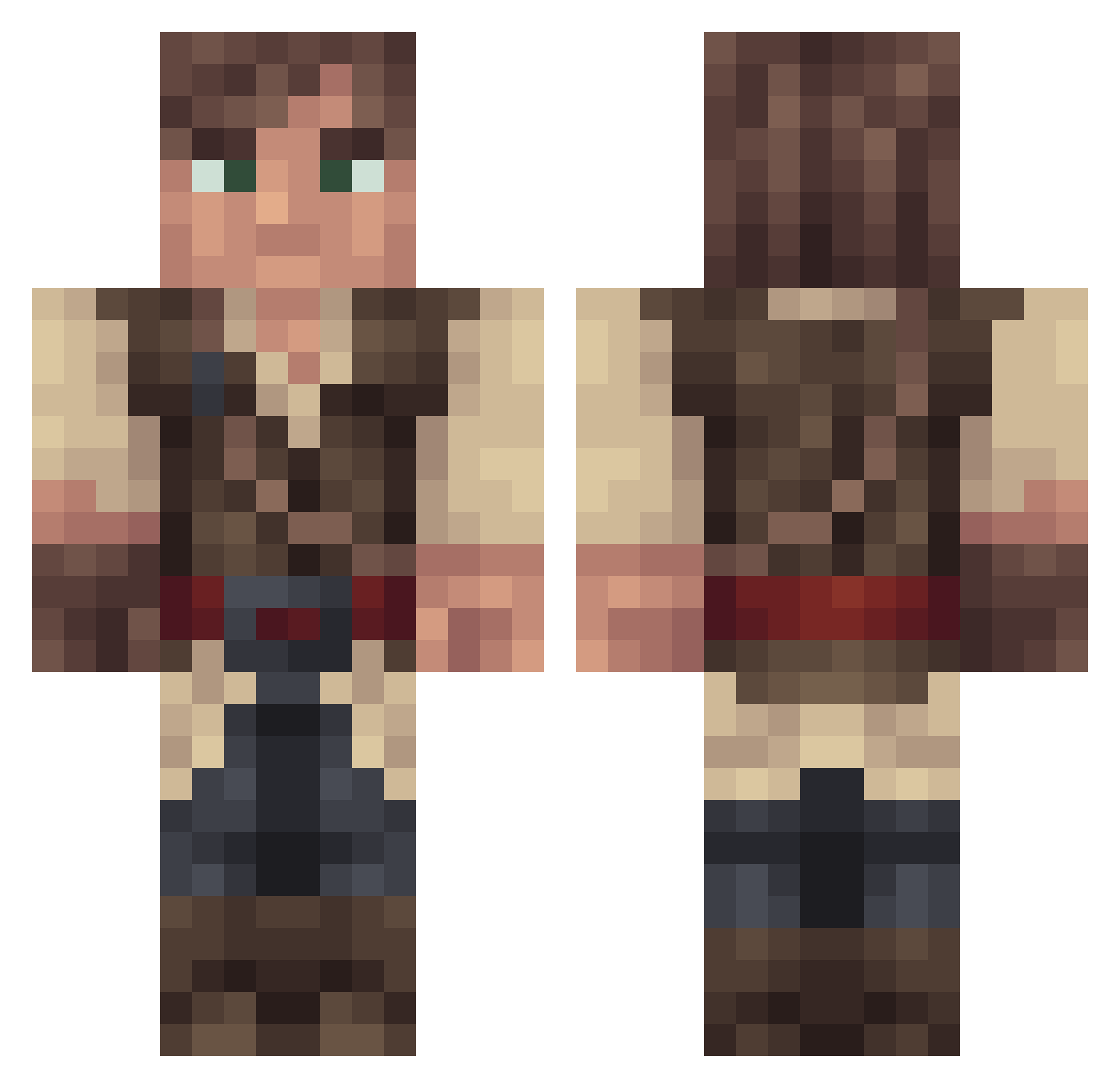
Current Minecraft skin of the player Franncko, loaded from the official Mojang API. Rotate the 3D model with your mouse or finger, then download the skin as a PNG file and use it in Minecraft: Bedrock Edition or Java Edition for free. When Franncko changes their skin, this page updates automatically and the old skin stays in the history below.
Other players with this skin (268)
Franncko was the 210th player we have seen with this skin, first spotted on 17.10.2026. The same skin was seen on these players. Open a nickname to see their current skin and skin history.
 ArthVero PyrosComradery Rectangled FloXeL1 lordmisanthrope Typhinius Ruffelt FunnyShaun kelraz82 NLGPORCO Vilinas Grulos Impendin GTheDarkPrince TheDarkStorm IndigoNCL Doggie24 Gwumpy_Minx Mrsilver1018 Zawambawi _Braunbaer_ KLKing82 Cgoodhind Boutfas mac21mbe Swizzels uglyMATTER FaustMarlowe Viralblade Skrobert Morofang Caldyen Wressen Tuzantar SerphentCruell KirkusDeBowman hongguan ThisIsRaving lwd898 ankek19 FakeTortoise DaChickenArmy GassyBattleCow Pinstriper97 MrAlrightythen Carlvond DeviantPlague jolitorax Silentroad Vr490 FireFossil Ul1keTh1s Homicidal_Ninja TheRoughMuff Greggar57 Hovablade RyothGaming Djmully2000 hgeg JWriter
More Bandit Minecraft skins
How to install the Franncko skin
- Press the Download button above to save the skin as a PNG file.
- Minecraft: Bedrock Edition (PE): open the Dressing Room from the main menu (or tap your character → Edit Character), go to Classic Skins → Owned, press the + (new skin) button, choose the downloaded PNG and pick the Classic (Steve) model. Works on PC and mobile; consoles cannot import custom skins.
- Minecraft: Java Edition: open the Minecraft Launcher, go to the Skins tab, click New Skin, load the PNG, pick the Classic (Steve) model and press Save & Use. You can also upload it at minecraft.net → Profile → Change Skin.
The skin does not show up after import - what should I do?
Restart Minecraft and open the Dressing Room again - imported skins sometimes appear only after a restart. Also make sure you selected the imported skin and picked the Classic (Steve) model.
Which model should I choose, Classic or Slim?
This skin is designed for the Classic (Steve) model. If you pick the wrong model, the arms of the skin will look stretched or squeezed.
Is the skin of Franncko free to download?
Yes. Press Download, save the PNG file and use it in Minecraft: Bedrock Edition or Java Edition - no payment or registration needed. The skin also works on multiplayer servers and Realms.
More skins
Looking for more? Go back to all Minecraft skins and check the top skins of the week, month and all time, or find any player's skin by nickname.