
hgeg - Minecraft Skins & Skin History
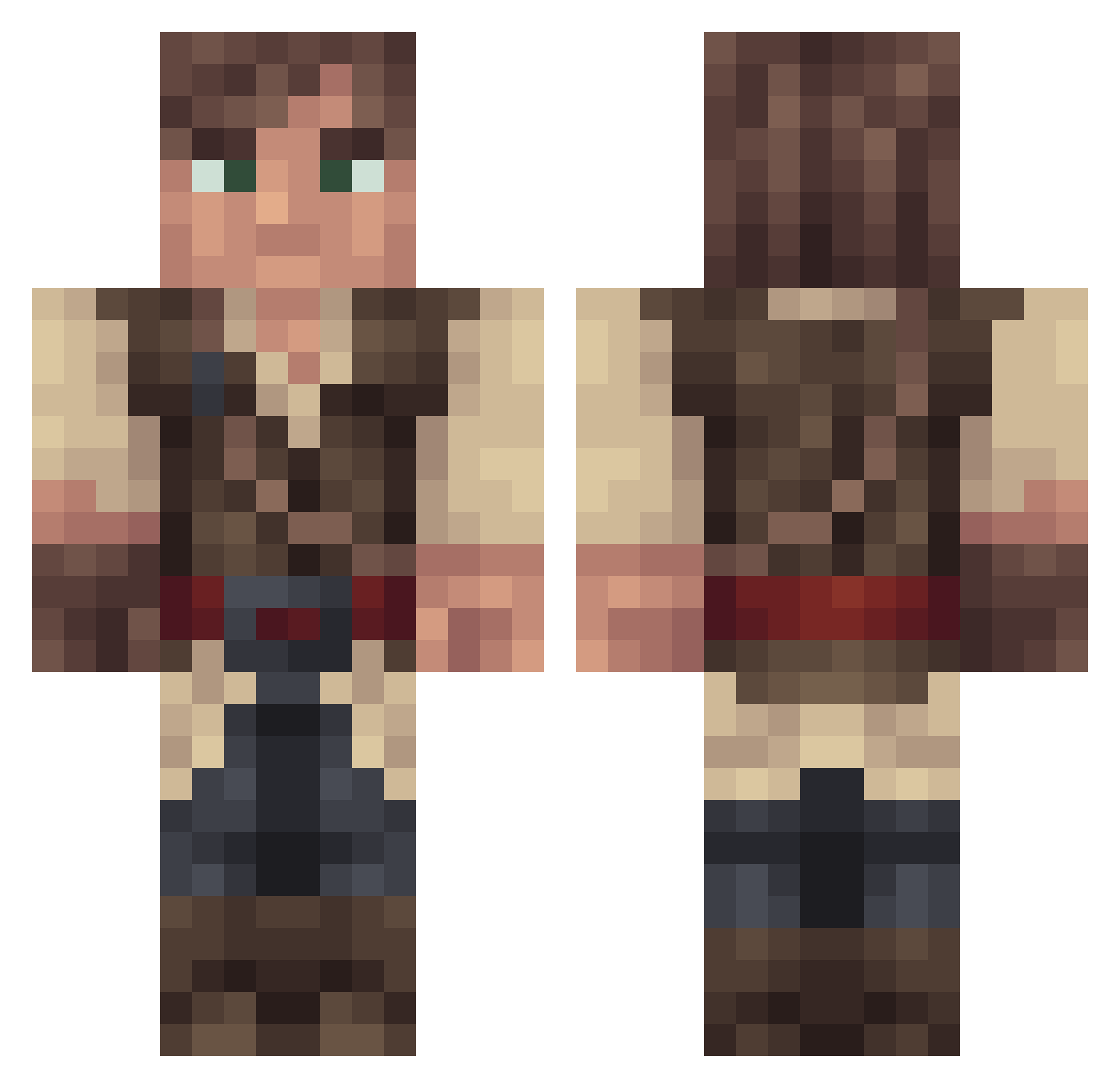
Current Minecraft skin of the player hgeg, loaded from the official Mojang API. Rotate the 3D model with your mouse or finger, then download the skin as a PNG file and use it in Minecraft: Bedrock Edition or Java Edition for free. When hgeg changes their skin, this page updates automatically and the old skin stays in the history below.
Other players with this skin (268)
hgeg was the 177th player we have seen with this skin, first spotted on 07.10.2026. The same skin was seen on these players. Open a nickname to see their current skin and skin history.
 PeterEFernandez Djmully2000 ZASHawesome Greggar57 TheRoughMuff jram_2124 Bermatic FireFossil Vr490 AngusTheNerd MasterOfFlama stefvanengelen Cuthwulf XxNaneekxX sejefyr_dk Inusun Velayse Snewpie Carlvond Gustaff_Gotari MrAlrightythen POEntropy Pinstriper97 Qualkice DaChickenArmy FakeTortoise ankek19 Omar111 Orikkun Gossus Tuzantar knoop Wressen Caldyen brassfang bultenpompom Viralblade uglyMATTER idzero77 Cgoodhind KLKing82 TrionicMan Mrsilver1018 Gwumpy_Minx Doggie24 Aqq TheDarkStorm Krixsus 2Great4YouYT GTheDarkPrince Impendin Grulos Bumflufftornado Veridis NLGPORCO kelraz82 Ruffelt Typhinius RayCast lordmisanthrope
More Bandit Minecraft skins
How to install the hgeg skin
- Press the Download button above to save the skin as a PNG file.
- Minecraft: Bedrock Edition (PE): open the Dressing Room from the main menu (or tap your character → Edit Character), go to Classic Skins → Owned, press the + (new skin) button, choose the downloaded PNG and pick the Classic (Steve) model. Works on PC and mobile; consoles cannot import custom skins.
- Minecraft: Java Edition: open the Minecraft Launcher, go to the Skins tab, click New Skin, load the PNG, pick the Classic (Steve) model and press Save & Use. You can also upload it at minecraft.net → Profile → Change Skin.
The skin does not show up after import - what should I do?
Restart Minecraft and open the Dressing Room again - imported skins sometimes appear only after a restart. Also make sure you selected the imported skin and picked the Classic (Steve) model.
Which model should I choose, Classic or Slim?
This skin is designed for the Classic (Steve) model. If you pick the wrong model, the arms of the skin will look stretched or squeezed.
Is the skin of hgeg free to download?
Yes. Press Download, save the PNG file and use it in Minecraft: Bedrock Edition or Java Edition - no payment or registration needed. The skin also works on multiplayer servers and Realms.
More skins
Looking for more? Go back to all Minecraft skins and check the top skins of the week, month and all time, or find any player's skin by nickname.