
ForTheRushh - Minecraft Skins & Skin History
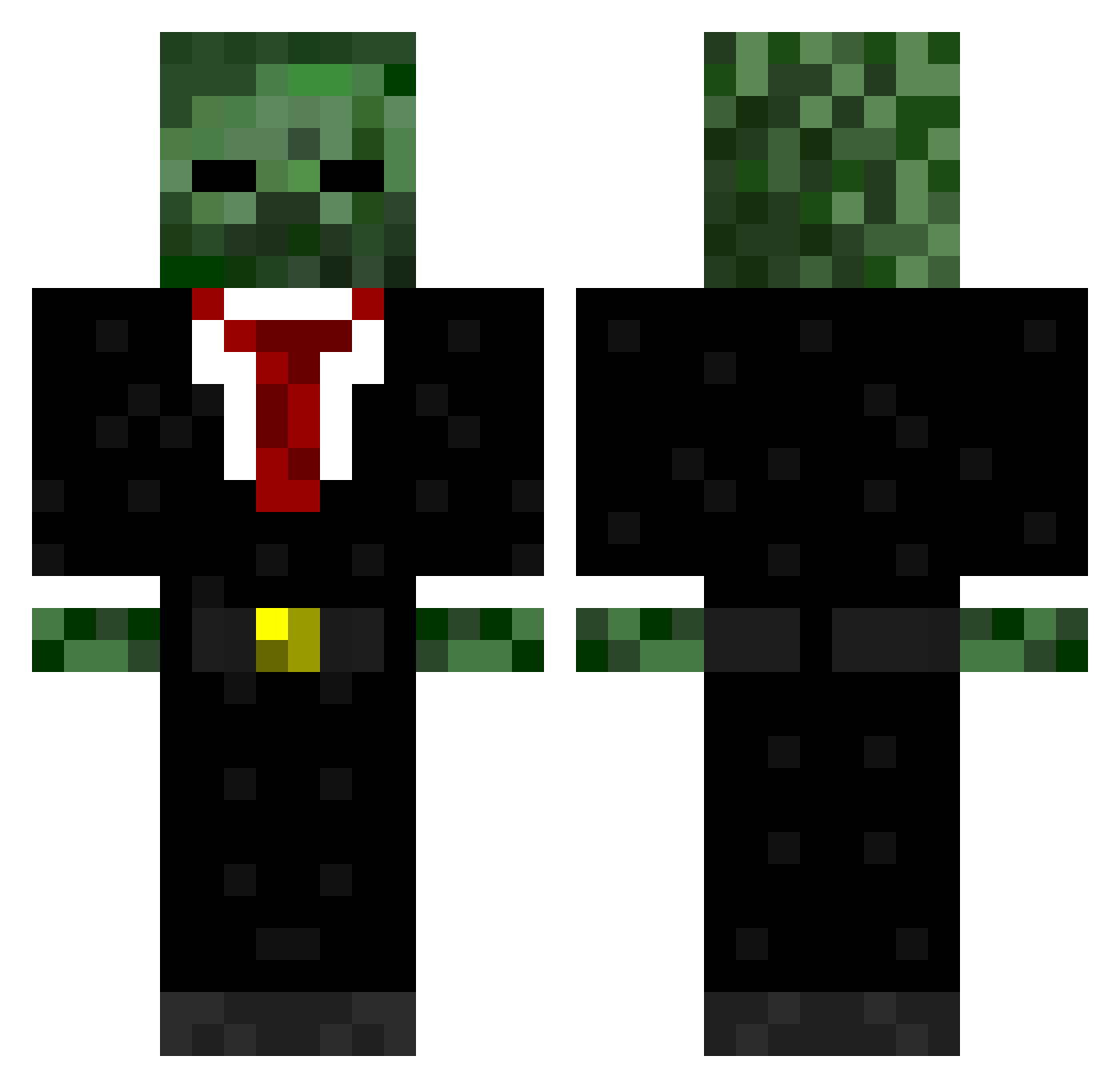
Current Minecraft skin of the player ForTheRushh, loaded from the official Mojang API. Rotate the 3D model with your mouse or finger, then download the skin as a PNG file and use it in Minecraft: Bedrock Edition or Java Edition for free. When ForTheRushh changes their skin, this page updates automatically and the old skin stays in the history below.
Other players with this skin (570)
ForTheRushh was the 471st player we have seen with this skin, first spotted on 17.10.2026. The same skin was seen on these players. Open a nickname to see their current skin and skin history.
 vladmir33 Wheeto123 scumbagpredator xrchris56ya pancake511 Avahlanche PlanB2989 compensator76 james620 janniscrafter03 cgoulder tha_boss_2002 samcov jameswaxley stiggy__46 xBo benleroux101 jermyisawesome MPUltimate TheOfficialJP max976431852 fidgy30 antkillster Jimboslice335 Da_Man05 jbmcraft OMGitzExotic theONE966 ShadowGamer181 Knuckles1071 TRA3799 pjones77 ProAli Bumberclut69 Josefmt jbpoju XguneyX sourcreamnstr8 VeloOunzy alex8047 Knallerbse87 tankberkhoff CaptDestiney mediaevildemon agiantmonkey12 SmartLord_ 5eze1 GODecaf OsU_Buckeye14 PizzaMeister STIG_DUEL XInorway Gingineer296 SammyJ28 swagshot365074 123chris167 sonic4858 nyansin11 jackyjchan PureWG
More Zombie Minecraft skins
How to install the ForTheRushh skin
- Press the Download button above to save the skin as a PNG file.
- Minecraft: Bedrock Edition (PE): open the Dressing Room from the main menu (or tap your character → Edit Character), go to Classic Skins → Owned, press the + (new skin) button, choose the downloaded PNG and pick the Classic (Steve) model. Works on PC and mobile; consoles cannot import custom skins.
- Minecraft: Java Edition: open the Minecraft Launcher, go to the Skins tab, click New Skin, load the PNG, pick the Classic (Steve) model and press Save & Use. You can also upload it at minecraft.net → Profile → Change Skin.
The skin does not show up after import - what should I do?
Restart Minecraft and open the Dressing Room again - imported skins sometimes appear only after a restart. Also make sure you selected the imported skin and picked the Classic (Steve) model.
Which model should I choose, Classic or Slim?
This skin is designed for the Classic (Steve) model. If you pick the wrong model, the arms of the skin will look stretched or squeezed.
Is the skin of ForTheRushh free to download?
Yes. Press Download, save the PNG file and use it in Minecraft: Bedrock Edition or Java Edition - no payment or registration needed. The skin also works on multiplayer servers and Realms.
More skins
Looking for more? Go back to all Minecraft skins and check the top skins of the week, month and all time, or find any player's skin by nickname.