
FlyUziVert - Minecraft Skins & Skin History
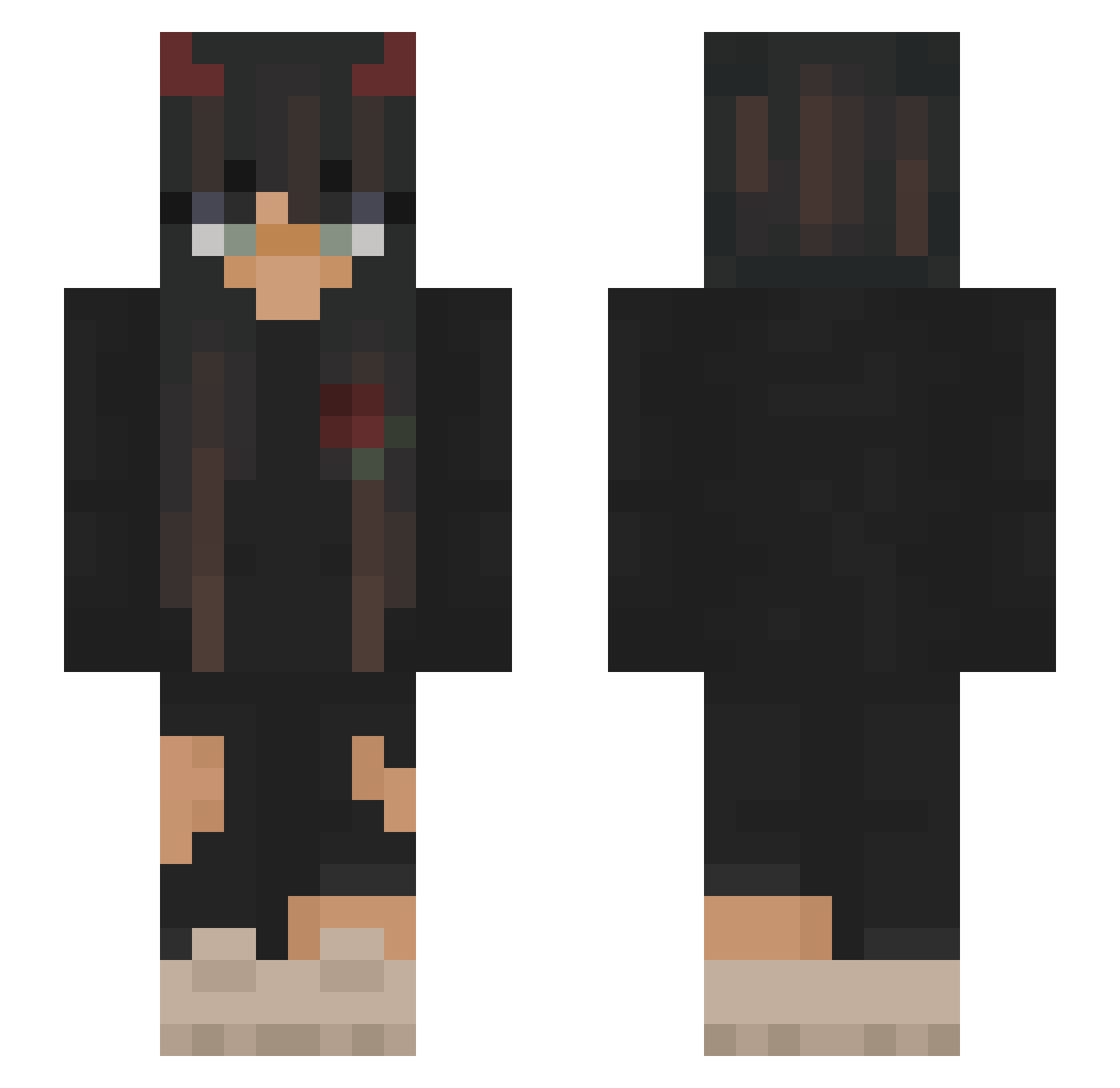
Current Minecraft skin of the player FlyUziVert, loaded from the official Mojang API. Rotate the 3D model with your mouse or finger, then download the skin as a PNG file and use it in Minecraft: Bedrock Edition or Java Edition for free. When FlyUziVert changes their skin, this page updates automatically and the old skin stays in the history below.
Other players with this skin (185)
FlyUziVert was the 101st player we have seen with this skin, first spotted on 15.09.2026. The same skin was seen on these players. Open a nickname to see their current skin and skin history.
 L1peW DerriYT Screeny94 tuyo1007 imalegitcat BxLeShaolin LucasCN69 Lu1s4x LisaLaLicorne Matilde23 Rubywwb gwuip Victoria_Tori MickeyMyRat Algycone luvnatty Elinetjuhx Madp06 gabuvx lenallie Rainyday951 Jasna01 Aeliah sseaph Stampie10 QueenLulu05 Daisylilies Amburger_ DreamScream DarcieeKaye xMartynka duhcamj AlderBresil Equo_venator ZeRo_8_1 Wo_leen EllieJosephineW Dreasoulis HypedLeonie Gros_Sergent h0lli3 Roxulka EmaWaffles149 vAustxnzq TINV09 tuwqdie treycrazyman karolka87_ chenX1000 GotSkillz_Eyy Escapeher _SKIF_ Jarret007 ColdMask_ madixoxox BedBois eli4112 EZStyleSYT2 scufedworldwide HirohitoSenpai_
More Demon Horns Minecraft skins
How to install the FlyUziVert skin
- Press the Download button above to save the skin as a PNG file.
- Minecraft: Bedrock Edition (PE): open the Dressing Room from the main menu (or tap your character → Edit Character), go to Classic Skins → Owned, press the + (new skin) button, choose the downloaded PNG and pick the Slim (Alex) model. Works on PC and mobile; consoles cannot import custom skins.
- Minecraft: Java Edition: open the Minecraft Launcher, go to the Skins tab, click New Skin, load the PNG, pick the Slim (Alex) model and press Save & Use. You can also upload it at minecraft.net → Profile → Change Skin.
The skin does not show up after import - what should I do?
Restart Minecraft and open the Dressing Room again - imported skins sometimes appear only after a restart. Also make sure you selected the imported skin and picked the Slim (Alex) model.
Which model should I choose, Classic or Slim?
This skin is designed for the Slim (Alex) model. If you pick the wrong model, the arms of the skin will look stretched or squeezed.
Is the skin of FlyUziVert free to download?
Yes. Press Download, save the PNG file and use it in Minecraft: Bedrock Edition or Java Edition - no payment or registration needed. The skin also works on multiplayer servers and Realms.
More skins
Looking for more? Go back to all Minecraft skins and check the top skins of the week, month and all time, or find any player's skin by nickname.