
Flowercandle - Minecraft Skins & Skin History
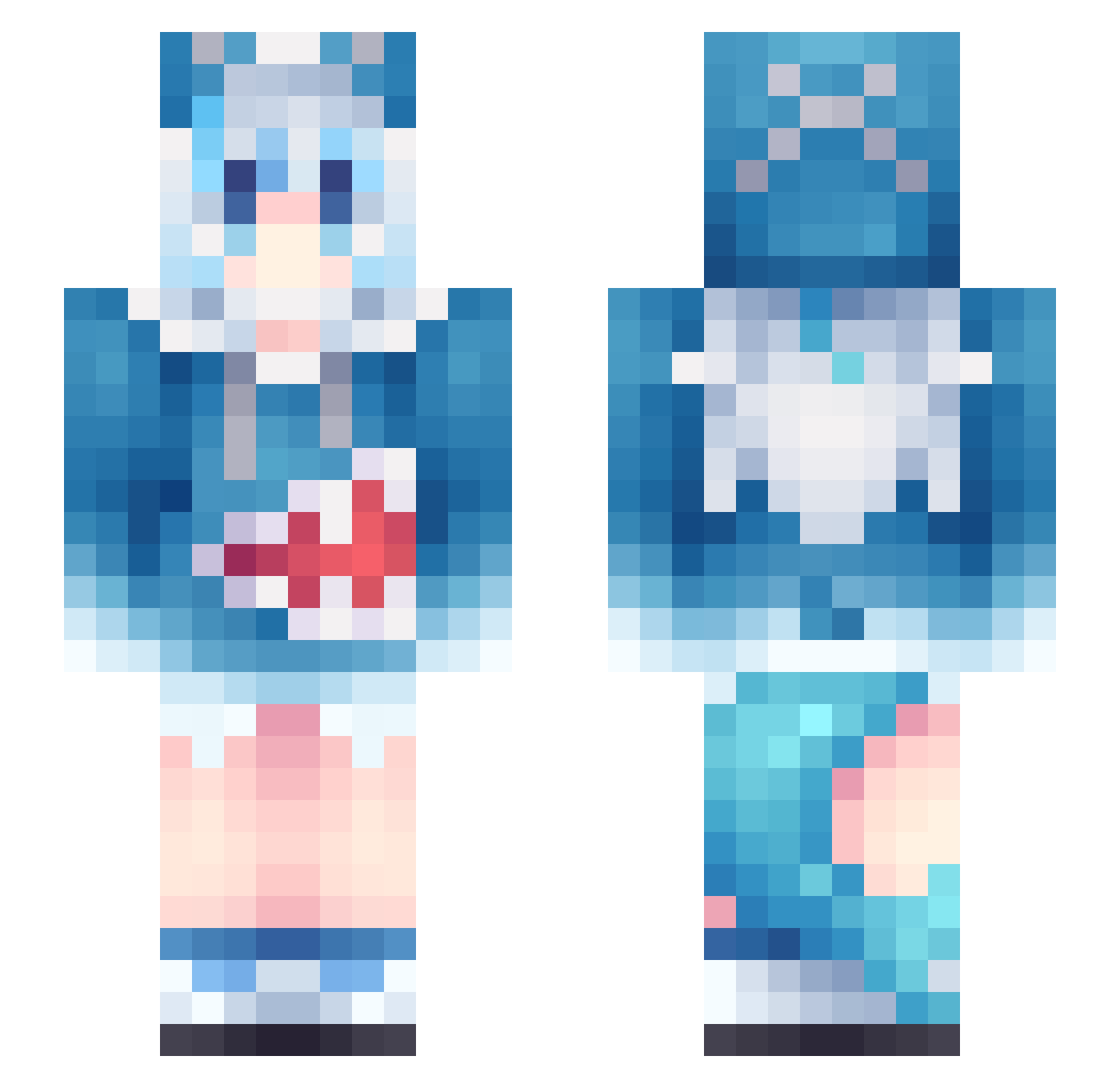
Current Minecraft skin of the player Flowercandle, loaded from the official Mojang API. Rotate the 3D model with your mouse or finger, then download the skin as a PNG file and use it in Minecraft: Bedrock Edition or Java Edition for free. When Flowercandle changes their skin, this page updates automatically and the old skin stays in the history below.
Other players with this skin (956)
Flowercandle was the 755th player we have seen with this skin, first spotted on 07.10.2026. The same skin was seen on these players. Open a nickname to see their current skin and skin history.
 OilFish425 JiOnGg sleepysledding ShinyPuma KRYfgcse AKinator_1 soft5465 DerpShrines yihengx Spikey__Wikey LennardB2006 lhzero Kozch SlickPhoenix08 Froztte Richellaa MissDeuceDeuce Irxne_ sans1001017 OneQC1oud IXXIX 00rena00 Akiyama_M1ZUk1 zhaiwinter foreverlover11 qzlh tongV MLHwY cxy_c Piak0_0 starjjjerry rescore09 B4SER_SKY treelxs usak0o PARADISE_NYAN PeachyPenguino warframer shuoye27 surager SkySiren_ RiaMtyan hop1919 PandaChillin Tim911121 alan901026 Leedaeyeob Ruzenka232 StupidBaer lilahbean0525 CoreyCora Raika444 MAO0902 0_FISH_013 HirumiTheRev KingGumba Munchkinu Orkawhale8 makky212 QING222
More Gawr Gura Minecraft skins
How to install the Flowercandle skin
- Press the Download button above to save the skin as a PNG file.
- Minecraft: Bedrock Edition (PE): open the Dressing Room from the main menu (or tap your character → Edit Character), go to Classic Skins → Owned, press the + (new skin) button, choose the downloaded PNG and pick the Slim (Alex) model. Works on PC and mobile; consoles cannot import custom skins.
- Minecraft: Java Edition: open the Minecraft Launcher, go to the Skins tab, click New Skin, load the PNG, pick the Slim (Alex) model and press Save & Use. You can also upload it at minecraft.net → Profile → Change Skin.
The skin does not show up after import - what should I do?
Restart Minecraft and open the Dressing Room again - imported skins sometimes appear only after a restart. Also make sure you selected the imported skin and picked the Slim (Alex) model.
Which model should I choose, Classic or Slim?
This skin is designed for the Slim (Alex) model. If you pick the wrong model, the arms of the skin will look stretched or squeezed.
Is the skin of Flowercandle free to download?
Yes. Press Download, save the PNG file and use it in Minecraft: Bedrock Edition or Java Edition - no payment or registration needed. The skin also works on multiplayer servers and Realms.
More skins
Looking for more? Go back to all Minecraft skins and check the top skins of the week, month and all time, or find any player's skin by nickname.