
FloatingDiao - Minecraft Skins & Skin History
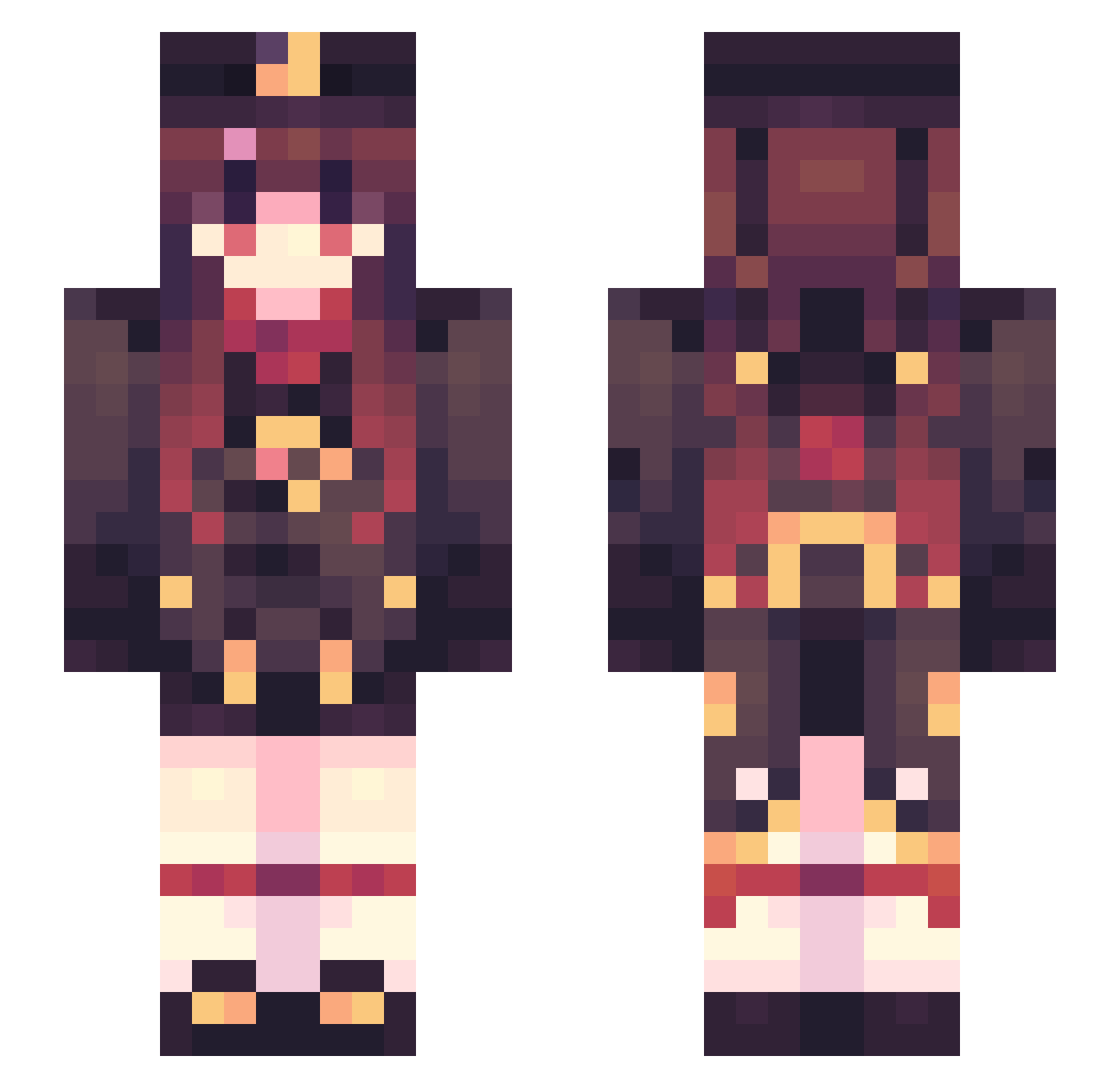
Current Minecraft skin of the player FloatingDiao, loaded from the official Mojang API. Rotate the 3D model with your mouse or finger, then download the skin as a PNG file and use it in Minecraft: Bedrock Edition or Java Edition for free. When FloatingDiao changes their skin, this page updates automatically and the old skin stays in the history below.
Other players with this skin (541)
FloatingDiao was the 156th player we have seen with this skin, first spotted on 27.08.2026. The same skin was seen on these players. Open a nickname to see their current skin and skin history.
 _canghai_ EX_Cirno XQXQXQQ Uxnjia momenneko T1_MuNyang LadyLasagne ENDER_ASS wcamiller ItsHu_Tao HuTao_2333 Ganyu__ Fsel_Fish kz7543 Nunuti hhonma mc_wrr Kay_kay725 TheAbsentArcher hutaovn142 BH586 Hu_Tao3315 gqc246810 HUTAOZZZ GenshinImpaci d1no0209 anxiye SPDouLo welearn6 XuanXiaos logicawa Takoyakiiiiiovo lingheyu kanglin M_uu_M ONevetz THHardWay moneta0403 Kremharto luoshuiwuqing1 JaeTheTotalBae Takara_tsuki fengcha YZyuzhou songziqian91 xiaomoshou yuanfeng20 Capr0106 NaomiGero SONG1999 mitn3232 gitark SkyCheng_ jaychounice 46Lq5k jackey_1 Elysian0_0 c6oo7 IamLDJY ExpertCarrot209
More Hu Tao Minecraft skins
How to install the FloatingDiao skin
- Press the Download button above to save the skin as a PNG file.
- Minecraft: Bedrock Edition (PE): open the Dressing Room from the main menu (or tap your character → Edit Character), go to Classic Skins → Owned, press the + (new skin) button, choose the downloaded PNG and pick the Slim (Alex) model. Works on PC and mobile; consoles cannot import custom skins.
- Minecraft: Java Edition: open the Minecraft Launcher, go to the Skins tab, click New Skin, load the PNG, pick the Slim (Alex) model and press Save & Use. You can also upload it at minecraft.net → Profile → Change Skin.
The skin does not show up after import - what should I do?
Restart Minecraft and open the Dressing Room again - imported skins sometimes appear only after a restart. Also make sure you selected the imported skin and picked the Slim (Alex) model.
Which model should I choose, Classic or Slim?
This skin is designed for the Slim (Alex) model. If you pick the wrong model, the arms of the skin will look stretched or squeezed.
Is the skin of FloatingDiao free to download?
Yes. Press Download, save the PNG file and use it in Minecraft: Bedrock Edition or Java Edition - no payment or registration needed. The skin also works on multiplayer servers and Realms.
More skins
Looking for more? Go back to all Minecraft skins and check the top skins of the week, month and all time, or find any player's skin by nickname.