
FlexBrulux - Minecraft Skins & Skin History
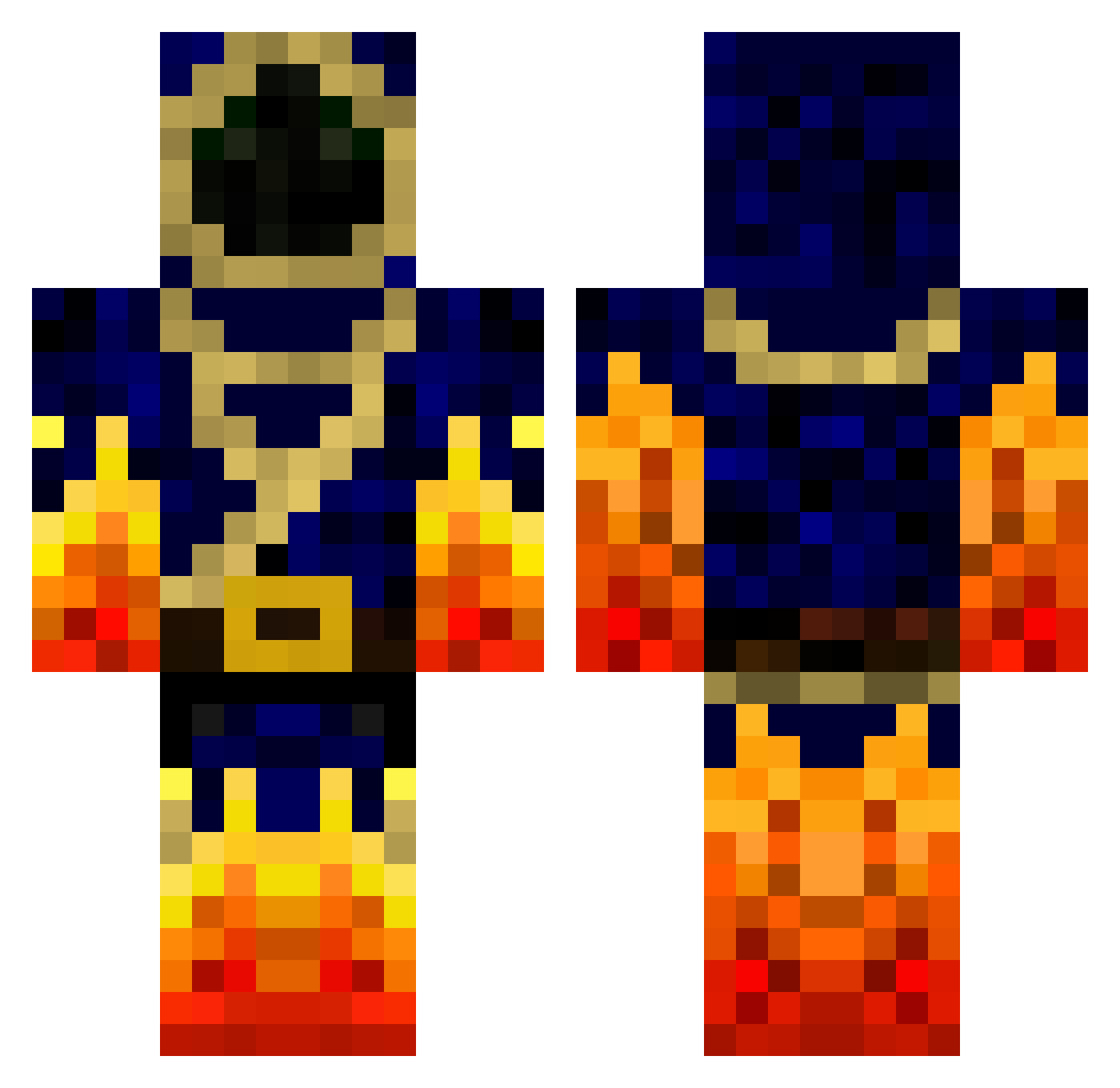
Current Minecraft skin of the player FlexBrulux, loaded from the official Mojang API. Rotate the 3D model with your mouse or finger, then download the skin as a PNG file and use it in Minecraft: Bedrock Edition or Java Edition for free. When FlexBrulux changes their skin, this page updates automatically and the old skin stays in the history below.
Other players with this skin (147)
FlexBrulux was the 77th player we have seen with this skin, first spotted on 22.09.2026. The same skin was seen on these players. Open a nickname to see their current skin and skin history.
 Doomox 4yt3ch TVflower TheMasterG17 FryingPan_God WarLockRob overtore_2145 Tryhard_Elite Hunter_94_ Jaralax Hukules Ac3rKiLl7two spinion92 PhoenixLord4226 DorkyOldMan TyronZona Kythes Lynx62 MinerJulius SnookieWar redtiger708 OsmozeInverse sorfer remc5 Laquiche2007 super_gaz Abao_0226 HiNoUmi MrWarlockFTW MWY2354 dorkster14 CheeseGhost Dellsaco SebasGamer410 theribking13 diamondwizard13 fireSaffo SchoolMAN00 The_MangoTree dragonslayer256 Tenfes ZachFB_Studios Dajto2203 AndyTheDemon Infernal_Lich LKS_Anti YourBestMan1 Bustedcraft001 Electressic Gui_Yuan TisTheBirdMan Xiaolonglonmg younes2008 Ranichi hudzi2000 Try_Hard_Walrus foxhole711 Playcrafter27 Zidane421 jester5022
More Mage Minecraft skins
How to install the FlexBrulux skin
- Press the Download button above to save the skin as a PNG file.
- Minecraft: Bedrock Edition (PE): open the Dressing Room from the main menu (or tap your character → Edit Character), go to Classic Skins → Owned, press the + (new skin) button, choose the downloaded PNG and pick the Classic (Steve) model. Works on PC and mobile; consoles cannot import custom skins.
- Minecraft: Java Edition: open the Minecraft Launcher, go to the Skins tab, click New Skin, load the PNG, pick the Classic (Steve) model and press Save & Use. You can also upload it at minecraft.net → Profile → Change Skin.
The skin does not show up after import - what should I do?
Restart Minecraft and open the Dressing Room again - imported skins sometimes appear only after a restart. Also make sure you selected the imported skin and picked the Classic (Steve) model.
Which model should I choose, Classic or Slim?
This skin is designed for the Classic (Steve) model. If you pick the wrong model, the arms of the skin will look stretched or squeezed.
Is the skin of FlexBrulux free to download?
Yes. Press Download, save the PNG file and use it in Minecraft: Bedrock Edition or Java Edition - no payment or registration needed. The skin also works on multiplayer servers and Realms.
More skins
Looking for more? Go back to all Minecraft skins and check the top skins of the week, month and all time, or find any player's skin by nickname.