
Fizzy437 - Minecraft Skins & Skin History
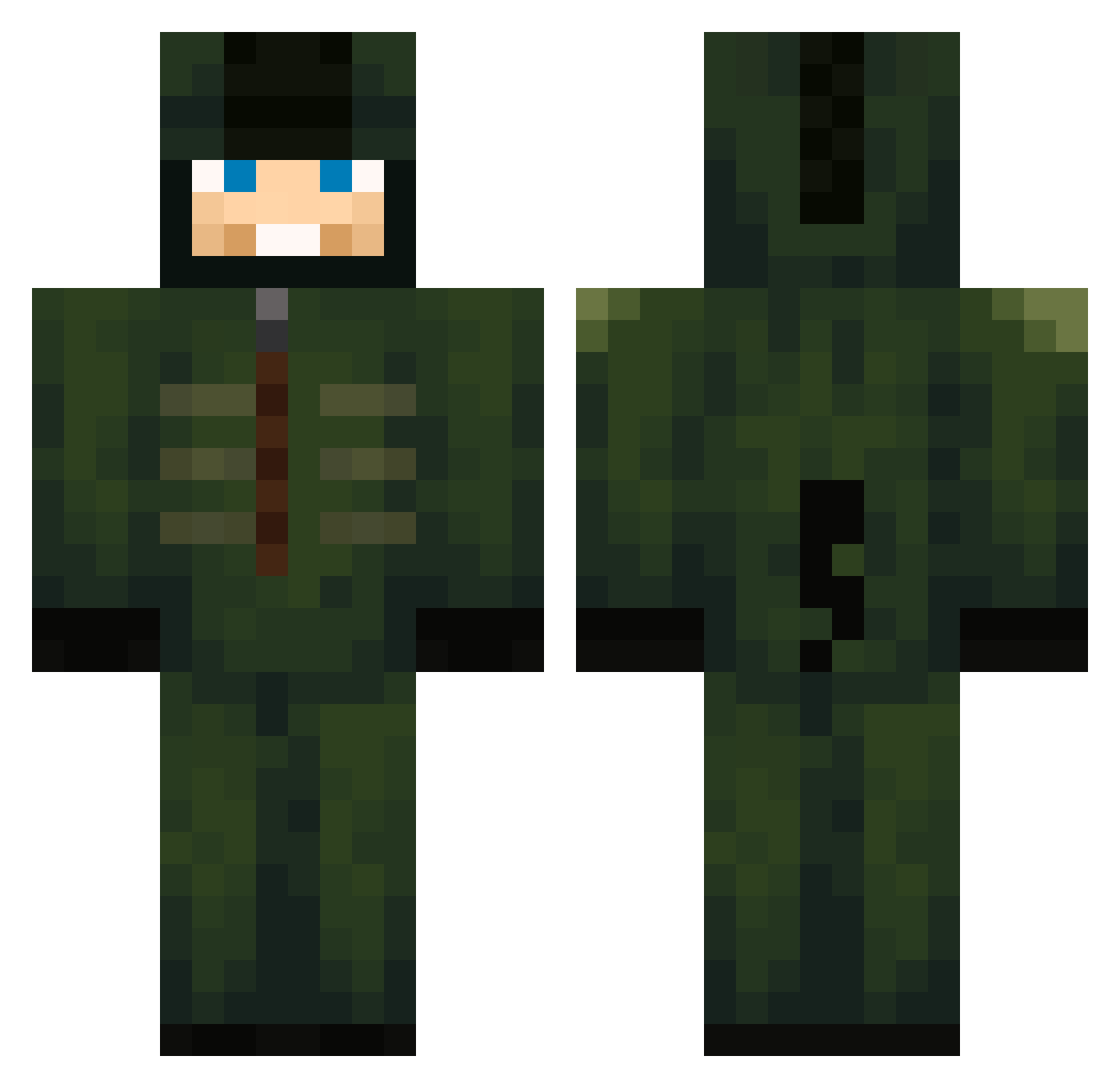
Current Minecraft skin of the player Fizzy437, loaded from the official Mojang API. Rotate the 3D model with your mouse or finger, then download the skin as a PNG file and use it in Minecraft: Bedrock Edition or Java Edition for free. When Fizzy437 changes their skin, this page updates automatically and the old skin stays in the history below.
Other players with this skin (720)
Fizzy437 was the 464th player we have seen with this skin, first spotted on 06.10.2026. The same skin was seen on these players. Open a nickname to see their current skin and skin history.
 AFDFCH1965hro strokegooner vi1X1iv Losperros23497 Masiaco2 jangho123 X1TG CharlieW91 Licht2600 IBadAtPvP_ TOmek1234ok nick_flkn Cielpb BlackKnight1198 LuckyCr1t WiggoK_ Rammeroni cloud4557 Akosks malachi7878 parker08009 cdvarn Williamgotmoot_ ECONOMICSsss feka2 MexMerc cuellar008 lambey KkuxZYT krab_ chapeull DallyingGnat RstarRstarRstar Leoyuan208 RickHT Xandermanden21 Endete05 Darklord1117 9mt__ mainmenderisback TEFHERR Yusao228 missingmysoul steamyeggs oskar090999 KirbyDoughnut BaylorScheierma SardosCZ Jakobski28 AtlantaGHG MrEbor TraxxasFord CroutonAvery CJ098 SCHOKOIMPOPO SkullKandy Kasper__420_ chanwhi12 Bootlegger_ vosa1
More Kigurumi Minecraft skins
How to install the Fizzy437 skin
- Press the Download button above to save the skin as a PNG file.
- Minecraft: Bedrock Edition (PE): open the Dressing Room from the main menu (or tap your character → Edit Character), go to Classic Skins → Owned, press the + (new skin) button, choose the downloaded PNG and pick the Classic (Steve) model. Works on PC and mobile; consoles cannot import custom skins.
- Minecraft: Java Edition: open the Minecraft Launcher, go to the Skins tab, click New Skin, load the PNG, pick the Classic (Steve) model and press Save & Use. You can also upload it at minecraft.net → Profile → Change Skin.
The skin does not show up after import - what should I do?
Restart Minecraft and open the Dressing Room again - imported skins sometimes appear only after a restart. Also make sure you selected the imported skin and picked the Classic (Steve) model.
Which model should I choose, Classic or Slim?
This skin is designed for the Classic (Steve) model. If you pick the wrong model, the arms of the skin will look stretched or squeezed.
Is the skin of Fizzy437 free to download?
Yes. Press Download, save the PNG file and use it in Minecraft: Bedrock Edition or Java Edition - no payment or registration needed. The skin also works on multiplayer servers and Realms.
More skins
Looking for more? Go back to all Minecraft skins and check the top skins of the week, month and all time, or find any player's skin by nickname.