
Feurisson_ - Minecraft Skins & Skin History
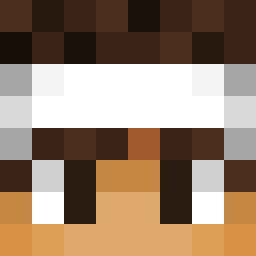
Current Minecraft skin of the player Feurisson_, loaded from the official Mojang API. Rotate the 3D model with your mouse or finger, then download the skin as a PNG file and use it in Minecraft: Bedrock Edition or Java Edition for free. When Feurisson_ changes their skin, this page updates automatically and the old skin stays in the history below.

Other players with this skin (14086)
Feurisson_ was the 4080th player we have seen with this skin, first spotted on 29.08.2026. The same skin was seen on these players. Open a nickname to see their current skin and skin history.
 yunabluu hyechan422 Ncwills DevinFlixz ajend ryebfi g8_sing V6TAL
 Kartoffel_Licht jeeadv0_0 fxgsth lilkofte Hawkeye Ak1hik0o Kadnify jontegson Chinegeki kingcoopr polishape Goton22 EpicGamesMc yaitwasagoodday YouBloodyBeast matutepro200
 Jojakem unhess xavi2014 OnomatopeiaGames fagatitorap Rafamels Thun7855 Goodkat89 Kasternets FullMask_Mark Joth101 Pr0Assassin HYUNTAE0123 Luuk69_ molree1 violaman tunaCAAAAN Eliasssj03 wg_vWIoW_05_07 ashgloob I3enevolence Estskull123 Phthartic ABC2222 Davyf33 Gruby02 alveeeee MAXIALEX Gohan587 leragan sunghyun1105 4STROUX johnnybread703
 Malkamc Toniver Rfelton97
How to install the Feurisson_ skin
- Press the Download button above to save the skin as a PNG file.
- Minecraft: Bedrock Edition (PE): open the Dressing Room from the main menu (or tap your character → Edit Character), go to Classic Skins → Owned, press the + (new skin) button, choose the downloaded PNG and pick the Classic (Steve) model. Works on PC and mobile; consoles cannot import custom skins.
- Minecraft: Java Edition: open the Minecraft Launcher, go to the Skins tab, click New Skin, load the PNG, pick the Classic (Steve) model and press Save & Use. You can also upload it at minecraft.net → Profile → Change Skin.
The skin does not show up after import - what should I do?
Restart Minecraft and open the Dressing Room again - imported skins sometimes appear only after a restart. Also make sure you selected the imported skin and picked the Classic (Steve) model.
Which model should I choose, Classic or Slim?
This skin is designed for the Classic (Steve) model. If you pick the wrong model, the arms of the skin will look stretched or squeezed.
Is the skin of Feurisson_ free to download?
Yes. Press Download, save the PNG file and use it in Minecraft: Bedrock Edition or Java Edition - no payment or registration needed. The skin also works on multiplayer servers and Realms.
More skins
Looking for more? Go back to all Minecraft skins and check the top skins of the week, month and all time, or find any player's skin by nickname.