
FaZe_HaWaIi - Minecraft Skins & Skin History
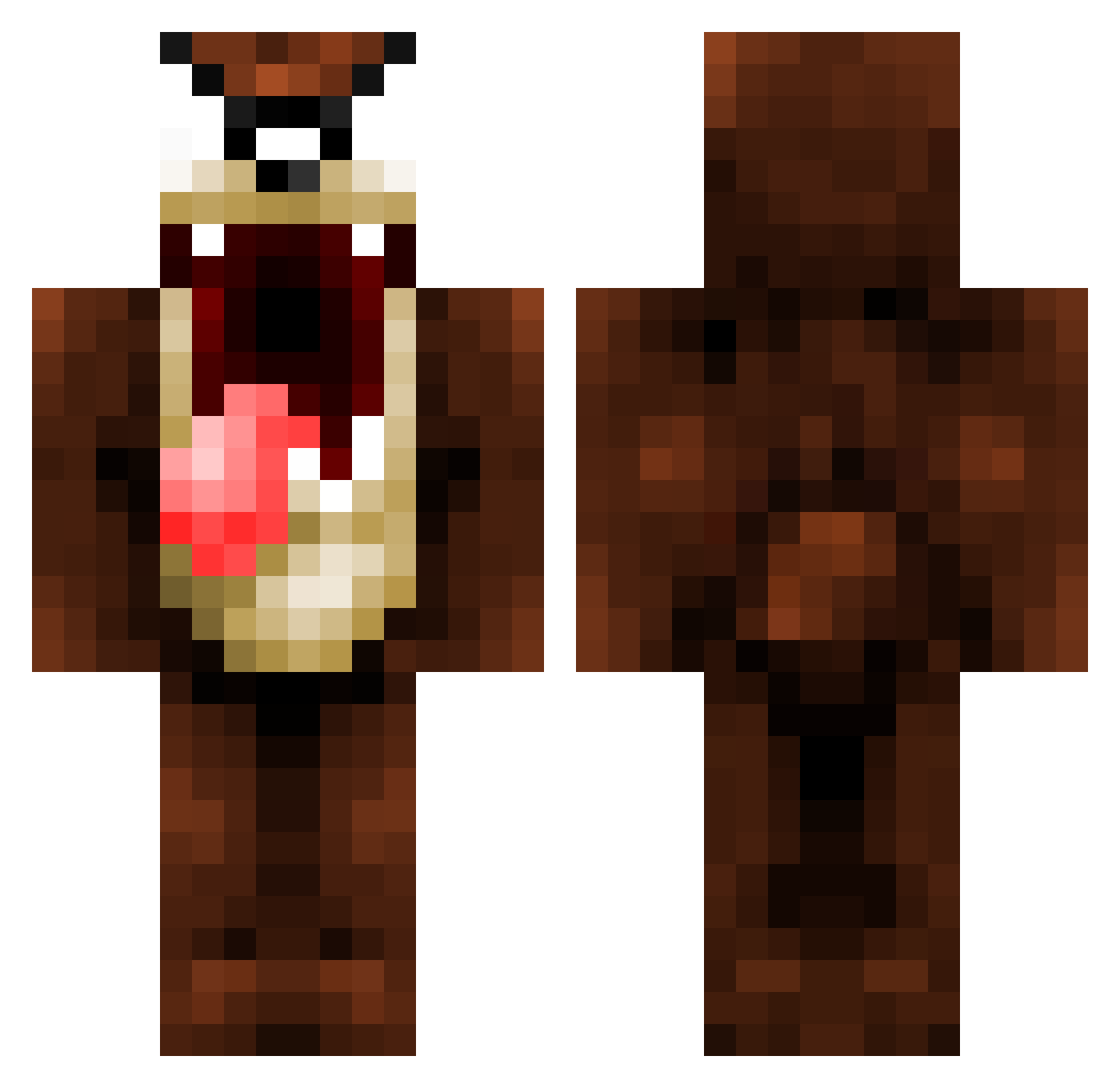
Current Minecraft skin of the player FaZe_HaWaIi, loaded from the official Mojang API. Rotate the 3D model with your mouse or finger, then download the skin as a PNG file and use it in Minecraft: Bedrock Edition or Java Edition for free. When FaZe_HaWaIi changes their skin, this page updates automatically and the old skin stays in the history below.
Other players with this skin (1069)
FaZe_HaWaIi was the 187th player we have seen with this skin, first spotted on 14.08.2026. The same skin was seen on these players. Open a nickname to see their current skin and skin history.
 SystemCrackerCGC Chansey2 Gangstahhh georgebridge1 EinMaj uncommonricky roZiee101 bladeeJr DamselBoE kdetering l_TJ_l frofycoffee747 Xartas9 ajkillion Malorn1008 dtig iFeeling callyd R0kus_ SassyOrphan lewis118118 Jopodono t0000026 imHRVZY _GN8_ djhamy AsRock_SD TFG_SINISTER BENJANI99 plasma7209 Parzilla sharpman11 Eramses2 oisinmccann JessieTheMoose DBm0bst3r Grimreaper23476 james_budden NiggasForSale Weasleman6 Boadu56 _Velsha_ chs13 xXProAlexXx Arran199 cookieeater10 saIeh jacobzoe erasmus_dj iluigii41 TheOneMammoth Nickoloaos CartoonBC zambersx LMarran jajo2201 DarckGamer24 ElectricalSkull PottyMonkey theomaz0406
More Taz Minecraft skins
How to install the FaZe_HaWaIi skin
- Press the Download button above to save the skin as a PNG file.
- Minecraft: Bedrock Edition (PE): open the Dressing Room from the main menu (or tap your character → Edit Character), go to Classic Skins → Owned, press the + (new skin) button, choose the downloaded PNG and pick the Classic (Steve) model. Works on PC and mobile; consoles cannot import custom skins.
- Minecraft: Java Edition: open the Minecraft Launcher, go to the Skins tab, click New Skin, load the PNG, pick the Classic (Steve) model and press Save & Use. You can also upload it at minecraft.net → Profile → Change Skin.
The skin does not show up after import - what should I do?
Restart Minecraft and open the Dressing Room again - imported skins sometimes appear only after a restart. Also make sure you selected the imported skin and picked the Classic (Steve) model.
Which model should I choose, Classic or Slim?
This skin is designed for the Classic (Steve) model. If you pick the wrong model, the arms of the skin will look stretched or squeezed.
Is the skin of FaZe_HaWaIi free to download?
Yes. Press Download, save the PNG file and use it in Minecraft: Bedrock Edition or Java Edition - no payment or registration needed. The skin also works on multiplayer servers and Realms.
More skins
Looking for more? Go back to all Minecraft skins and check the top skins of the week, month and all time, or find any player's skin by nickname.