
Exoken - Minecraft Skins & Skin History
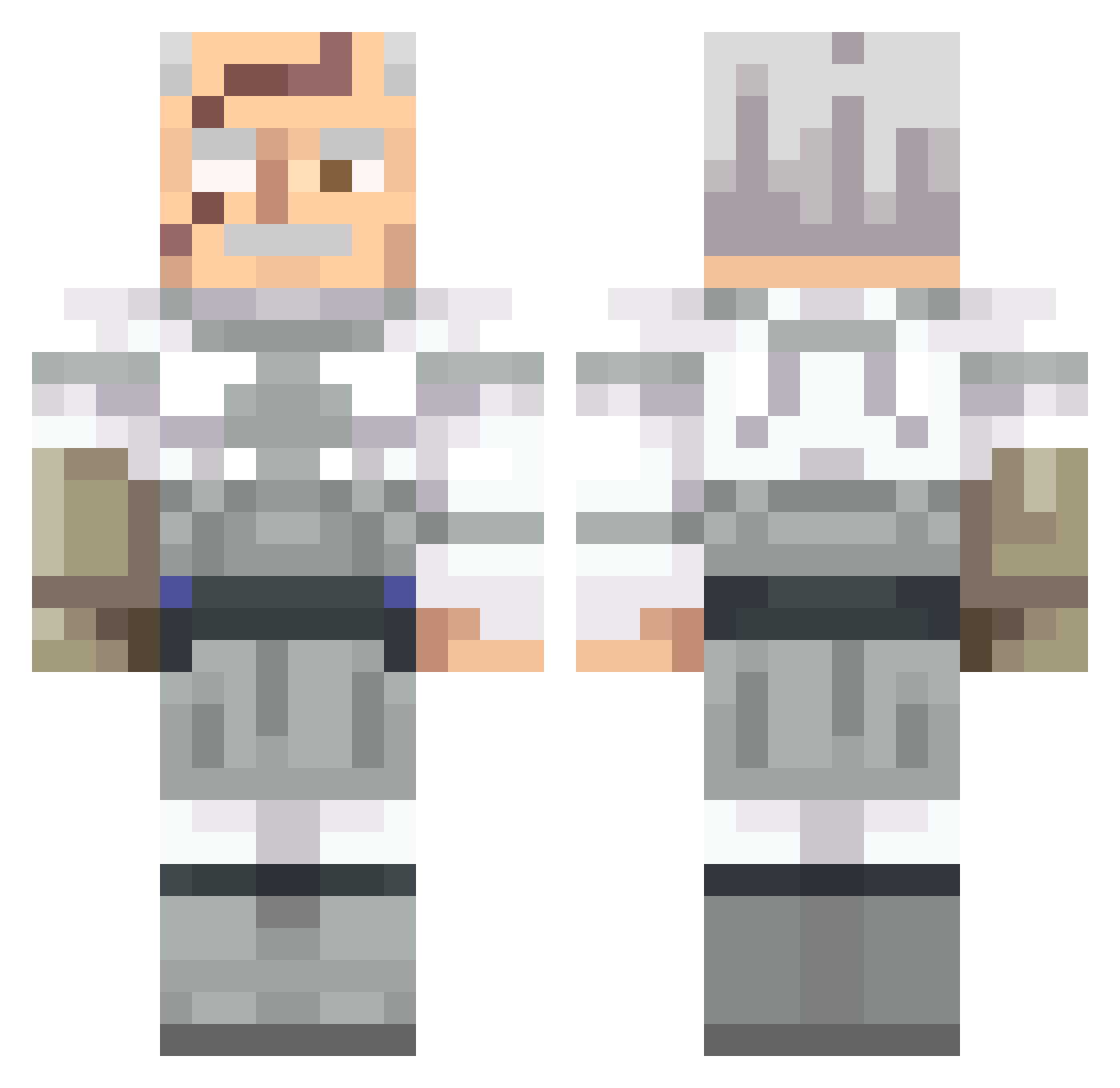
Current Minecraft skin of the player Exoken, loaded from the official Mojang API. Rotate the 3D model with your mouse or finger, then download the skin as a PNG file and use it in Minecraft: Bedrock Edition or Java Edition for free. When Exoken changes their skin, this page updates automatically and the old skin stays in the history below.
Other players with this skin (551)
Exoken was the 381st player we have seen with this skin, first spotted on 05.10.2026. The same skin was seen on these players. Open a nickname to see their current skin and skin history.
 guardian0888 soulcroissant813 apenro _Mrake_ itsEJplzhHelp okupah OfficerBacon364 THEBULLSTER Zerabuss H4shas Hyper_68 KlllaKami B7094 FlintlocKK_ Soupyb0y hashixx Jaycov1 notcreddy Infernal33 KillerChicken35 KONGOgorili kinglinki faser144 SalsaAssassin Battle_B3ast jasmlol Elmacho1314 der5lode BlackMirrorCP jasper5926 CaptainC1ue1ess 0cainho Greenluther wingstopwarrior Neutron7274 SadPepos exiledchild NKromer bellaharl DMK1234 ExplodingFoxx HopefulBaboon Vikirus DSA122 J4siu Xysics KingYamato BatCow1 Ilovedogs85 andrewsmellsss NateBoi5342 vlad_pro2312 papitasf Alkartunga Jorjius Ilaysp_ JackDowdd pwuf TheDreamingX ZZ0RO
More Commander Pyxis Minecraft skins
See all 3 Commander Pyxis skins
How to install the Exoken skin
- Press the Download button above to save the skin as a PNG file.
- Minecraft: Bedrock Edition (PE): open the Dressing Room from the main menu (or tap your character → Edit Character), go to Classic Skins → Owned, press the + (new skin) button, choose the downloaded PNG and pick the Classic (Steve) model. Works on PC and mobile; consoles cannot import custom skins.
- Minecraft: Java Edition: open the Minecraft Launcher, go to the Skins tab, click New Skin, load the PNG, pick the Classic (Steve) model and press Save & Use. You can also upload it at minecraft.net → Profile → Change Skin.
The skin does not show up after import - what should I do?
Restart Minecraft and open the Dressing Room again - imported skins sometimes appear only after a restart. Also make sure you selected the imported skin and picked the Classic (Steve) model.
Which model should I choose, Classic or Slim?
This skin is designed for the Classic (Steve) model. If you pick the wrong model, the arms of the skin will look stretched or squeezed.
Is the skin of Exoken free to download?
Yes. Press Download, save the PNG file and use it in Minecraft: Bedrock Edition or Java Edition - no payment or registration needed. The skin also works on multiplayer servers and Realms.
More skins
Looking for more? Go back to all Minecraft skins and check the top skins of the week, month and all time, or find any player's skin by nickname.