
EvilCupOfCoffee - Minecraft Skins & Skin History
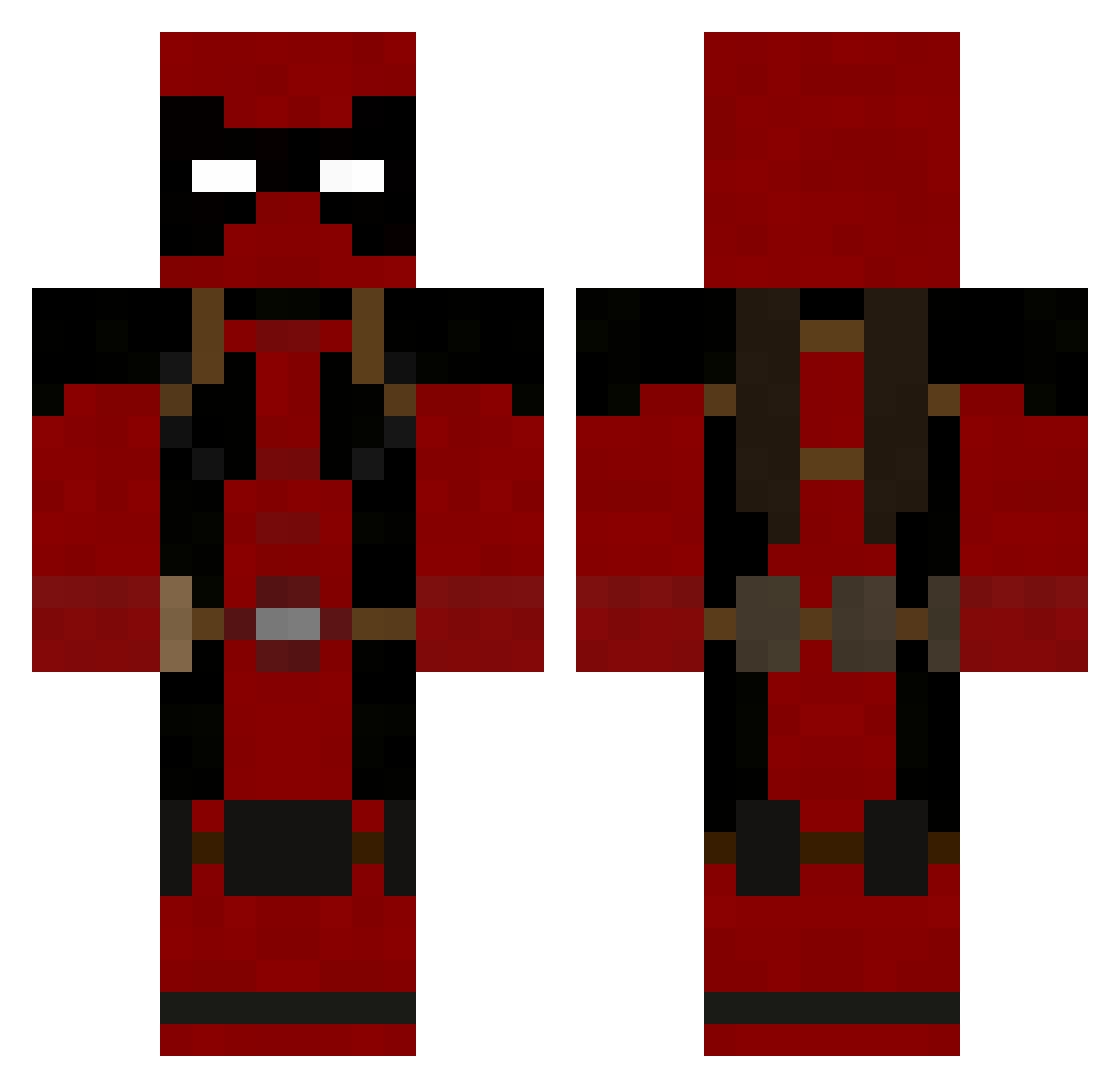
Current Minecraft skin of the player EvilCupOfCoffee, loaded from the official Mojang API. Rotate the 3D model with your mouse or finger, then download the skin as a PNG file and use it in Minecraft: Bedrock Edition or Java Edition for free. When EvilCupOfCoffee changes their skin, this page updates automatically and the old skin stays in the history below.
Other players with this skin (753)
EvilCupOfCoffee was the 520th player we have seen with this skin, first spotted on 30.09.2026. The same skin was seen on these players. Open a nickname to see their current skin and skin history.
 HaxerinoL0L daffo S7ra7egia CreepyPandaNip philip1798 DonaldMiller jakamo1996 shorty1280 champ1653 edunishi1 ruggiero_andrew Chompertons JayPowered Darkrodney itchybitch Yowizix Nuke4ThaWin Izminer mountainmonster1 FlyTemperr GOOBa7RON tse182 gregmaki Lv5LaserLotus Stenmark88 DJ_Man1998 wessje TonyN75 doxcology xXjibXx razedino Knibbsy Ondo7 toughy22 Jolien7 Bladeseb Imsoangry Space_Wolf23 foxwe2 King_Solomon DAVIDxCHASE Enderking550 jonlloyd12 caps56478 SimonPheoniX__ Burnitus Wiziri EddBoy88 moorejk01 Terrocles bareboneseffort TogglingAura ObviousChunk5 hUngryAsHell TrueGrit2496 goust38 Xhro_13 Mirikh MrTommnus Stickfigure91x
More Deadpool Minecraft skins
How to install the EvilCupOfCoffee skin
- Press the Download button above to save the skin as a PNG file.
- Minecraft: Bedrock Edition (PE): open the Dressing Room from the main menu (or tap your character → Edit Character), go to Classic Skins → Owned, press the + (new skin) button, choose the downloaded PNG and pick the Classic (Steve) model. Works on PC and mobile; consoles cannot import custom skins.
- Minecraft: Java Edition: open the Minecraft Launcher, go to the Skins tab, click New Skin, load the PNG, pick the Classic (Steve) model and press Save & Use. You can also upload it at minecraft.net → Profile → Change Skin.
The skin does not show up after import - what should I do?
Restart Minecraft and open the Dressing Room again - imported skins sometimes appear only after a restart. Also make sure you selected the imported skin and picked the Classic (Steve) model.
Which model should I choose, Classic or Slim?
This skin is designed for the Classic (Steve) model. If you pick the wrong model, the arms of the skin will look stretched or squeezed.
Is the skin of EvilCupOfCoffee free to download?
Yes. Press Download, save the PNG file and use it in Minecraft: Bedrock Edition or Java Edition - no payment or registration needed. The skin also works on multiplayer servers and Realms.
More skins
Looking for more? Go back to all Minecraft skins and check the top skins of the week, month and all time, or find any player's skin by nickname.