
Ever1th1ng - Minecraft Skins & Skin History
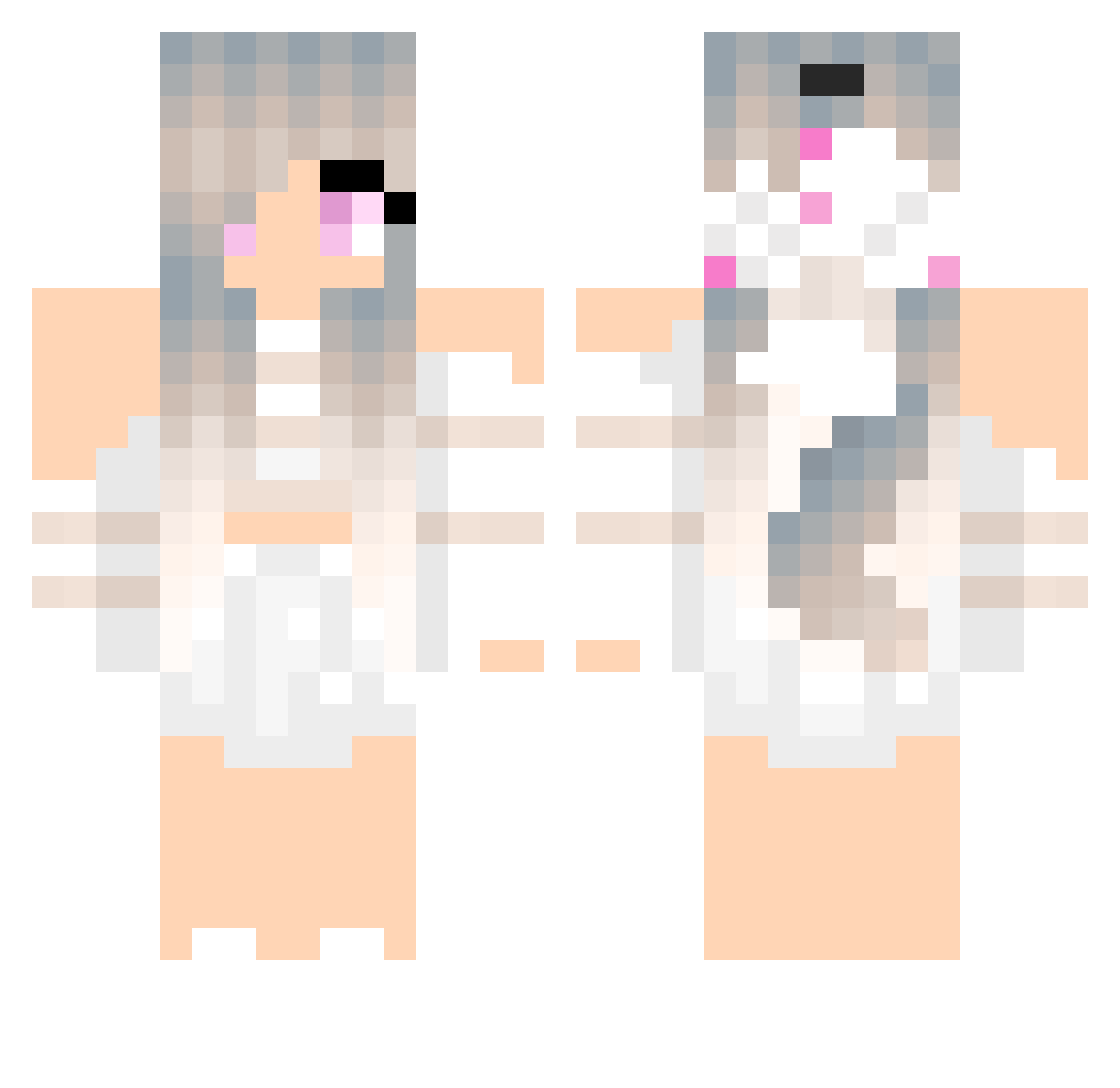
Current Minecraft skin of the player Ever1th1ng, loaded from the official Mojang API. Rotate the 3D model with your mouse or finger, then download the skin as a PNG file and use it in Minecraft: Bedrock Edition or Java Edition for free. When Ever1th1ng changes their skin, this page updates automatically and the old skin stays in the history below.
Other players with this skin (295)
Ever1th1ng was the 250th player we have seen with this skin, first spotted on 03.11.2026. The same skin was seen on these players. Open a nickname to see their current skin and skin history.
 vadabug _Yuuni_ bachirbk imkitten ronjatonnessen ZoWIXz janukos interIinkd LucianGaming1 Dr_XY TERKA009 gamer_ana69 KAYNT Woulffy PalomaGamer245 Marine_Prime BIGNelson2004 m0rp3x XeR0GaMes2 takamibee Light_Froze Tinze99 Alstonlin0609 Cirilllaa roula10000 Feefee266 CAPISAN Kitten5389 CruseTV CakeSniffar Vivienkapl Neshi1619 TYUNBO Antoinnette rororoad annie_0129 ItzBryxn LuciaLilth Fiorellino000 Rarekiwi1228 misler06 milk123 Prinzessin_Tee Atina_Butterfly 12Ama21 lilwolfie129 KENTSUUUUU heyrainbow hihi_12_11 shirley174 FloraBRW zXchilemi wolfgirl43 CookiePlayz07 AMKazuto Giedre041 Leonie9620 daml00 Vierda26 ShylaNight
More Anime Minecraft skins
How to install the Ever1th1ng skin
- Press the Download button above to save the skin as a PNG file.
- Minecraft: Bedrock Edition (PE): open the Dressing Room from the main menu (or tap your character → Edit Character), go to Classic Skins → Owned, press the + (new skin) button, choose the downloaded PNG and pick the Classic (Steve) model. Works on PC and mobile; consoles cannot import custom skins.
- Minecraft: Java Edition: open the Minecraft Launcher, go to the Skins tab, click New Skin, load the PNG, pick the Classic (Steve) model and press Save & Use. You can also upload it at minecraft.net → Profile → Change Skin.
The skin does not show up after import - what should I do?
Restart Minecraft and open the Dressing Room again - imported skins sometimes appear only after a restart. Also make sure you selected the imported skin and picked the Classic (Steve) model.
Which model should I choose, Classic or Slim?
This skin is designed for the Classic (Steve) model. If you pick the wrong model, the arms of the skin will look stretched or squeezed.
Is the skin of Ever1th1ng free to download?
Yes. Press Download, save the PNG file and use it in Minecraft: Bedrock Edition or Java Edition - no payment or registration needed. The skin also works on multiplayer servers and Realms.
More skins
Looking for more? Go back to all Minecraft skins and check the top skins of the week, month and all time, or find any player's skin by nickname.