
EthanNoxX - Minecraft Skins & Skin History
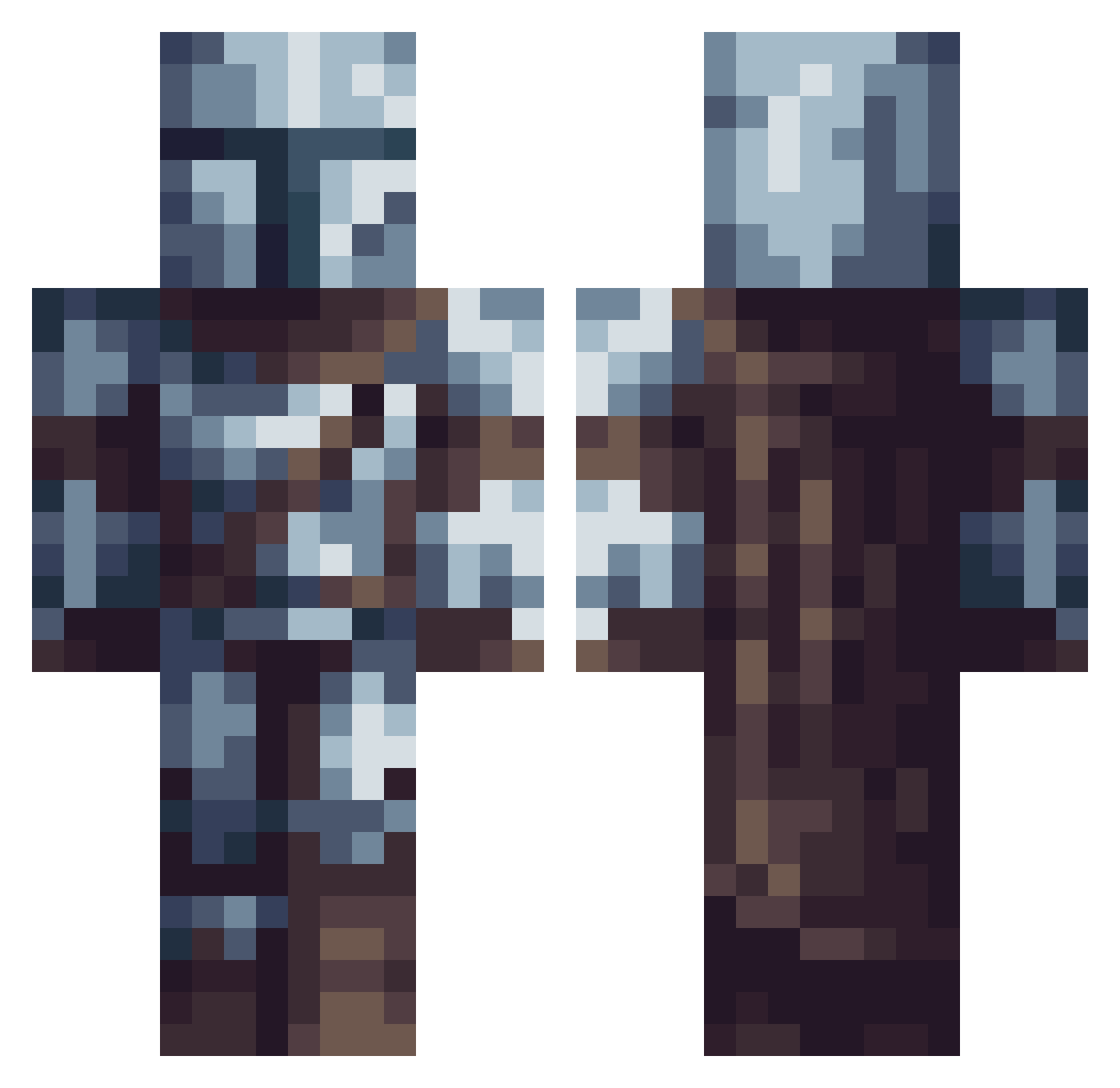
Current Minecraft skin of the player EthanNoxX, loaded from the official Mojang API. Rotate the 3D model with your mouse or finger, then download the skin as a PNG file and use it in Minecraft: Bedrock Edition or Java Edition for free. When EthanNoxX changes their skin, this page updates automatically and the old skin stays in the history below.
Other players with this skin (614)
EthanNoxX was the 228th player we have seen with this skin, first spotted on 09.09.2026. The same skin was seen on these players. Open a nickname to see their current skin and skin history.
 notshaking Bubba_3627 Sly78500 BubbaMonkey08 Mrcrazydude4 Sitboy SargentPinapples DEBUNNYOFDOOM2 crocodrilin shushigu DonoMigrain25 SirMuki _Unbesiegbar_ DEVASTATORE97 inouetakehiko darkstorm0_0 anitemaxwynn pablobon070 huguette64 vsantos0908 BlastBonky Din_Djarin_mando VinceVo0 caymanpc Franko2964 Jphkiller ThePenguinPurple RogueWarrior12 awesometrash01 Ezio092 FrewDawg Giraffe_Guy TotallyNotRav3n LSKDRACO ElephantSeamus AstoriusCosmos raitosaikuru23 OFC_BAAB Tcorms knuklz HiEduar McNastyNite JustWayBetter_7 Jackelele22 OppDoor NevrojtV2 Cocoroch Demol59 PallaSudata Eric66462 paotheonn pure_revolution batwxman Ciccozz Kibalion251 arraann987 Registeel_Leon Alcyoneus__ zpman1205 KRX_VII
More The Mandalorian Minecraft skins
See all 592 The Mandalorian skins
How to install the EthanNoxX skin
- Press the Download button above to save the skin as a PNG file.
- Minecraft: Bedrock Edition (PE): open the Dressing Room from the main menu (or tap your character → Edit Character), go to Classic Skins → Owned, press the + (new skin) button, choose the downloaded PNG and pick the Classic (Steve) model. Works on PC and mobile; consoles cannot import custom skins.
- Minecraft: Java Edition: open the Minecraft Launcher, go to the Skins tab, click New Skin, load the PNG, pick the Classic (Steve) model and press Save & Use. You can also upload it at minecraft.net → Profile → Change Skin.
The skin does not show up after import - what should I do?
Restart Minecraft and open the Dressing Room again - imported skins sometimes appear only after a restart. Also make sure you selected the imported skin and picked the Classic (Steve) model.
Which model should I choose, Classic or Slim?
This skin is designed for the Classic (Steve) model. If you pick the wrong model, the arms of the skin will look stretched or squeezed.
Is the skin of EthanNoxX free to download?
Yes. Press Download, save the PNG file and use it in Minecraft: Bedrock Edition or Java Edition - no payment or registration needed. The skin also works on multiplayer servers and Realms.
More skins
Looking for more? Go back to all Minecraft skins and check the top skins of the week, month and all time, or find any player's skin by nickname.