
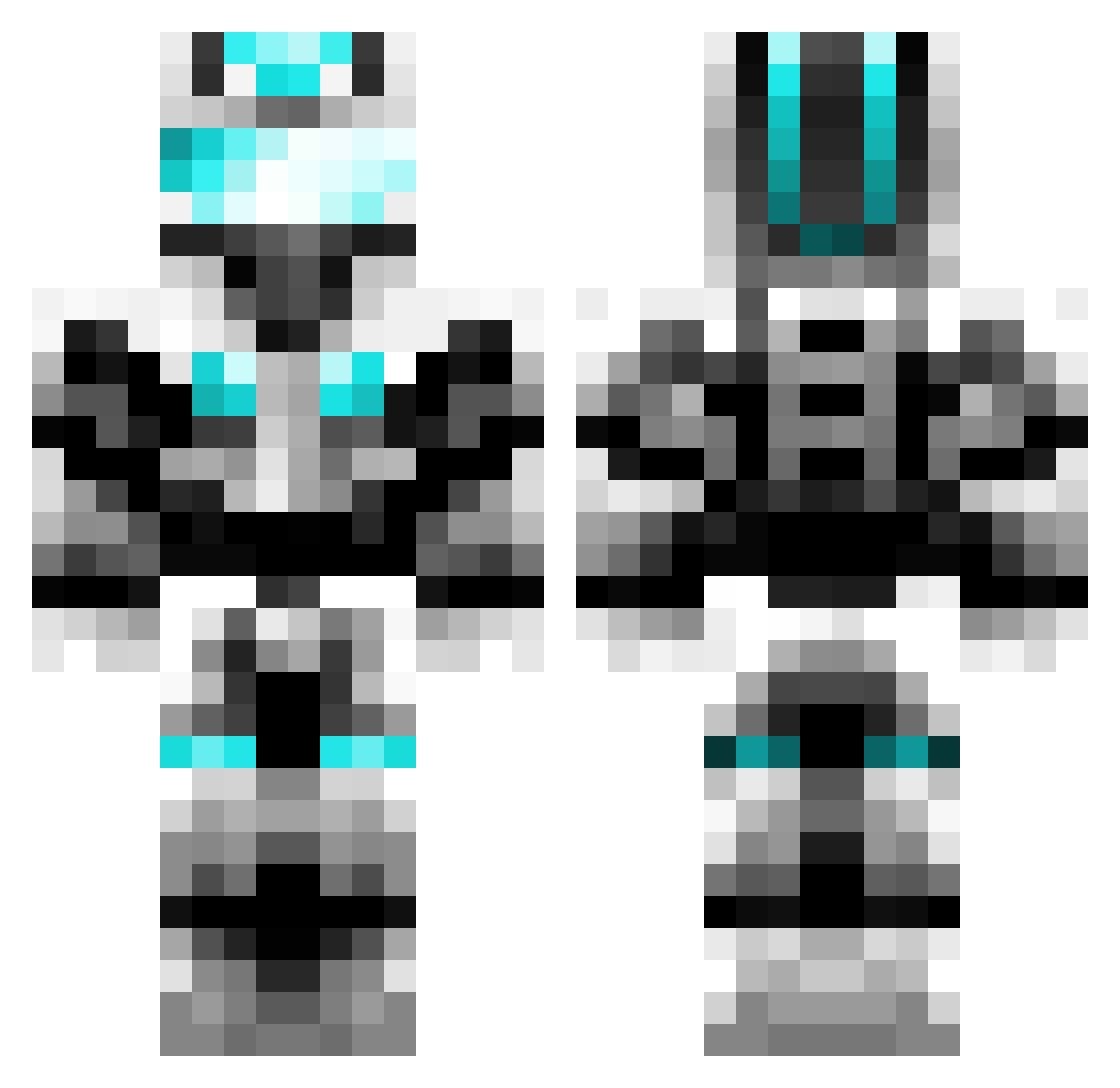
Current Minecraft skin of the player Eric_447, loaded from the official Mojang API. Rotate the 3D model with your mouse or finger, then download the skin as a PNG file and use it in Minecraft: Bedrock Edition or Java Edition for free. When Eric_447 changes their skin, this page updates automatically and the old skin stays in the history below.
Other players with this skin (350)
Eric_447 was the 142nd player we have seen with this skin, first spotted on 31.08.2026. The same skin was seen on these players. Open a nickname to see their current skin and skin history.
 Nine_Snow shigu666 Xdgerp cdh66666 Blackjackyf wwjjzz Gaudakase thesmallrain aysdg xxChrisAWAKxx minecraftcili Meese__ prince857
 Chunianzk WristyHarp yew9604 Shadowden40 beaconstars0205 kimodi chrispesc19 Handmaidens Apprentice2525 zibthzi XingLingLing An_Ker RcTYJC chaoBH Joseph0628 dsy111111 AleUDad Gwemo zxynhc handoge RubiaRubiaS korseek cxj_ zhangmoumou ZeroShelf Benndy MCjingchuan PitX3 Manggo_jun CL455IFI3DBaron MC_TianLang 2023yang millaroot R91374 superwheat OskarD3000 FattyBY AtCN AthEnaHq BG5DZG cang_sakura ZBHABC Darkmessengerhky Frankzjc Baymax0325 xiaoliwo PatelSquared
More Cyber Soldier Minecraft skins
See all 41 Cyber Soldier skins
How to install the Eric_447 skin
- Press the Download button above to save the skin as a PNG file.
- Minecraft: Bedrock Edition (PE): open the Dressing Room from the main menu (or tap your character → Edit Character), go to Classic Skins → Owned, press the + (new skin) button, choose the downloaded PNG and pick the Classic (Steve) model. Works on PC and mobile; consoles cannot import custom skins.
- Minecraft: Java Edition: open the Minecraft Launcher, go to the Skins tab, click New Skin, load the PNG, pick the Classic (Steve) model and press Save & Use. You can also upload it at minecraft.net → Profile → Change Skin.
The skin does not show up after import - what should I do?
Restart Minecraft and open the Dressing Room again - imported skins sometimes appear only after a restart. Also make sure you selected the imported skin and picked the Classic (Steve) model.
Which model should I choose, Classic or Slim?
This skin is designed for the Classic (Steve) model. If you pick the wrong model, the arms of the skin will look stretched or squeezed.
Is the skin of Eric_447 free to download?
Yes. Press Download, save the PNG file and use it in Minecraft: Bedrock Edition or Java Edition - no payment or registration needed. The skin also works on multiplayer servers and Realms.
More skins
Looking for more? Go back to all Minecraft skins and check the top skins of the week, month and all time, or find any player's skin by nickname.