
EricIsTheName_ - Minecraft Skins & Skin History
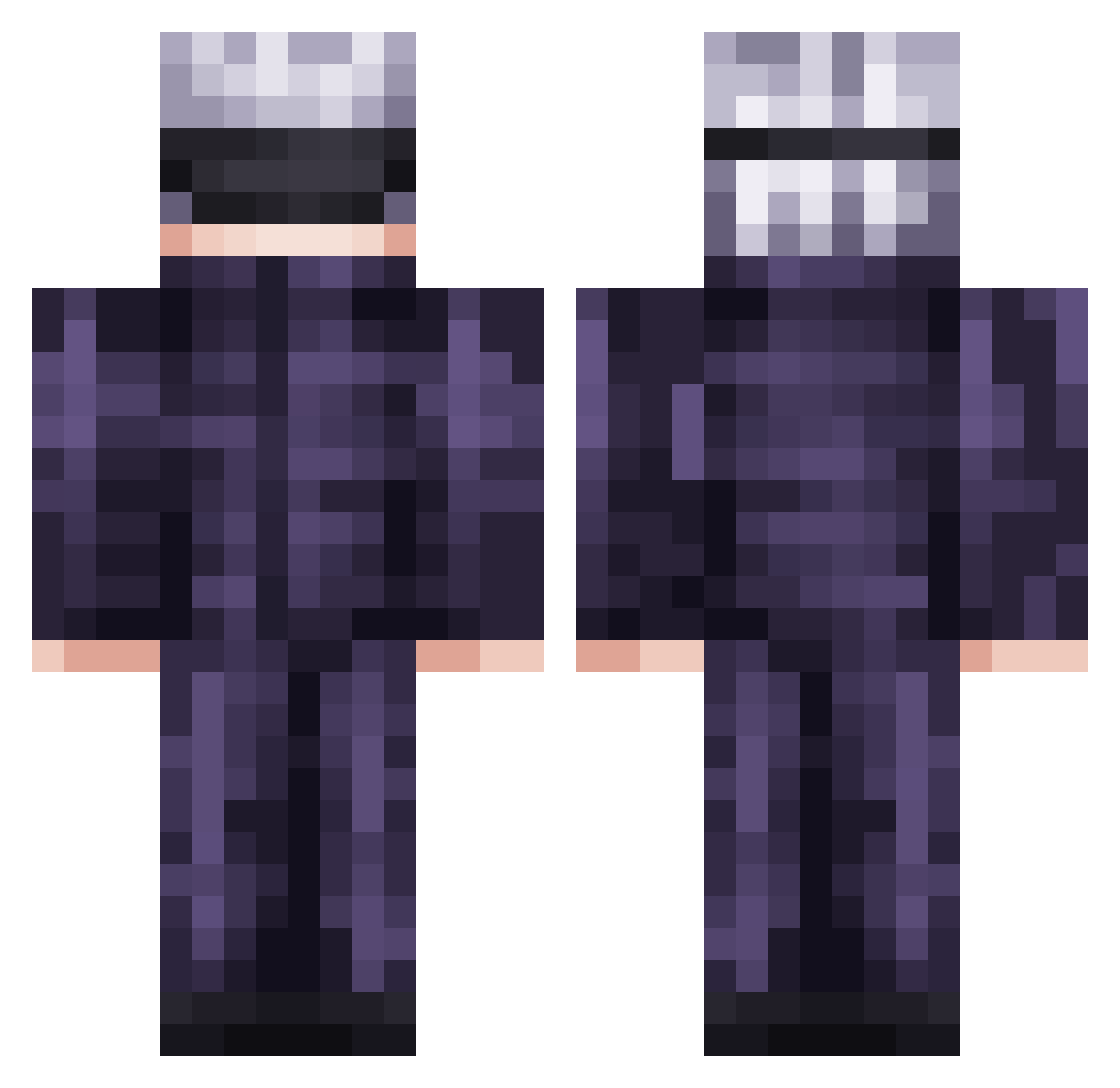
Current Minecraft skin of the player EricIsTheName_, loaded from the official Mojang API. Rotate the 3D model with your mouse or finger, then download the skin as a PNG file and use it in Minecraft: Bedrock Edition or Java Edition for free. When EricIsTheName_ changes their skin, this page updates automatically and the old skin stays in the history below.
Other players with this skin (736)
EricIsTheName_ was the 655th player we have seen with this skin, first spotted on 22.10.2026. The same skin was seen on these players. Open a nickname to see their current skin and skin history.
 Alex_0647 Zoro_FAV swiperoncc Exorci flame274 Lolosiw Rendycor AnahiN28 RamaSeven S4mNa Boss_Chicken434 Sayheart kurauto Brawl_Hits Branza_de_burduf VegitoBlue1126 CARLOS2933 Se_Ban Satoru_Gojo4 Urmom79 Kriiit DAVID240511 ERJONSHIPTAR1443 sbuub CrazyMan99 Yiue pablovs10 Zoshiiii ShadowMan69420 Luczerr SYAMOJI_M VRXSE_ GoofGunk1 KianLeong NaRtaK Huddington Derozx AngleMort12 ZayanisFat ItsMuskee ChristianR3aper MrDiazzzz Cpa3ym stlo ChillPixels Bimo1312 Swavyurd iKaZeee thewintr Quardik Temptxtions Miitc pureawesomeness0 sergiowg2000 OneBoopMan MysticalTokyo addy_mck Pastek76 Veydo dante28
More Satoru Gojo Minecraft skins
See all 1317 Satoru Gojo skins
How to install the EricIsTheName_ skin
- Press the Download button above to save the skin as a PNG file.
- Minecraft: Bedrock Edition (PE): open the Dressing Room from the main menu (or tap your character → Edit Character), go to Classic Skins → Owned, press the + (new skin) button, choose the downloaded PNG and pick the Classic (Steve) model. Works on PC and mobile; consoles cannot import custom skins.
- Minecraft: Java Edition: open the Minecraft Launcher, go to the Skins tab, click New Skin, load the PNG, pick the Classic (Steve) model and press Save & Use. You can also upload it at minecraft.net → Profile → Change Skin.
The skin does not show up after import - what should I do?
Restart Minecraft and open the Dressing Room again - imported skins sometimes appear only after a restart. Also make sure you selected the imported skin and picked the Classic (Steve) model.
Which model should I choose, Classic or Slim?
This skin is designed for the Classic (Steve) model. If you pick the wrong model, the arms of the skin will look stretched or squeezed.
Is the skin of EricIsTheName_ free to download?
Yes. Press Download, save the PNG file and use it in Minecraft: Bedrock Edition or Java Edition - no payment or registration needed. The skin also works on multiplayer servers and Realms.
More skins
Looking for more? Go back to all Minecraft skins and check the top skins of the week, month and all time, or find any player's skin by nickname.