
Eric0826 - Minecraft Skins & Skin History
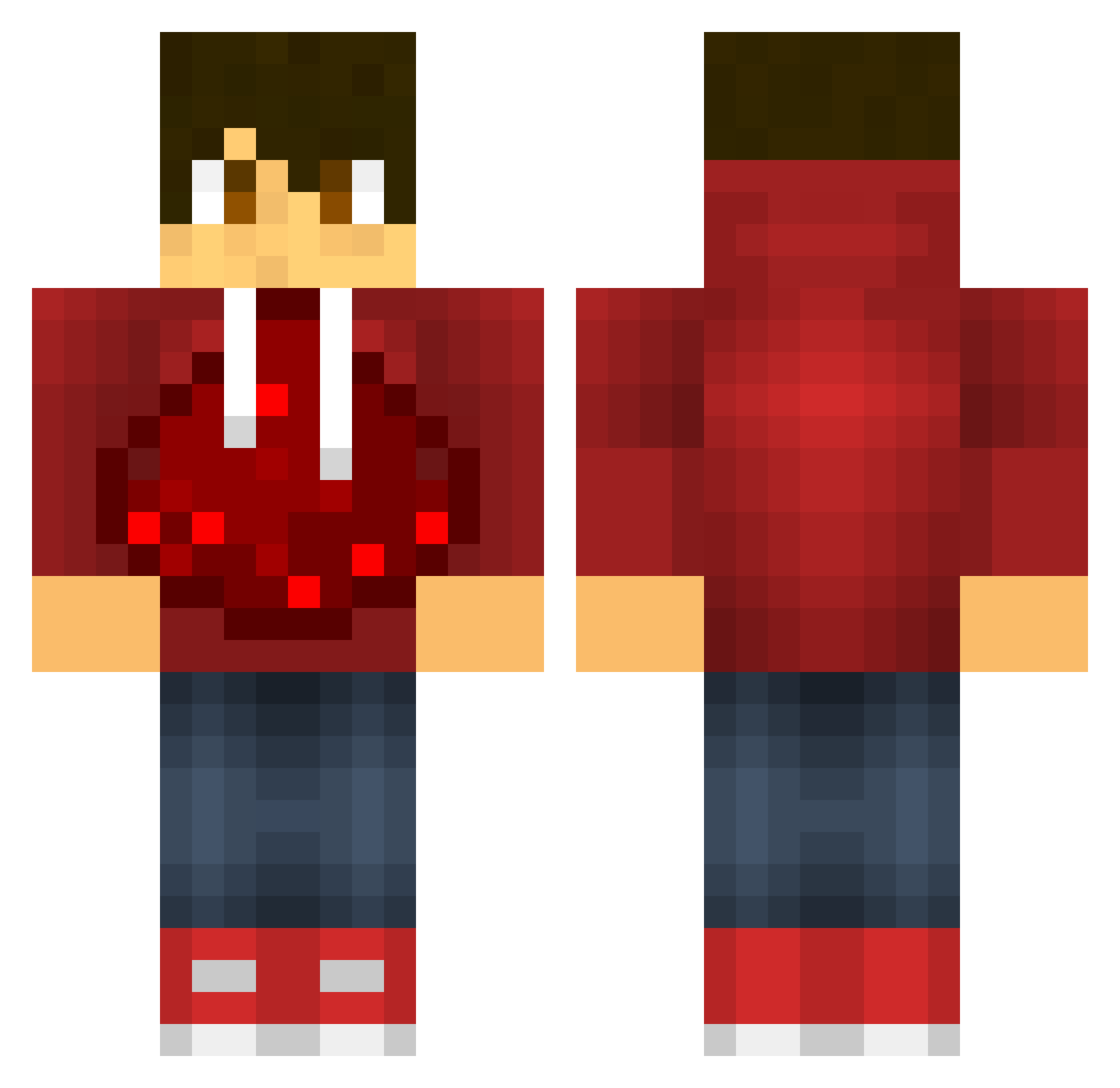
Current Minecraft skin of the player Eric0826, loaded from the official Mojang API. Rotate the 3D model with your mouse or finger, then download the skin as a PNG file and use it in Minecraft: Bedrock Edition or Java Edition for free. When Eric0826 changes their skin, this page updates automatically and the old skin stays in the history below.
Other players with this skin (604)
Eric0826 was the 364th player we have seen with this skin, first spotted on 03.10.2026. The same skin was seen on these players. Open a nickname to see their current skin and skin history.
 sindregutt Zenobiax zombie_king26 texas111 Flav0x deepthougt wbsmairose123 Antony123 Nubby28 Musse_C v7x_CracK TimoGamingT7R SuperBot01 IrisRenoEloy DBACK35 kaiwen09 Chris3460 rusafee Potatoboysmasher Hoodie96 GamingReptile32 Durantula34 Batman_Cola Topir Mrpatton03 mad987654321 redocelot36021 Aanjar OblivionDE blockheadx75 tofdelille blueman1083 John_Vargas millidenters WOJTEKKUL RudelBumser_xD The_Awoken2 joren2004 BlockCreat shawfam5 tguycannotdie KO_kevin_OL Danbuscus777 Xohooplays TOBLERONE2100 barcelonaty BowserGreen Punisher_99 uknowme2 sargentforge125 Domiiru 2005elias ludden038 ivanillo14 pinkunicorn413 Drewvix26 garrettheking Justin123006 AngelosCrack123 porkyjayden12
More Redstone Minecraft skins
How to install the Eric0826 skin
- Press the Download button above to save the skin as a PNG file.
- Minecraft: Bedrock Edition (PE): open the Dressing Room from the main menu (or tap your character → Edit Character), go to Classic Skins → Owned, press the + (new skin) button, choose the downloaded PNG and pick the Classic (Steve) model. Works on PC and mobile; consoles cannot import custom skins.
- Minecraft: Java Edition: open the Minecraft Launcher, go to the Skins tab, click New Skin, load the PNG, pick the Classic (Steve) model and press Save & Use. You can also upload it at minecraft.net → Profile → Change Skin.
The skin does not show up after import - what should I do?
Restart Minecraft and open the Dressing Room again - imported skins sometimes appear only after a restart. Also make sure you selected the imported skin and picked the Classic (Steve) model.
Which model should I choose, Classic or Slim?
This skin is designed for the Classic (Steve) model. If you pick the wrong model, the arms of the skin will look stretched or squeezed.
Is the skin of Eric0826 free to download?
Yes. Press Download, save the PNG file and use it in Minecraft: Bedrock Edition or Java Edition - no payment or registration needed. The skin also works on multiplayer servers and Realms.
More skins
Looking for more? Go back to all Minecraft skins and check the top skins of the week, month and all time, or find any player's skin by nickname.