
ErenExe - Minecraft Skins & Skin History
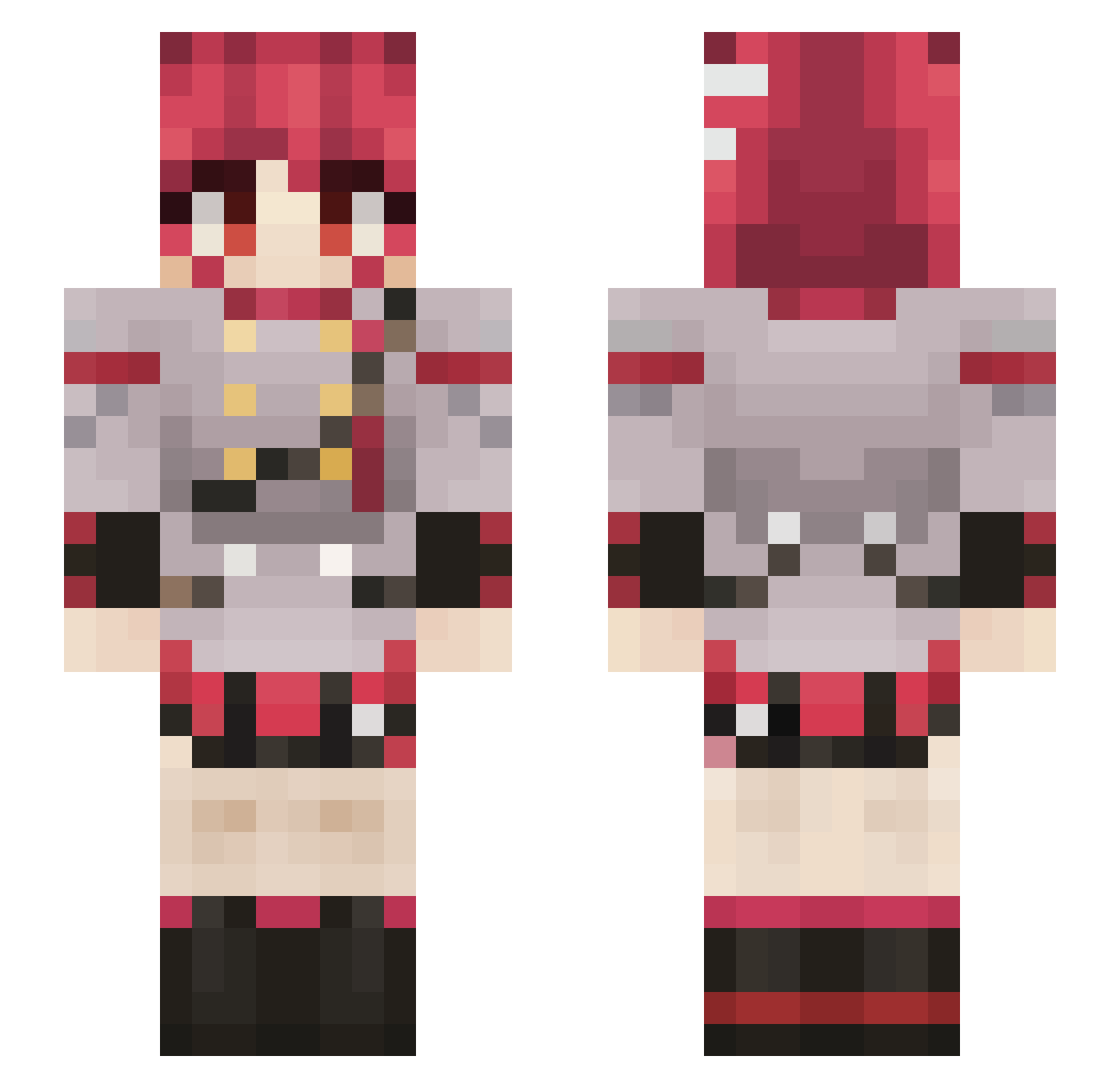
Current Minecraft skin of the player ErenExe, loaded from the official Mojang API. Rotate the 3D model with your mouse or finger, then download the skin as a PNG file and use it in Minecraft: Bedrock Edition or Java Edition for free. When ErenExe changes their skin, this page updates automatically and the old skin stays in the history below.
Other players with this skin (798)
ErenExe was the 605th player we have seen with this skin, first spotted on 13.10.2026. The same skin was seen on these players. Open a nickname to see their current skin and skin history.
 santyamargo Fllame15 Gentleman7850 wazord I_am_Queeg DogeGamingPE DOKTORDUM0815 The_Lost_Odds Skilless64 Denji_ Dhroonos mutated_bread doottio Felipan22 Brothersinlaw14 Deaf_Buffoon Percocet_Chan kiwi_birb_ TwistedFoxy66 Mucend ThyKorean ItsHighNuno PureBoiShiro DiVine3_3 Blacklight_YT ItzNobo NewGenerati6 jetiardi9 Soctu KBG2004 ElpichihuiloBMX Holepunch206 skullxl XGMaddox Loopiz_ Leandregael Hans_Panzer24 KoWibi Hoppy_Wheel40 kilog410 kingwildthing16 Flapapapa Kekoa311 Tetolicious Xristoball hadnew rSalmon_ NEKROZ_0 hoshino_cutie RamenBeans Evatriced Hostenor Zetalpa183 xKzmk krzysiula1 demoneye0 dundo durecss Coleyr Huskkz
More Idol Minecraft skins
How to install the ErenExe skin
- Press the Download button above to save the skin as a PNG file.
- Minecraft: Bedrock Edition (PE): open the Dressing Room from the main menu (or tap your character → Edit Character), go to Classic Skins → Owned, press the + (new skin) button, choose the downloaded PNG and pick the Slim (Alex) model. Works on PC and mobile; consoles cannot import custom skins.
- Minecraft: Java Edition: open the Minecraft Launcher, go to the Skins tab, click New Skin, load the PNG, pick the Slim (Alex) model and press Save & Use. You can also upload it at minecraft.net → Profile → Change Skin.
The skin does not show up after import - what should I do?
Restart Minecraft and open the Dressing Room again - imported skins sometimes appear only after a restart. Also make sure you selected the imported skin and picked the Slim (Alex) model.
Which model should I choose, Classic or Slim?
This skin is designed for the Slim (Alex) model. If you pick the wrong model, the arms of the skin will look stretched or squeezed.
Is the skin of ErenExe free to download?
Yes. Press Download, save the PNG file and use it in Minecraft: Bedrock Edition or Java Edition - no payment or registration needed. The skin also works on multiplayer servers and Realms.
More skins
Looking for more? Go back to all Minecraft skins and check the top skins of the week, month and all time, or find any player's skin by nickname.