
Epione2 - Minecraft Skins & Skin History
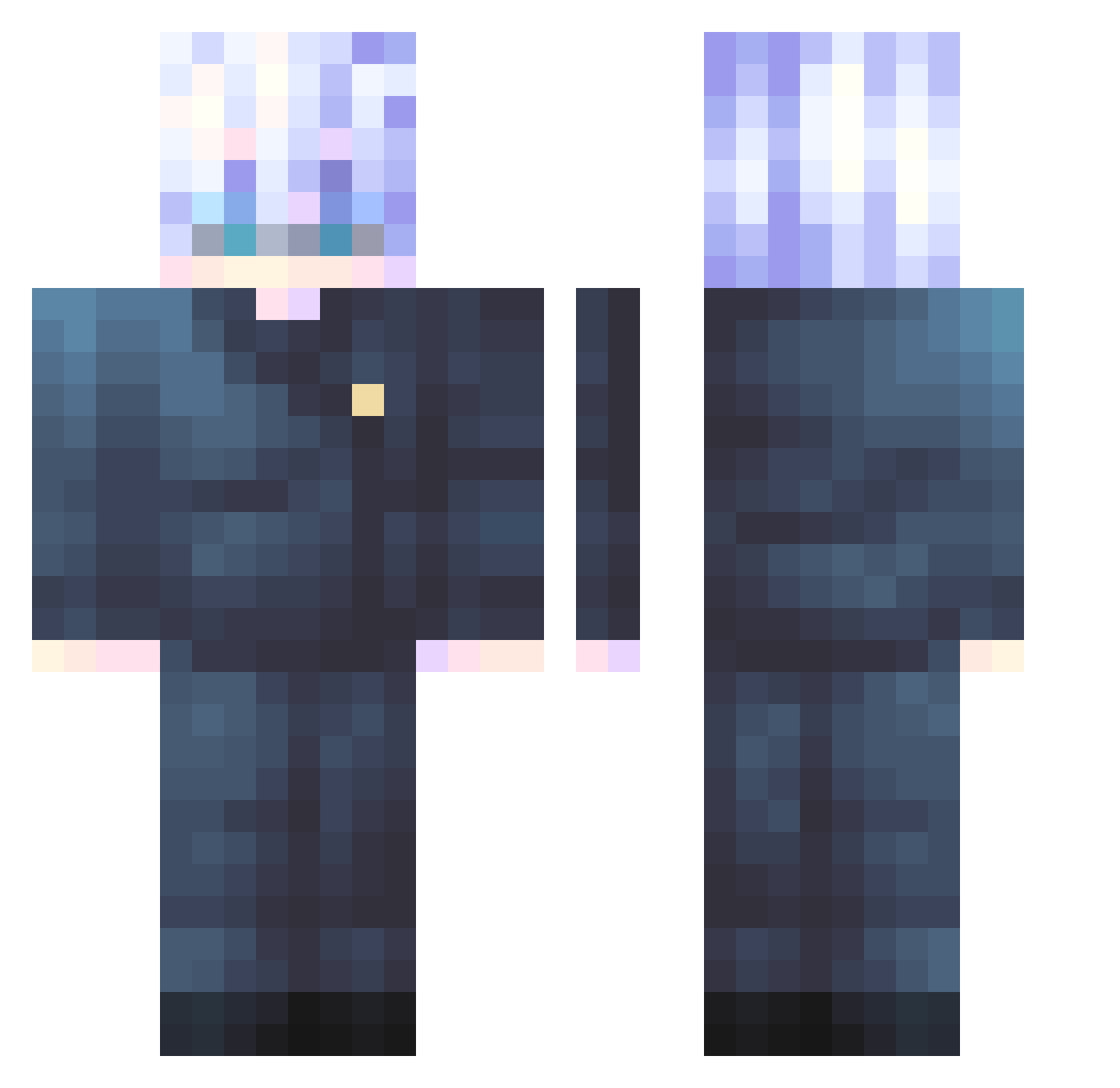
Current Minecraft skin of the player Epione2, loaded from the official Mojang API. Rotate the 3D model with your mouse or finger, then download the skin as a PNG file and use it in Minecraft: Bedrock Edition or Java Edition for free. When Epione2 changes their skin, this page updates automatically and the old skin stays in the history below.
Other players with this skin (651)
Epione2 was the 588th player we have seen with this skin, first spotted on 07.11.2026. The same skin was seen on these players. Open a nickname to see their current skin and skin history.
 Lunargot StarryNora BREVEST MOONKEVIN Bwodi choseung43 Mangel285 checksaof DanDDoReset SirFrostyMug ImTheHonouredOne Sky_B14 theyluvcarl _TheShadowDragon lutinsig GGLucaspp Satoru_Gojoooo SenseiCheese NxvaXD GO_BU T4ry WuWu_3 ignisian 22_333 Sopaloco Smigaczyk Erik307 Javiera14 SnakeSnakesJ Mitskisnumberone AndreLieu ElCostio1 siyul15 Heynn Fenix__45 Flaffed orchid_03 gwangja_ Mrlynkfynk kyle864 Eisenjin Vietiko JINKR95 Barbar520 krystiangames_ BerlinEnDetente Baummmmmm morpex1328 hesa0715 nessbobfartpants wobalicious__ WojtekWere ljh_219 Gussy0708 StephenShygo R1CESH0WER Brayjovot AnamiKy gntlels1 Keayou
More Satoru Gojo Minecraft skins
See all 1484 Satoru Gojo skins
How to install the Epione2 skin
- Press the Download button above to save the skin as a PNG file.
- Minecraft: Bedrock Edition (PE): open the Dressing Room from the main menu (or tap your character → Edit Character), go to Classic Skins → Owned, press the + (new skin) button, choose the downloaded PNG and pick the Classic (Steve) model. Works on PC and mobile; consoles cannot import custom skins.
- Minecraft: Java Edition: open the Minecraft Launcher, go to the Skins tab, click New Skin, load the PNG, pick the Classic (Steve) model and press Save & Use. You can also upload it at minecraft.net → Profile → Change Skin.
The skin does not show up after import - what should I do?
Restart Minecraft and open the Dressing Room again - imported skins sometimes appear only after a restart. Also make sure you selected the imported skin and picked the Classic (Steve) model.
Which model should I choose, Classic or Slim?
This skin is designed for the Classic (Steve) model. If you pick the wrong model, the arms of the skin will look stretched or squeezed.
Is the skin of Epione2 free to download?
Yes. Press Download, save the PNG file and use it in Minecraft: Bedrock Edition or Java Edition - no payment or registration needed. The skin also works on multiplayer servers and Realms.
More skins
Looking for more? Go back to all Minecraft skins and check the top skins of the week, month and all time, or find any player's skin by nickname.