
EnuOqO - Minecraft Skins & Skin History
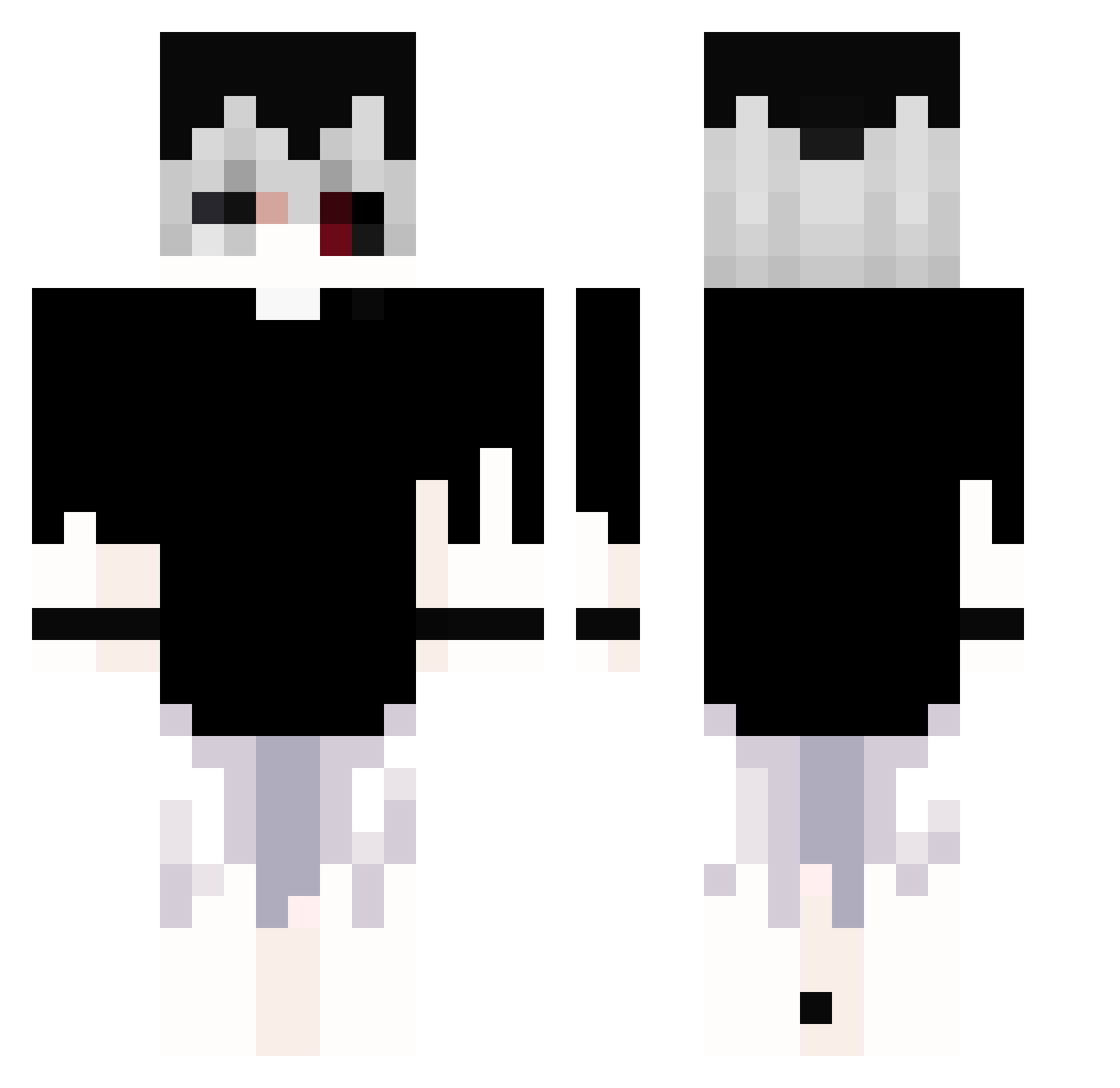
Current Minecraft skin of the player EnuOqO, loaded from the official Mojang API. Rotate the 3D model with your mouse or finger, then download the skin as a PNG file and use it in Minecraft: Bedrock Edition or Java Edition for free. When EnuOqO changes their skin, this page updates automatically and the old skin stays in the history below.
Other players with this skin (360)
EnuOqO was the 141st player we have seen with this skin, first spotted on 13.09.2026. The same skin was seen on these players. Open a nickname to see their current skin and skin history.
 Ewsinzx Thauan76 EnigmaYeeterson iKen_Kaneki ducki945 akagami54 Finati zAleexd shadow_2461 bakaneko_uwu Bartus3009 bagchaserclout wasans12 ledgerzinho Dark1mpuls Nefvyy fastik_black dooghoon Azrael_06 Lynasu jinwoo_08 AstroKookie LyghtTV Arconss ItaKurai Dqvorine xJFMLx _Jamber_ jtmxc willzin2006 Ner1on mehite Silentd1e VernonLocke Sancassani skysuxu Kaniken_ ImrickgrimesS M5ths wjhwjh jubari0103 Kostya_Kmile metadon_enjoyer Balrog72 Milofacha LetsKlatsch oM4gico _pxddy_ i_on00 AstralSora FRSHzz Sney2007 TonyCx4 Kenny_Luiz qu1nque_ KotoMaro05 Xyecor Colorist_w OVO822 Rory0911
More Monochrome Minecraft skins
How to install the EnuOqO skin
- Press the Download button above to save the skin as a PNG file.
- Minecraft: Bedrock Edition (PE): open the Dressing Room from the main menu (or tap your character → Edit Character), go to Classic Skins → Owned, press the + (new skin) button, choose the downloaded PNG and pick the Classic (Steve) model. Works on PC and mobile; consoles cannot import custom skins.
- Minecraft: Java Edition: open the Minecraft Launcher, go to the Skins tab, click New Skin, load the PNG, pick the Classic (Steve) model and press Save & Use. You can also upload it at minecraft.net → Profile → Change Skin.
The skin does not show up after import - what should I do?
Restart Minecraft and open the Dressing Room again - imported skins sometimes appear only after a restart. Also make sure you selected the imported skin and picked the Classic (Steve) model.
Which model should I choose, Classic or Slim?
This skin is designed for the Classic (Steve) model. If you pick the wrong model, the arms of the skin will look stretched or squeezed.
Is the skin of EnuOqO free to download?
Yes. Press Download, save the PNG file and use it in Minecraft: Bedrock Edition or Java Edition - no payment or registration needed. The skin also works on multiplayer servers and Realms.
More skins
Looking for more? Go back to all Minecraft skins and check the top skins of the week, month and all time, or find any player's skin by nickname.