
EnricoPascual - Minecraft Skins & Skin History
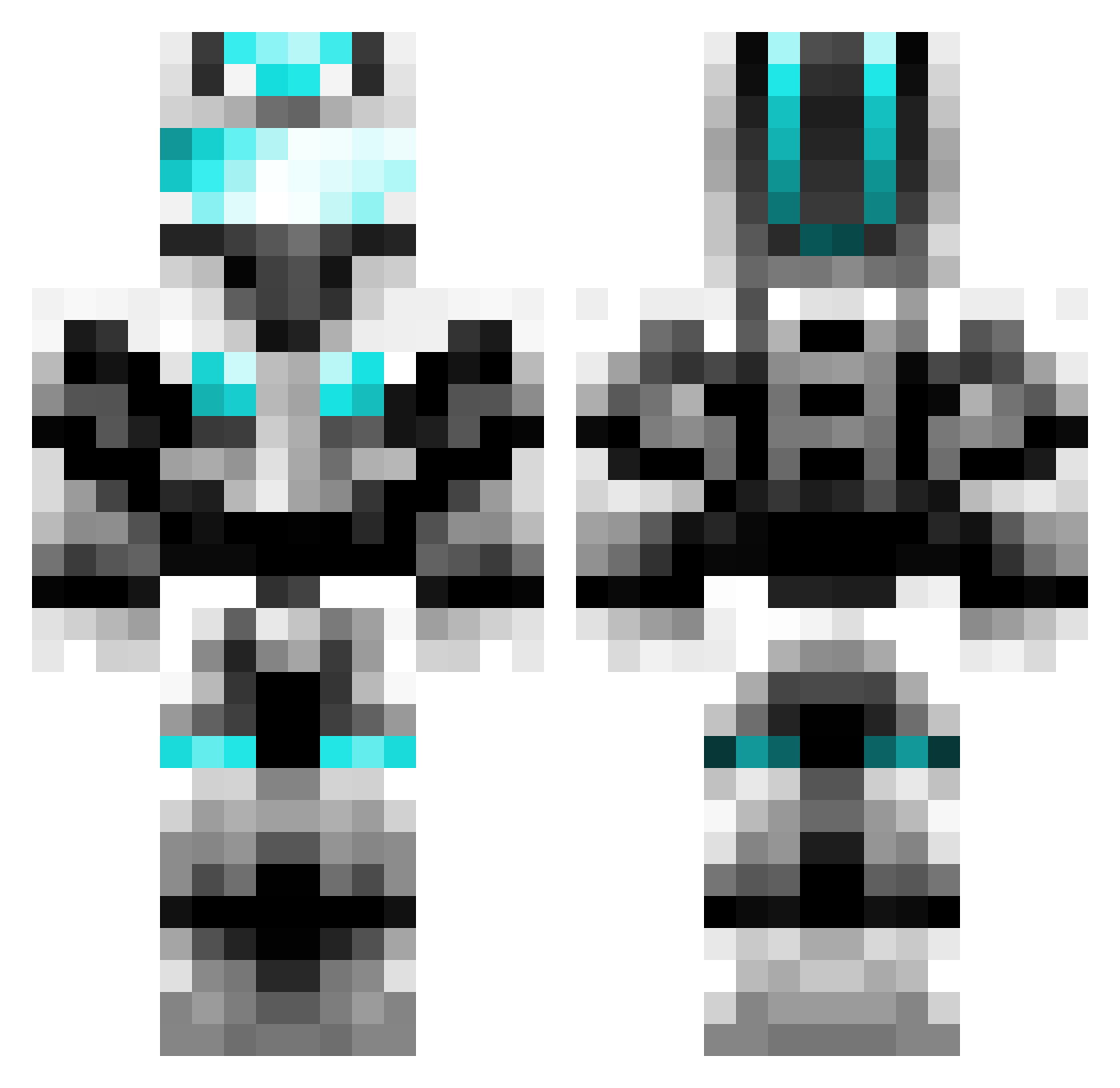
Current Minecraft skin of the player EnricoPascual, loaded from the official Mojang API. Rotate the 3D model with your mouse or finger, then download the skin as a PNG file and use it in Minecraft: Bedrock Edition or Java Edition for free. When EnricoPascual changes their skin, this page updates automatically and the old skin stays in the history below.
Other players with this skin (602)
EnricoPascual was the 501st player we have seen with this skin, first spotted on 09.10.2026. The same skin was seen on these players. Open a nickname to see their current skin and skin history.
 willsthebeast __Legacy__ ariellevi2002 Kenthecrafter AZbetterthanume Lennerd124 jackthemeister joaquin_2000 sirruke danoman27 RymdMaster ThunderbirdThree MGArthur Senerityy TerryHuang HY_Nano Hunmeng cc3246 Xerxes76 Xiao_Lindx IsisHelper Signoire Zuke_ WindAeolus Boulder953 IAmGodsWeapon slick9000 pece12 Karta Sixthflag dragonite20 morgan_99 Bigdaddyzach juanma315 Wolfgaar JesseZ1999 Jaxxsta TerrorTobi74 MrStealYoBlock Mechanical_Boy coolmexican54 Izzybras Accordingly iamjustin12 Und3rground69 Nikorico2 jjpluska CreativeJB sateaksauce jjkkll1 lizard963 hooyar1 Aylang VERYAWESOME5 CorrieK2 nkongo66 Bruceyboi zodiaque11 kingjason089 Nicks_Craft_09
More Cyber Soldier Minecraft skins
See all 43 Cyber Soldier skins
How to install the EnricoPascual skin
- Press the Download button above to save the skin as a PNG file.
- Minecraft: Bedrock Edition (PE): open the Dressing Room from the main menu (or tap your character → Edit Character), go to Classic Skins → Owned, press the + (new skin) button, choose the downloaded PNG and pick the Classic (Steve) model. Works on PC and mobile; consoles cannot import custom skins.
- Minecraft: Java Edition: open the Minecraft Launcher, go to the Skins tab, click New Skin, load the PNG, pick the Classic (Steve) model and press Save & Use. You can also upload it at minecraft.net → Profile → Change Skin.
The skin does not show up after import - what should I do?
Restart Minecraft and open the Dressing Room again - imported skins sometimes appear only after a restart. Also make sure you selected the imported skin and picked the Classic (Steve) model.
Which model should I choose, Classic or Slim?
This skin is designed for the Classic (Steve) model. If you pick the wrong model, the arms of the skin will look stretched or squeezed.
Is the skin of EnricoPascual free to download?
Yes. Press Download, save the PNG file and use it in Minecraft: Bedrock Edition or Java Edition - no payment or registration needed. The skin also works on multiplayer servers and Realms.
More skins
Looking for more? Go back to all Minecraft skins and check the top skins of the week, month and all time, or find any player's skin by nickname.