
Enio0o - Minecraft Skins & Skin History
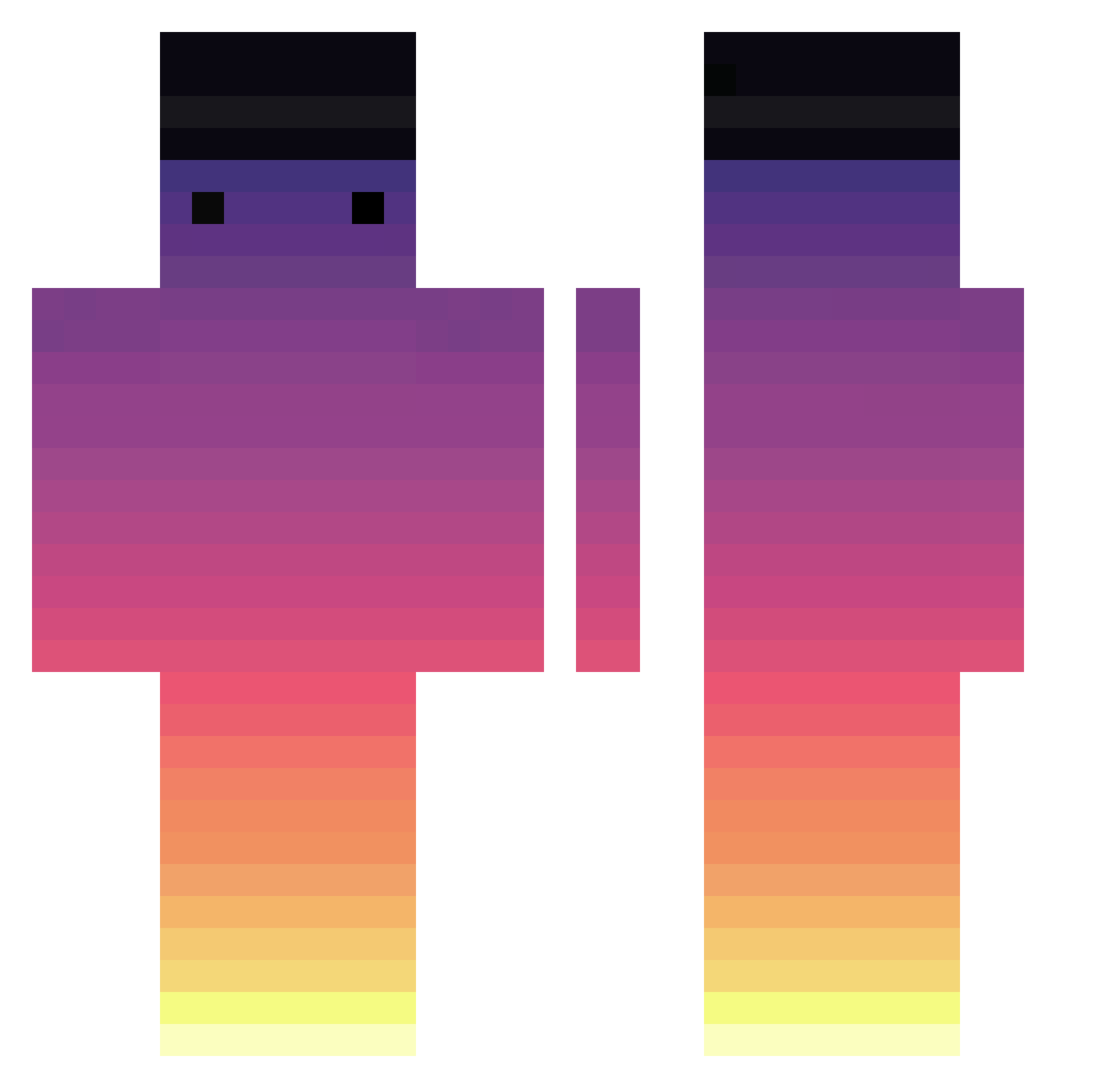
Current Minecraft skin of the player Enio0o, loaded from the official Mojang API. Rotate the 3D model with your mouse or finger, then download the skin as a PNG file and use it in Minecraft: Bedrock Edition or Java Edition for free. When Enio0o changes their skin, this page updates automatically and the old skin stays in the history below.
Other players with this skin (716)
Enio0o was the 74th player we have seen with this skin, first spotted on 06.08.2026. The same skin was seen on these players. Open a nickname to see their current skin and skin history.
 FrostyEK1 monstreux Dax_NL top_gamer6662 MrHanCM sunj0504 monsqe Roki_M Masqueradesz harokdog freedom27 Darkstabb3r Sulia8888 Wuwek1234 Elchepardo MineArcade19 HalfGeek7951 hyeonseok1 si_Hwan12 Jxhnnnyy Samnic96 Sofka_Sofka hamidreza1385 pichulotote7125 Szczwanek Iseek0 songsh0905 o1x2 SadLuizFelipe wWSolaceWw GrimmTtv Aim_Corbin martonpk SaMaZzz mmdansk AJDark ProjectRed gkdms2331 Volpadeus TopCum00 dum_dum_dum Ka_kemm kiju1101 SetipNiBoss SuperThomate YuriMerola AxoloteMexicano Akziz Bentho35 kiona_0 luckbessy Who_again Z4_Lit1 ulyssescc mentosNIKE SalaKoi ConTuMai TooMuchMousee tnt3n Marcinus345
How to install the Enio0o skin
- Press the Download button above to save the skin as a PNG file.
- Minecraft: Bedrock Edition (PE): open the Dressing Room from the main menu (or tap your character → Edit Character), go to Classic Skins → Owned, press the + (new skin) button, choose the downloaded PNG and pick the Classic (Steve) model. Works on PC and mobile; consoles cannot import custom skins.
- Minecraft: Java Edition: open the Minecraft Launcher, go to the Skins tab, click New Skin, load the PNG, pick the Classic (Steve) model and press Save & Use. You can also upload it at minecraft.net → Profile → Change Skin.
The skin does not show up after import - what should I do?
Restart Minecraft and open the Dressing Room again - imported skins sometimes appear only after a restart. Also make sure you selected the imported skin and picked the Classic (Steve) model.
Which model should I choose, Classic or Slim?
This skin is designed for the Classic (Steve) model. If you pick the wrong model, the arms of the skin will look stretched or squeezed.
Is the skin of Enio0o free to download?
Yes. Press Download, save the PNG file and use it in Minecraft: Bedrock Edition or Java Edition - no payment or registration needed. The skin also works on multiplayer servers and Realms.
More skins
Looking for more? Go back to all Minecraft skins and check the top skins of the week, month and all time, or find any player's skin by nickname.