
EnRi9703 - Minecraft Skins & Skin History
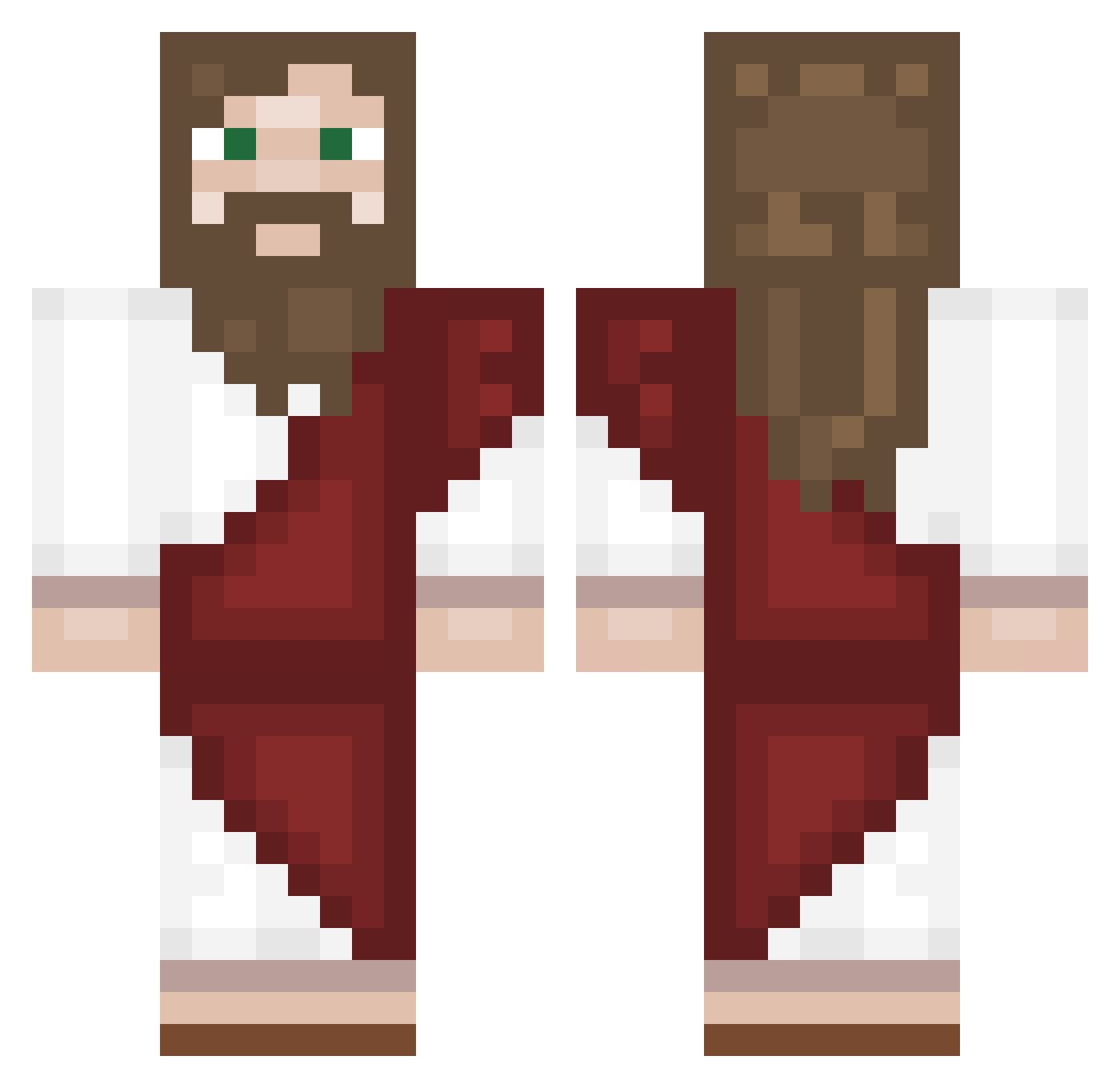
Current Minecraft skin of the player EnRi9703, loaded from the official Mojang API. Rotate the 3D model with your mouse or finger, then download the skin as a PNG file and use it in Minecraft: Bedrock Edition or Java Edition for free. When EnRi9703 changes their skin, this page updates automatically and the old skin stays in the history below.
Other players with this skin (210)
EnRi9703 was the 176th player we have seen with this skin, first spotted on 03.11.2026. The same skin was seen on these players. Open a nickname to see their current skin and skin history.
 PETERISASMALLDUK PiPi_x ilovegingers84 HiddeMVP Legoghost juju5186 Byroonnn cvkk SchmerzenNihilus Explosive726 beboomKiKi Kndlk EnimeZ Nathyyy CiriDiego ZeNShiMa AdmiralClarko Im_Ale24 overrlord hijkurgai DancingBearGuy ErenAmk _Kosmos___ Med1z1ne Mitchi09 Social_Blazer IisusdinNazaret xRaave jesus1212232 _D4N1_8 EaazzyZ Yayaldino JJIJUS xylastunicornyx raigbob 3bipes Ssampoog Dicxky GErkani juhwankorea LightCannon4514 minoks Entho_ Pidoras67 LilyLucian PrimeKing23 MyPear_ Drew585 RadicalGuy NightBlueB MINTI20 Deadmas05 gink111 WhiteFlash_HD FindChrist starbibek xLouie839 Ooonur Andros09 Luffy_78
More Biblical Minecraft skins
How to install the EnRi9703 skin
- Press the Download button above to save the skin as a PNG file.
- Minecraft: Bedrock Edition (PE): open the Dressing Room from the main menu (or tap your character → Edit Character), go to Classic Skins → Owned, press the + (new skin) button, choose the downloaded PNG and pick the Classic (Steve) model. Works on PC and mobile; consoles cannot import custom skins.
- Minecraft: Java Edition: open the Minecraft Launcher, go to the Skins tab, click New Skin, load the PNG, pick the Classic (Steve) model and press Save & Use. You can also upload it at minecraft.net → Profile → Change Skin.
The skin does not show up after import - what should I do?
Restart Minecraft and open the Dressing Room again - imported skins sometimes appear only after a restart. Also make sure you selected the imported skin and picked the Classic (Steve) model.
Which model should I choose, Classic or Slim?
This skin is designed for the Classic (Steve) model. If you pick the wrong model, the arms of the skin will look stretched or squeezed.
Is the skin of EnRi9703 free to download?
Yes. Press Download, save the PNG file and use it in Minecraft: Bedrock Edition or Java Edition - no payment or registration needed. The skin also works on multiplayer servers and Realms.
More skins
Looking for more? Go back to all Minecraft skins and check the top skins of the week, month and all time, or find any player's skin by nickname.