
Elnicoo - Minecraft Skins & Skin History
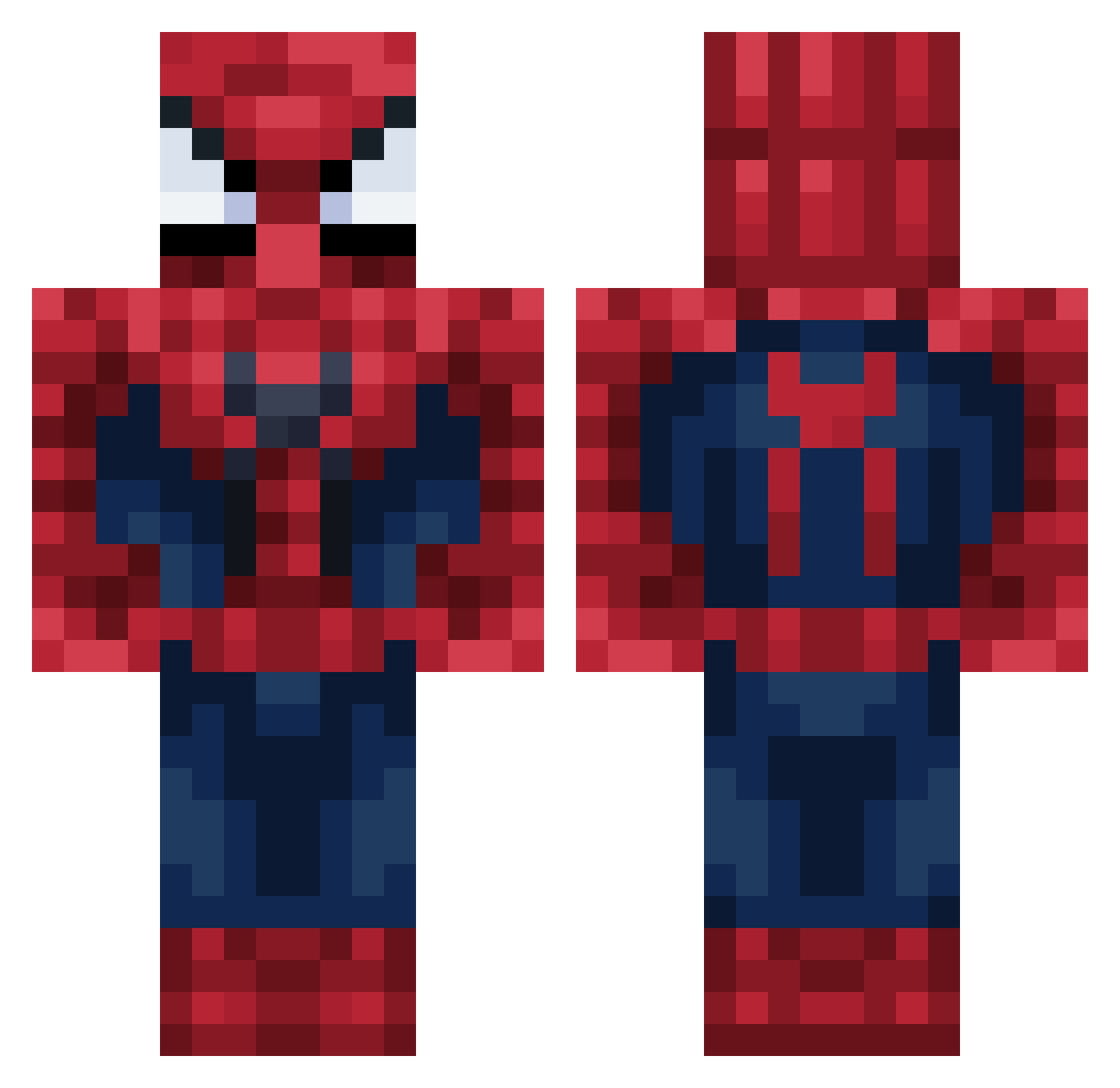
Current Minecraft skin of the player Elnicoo, loaded from the official Mojang API. Rotate the 3D model with your mouse or finger, then download the skin as a PNG file and use it in Minecraft: Bedrock Edition or Java Edition for free. When Elnicoo changes their skin, this page updates automatically and the old skin stays in the history below.
Other players with this skin (55)
Elnicoo was the 12th player we have seen with this skin, first spotted on 03.09.2026. The same skin was seen on these players. Open a nickname to see their current skin and skin history.
 RonaldoStas
 Carushow WinderStorm jingjingEEEE nolife_08 migeiI Xivity_SLY Young_Hittler oceansalade YTDpression
 S1mple_904 IsuckSorry TabithaCat IQCarriedByDiana
 Jalgi Zynograeth sv14 blakeandshake Danimaximo274 nnxlox Player1219593 TaazBoy12 iFaith7 Fr0st_Shadow focalpanda secret_17kvkitou Taurtis21431 Zeddocrime 33SPIDERMAN123 ViniV0 GOODBOYJBD WellKnight77 kristoball23 JorginiosJackson Arr0vvs Daandb07 Koray1342 eminem6956 DAY_SKOY tw0906 Irifuntik Oskaro5 TLA02 janko9248 2kslizzygoon rLzFreud ComicThunder343 DokIsCool Gorani14 totty22 Spatenremo buriandurian d3bora Loanfarmer CowboyFran
More Spider-Man Minecraft skins
How to install the Elnicoo skin
- Press the Download button above to save the skin as a PNG file.
- Minecraft: Bedrock Edition (PE): open the Dressing Room from the main menu (or tap your character → Edit Character), go to Classic Skins → Owned, press the + (new skin) button, choose the downloaded PNG and pick the Classic (Steve) model. Works on PC and mobile; consoles cannot import custom skins.
- Minecraft: Java Edition: open the Minecraft Launcher, go to the Skins tab, click New Skin, load the PNG, pick the Classic (Steve) model and press Save & Use. You can also upload it at minecraft.net → Profile → Change Skin.
The skin does not show up after import - what should I do?
Restart Minecraft and open the Dressing Room again - imported skins sometimes appear only after a restart. Also make sure you selected the imported skin and picked the Classic (Steve) model.
Which model should I choose, Classic or Slim?
This skin is designed for the Classic (Steve) model. If you pick the wrong model, the arms of the skin will look stretched or squeezed.
Is the skin of Elnicoo free to download?
Yes. Press Download, save the PNG file and use it in Minecraft: Bedrock Edition or Java Edition - no payment or registration needed. The skin also works on multiplayer servers and Realms.
More skins
Looking for more? Go back to all Minecraft skins and check the top skins of the week, month and all time, or find any player's skin by nickname.