
El_proo - Minecraft Skins & Skin History
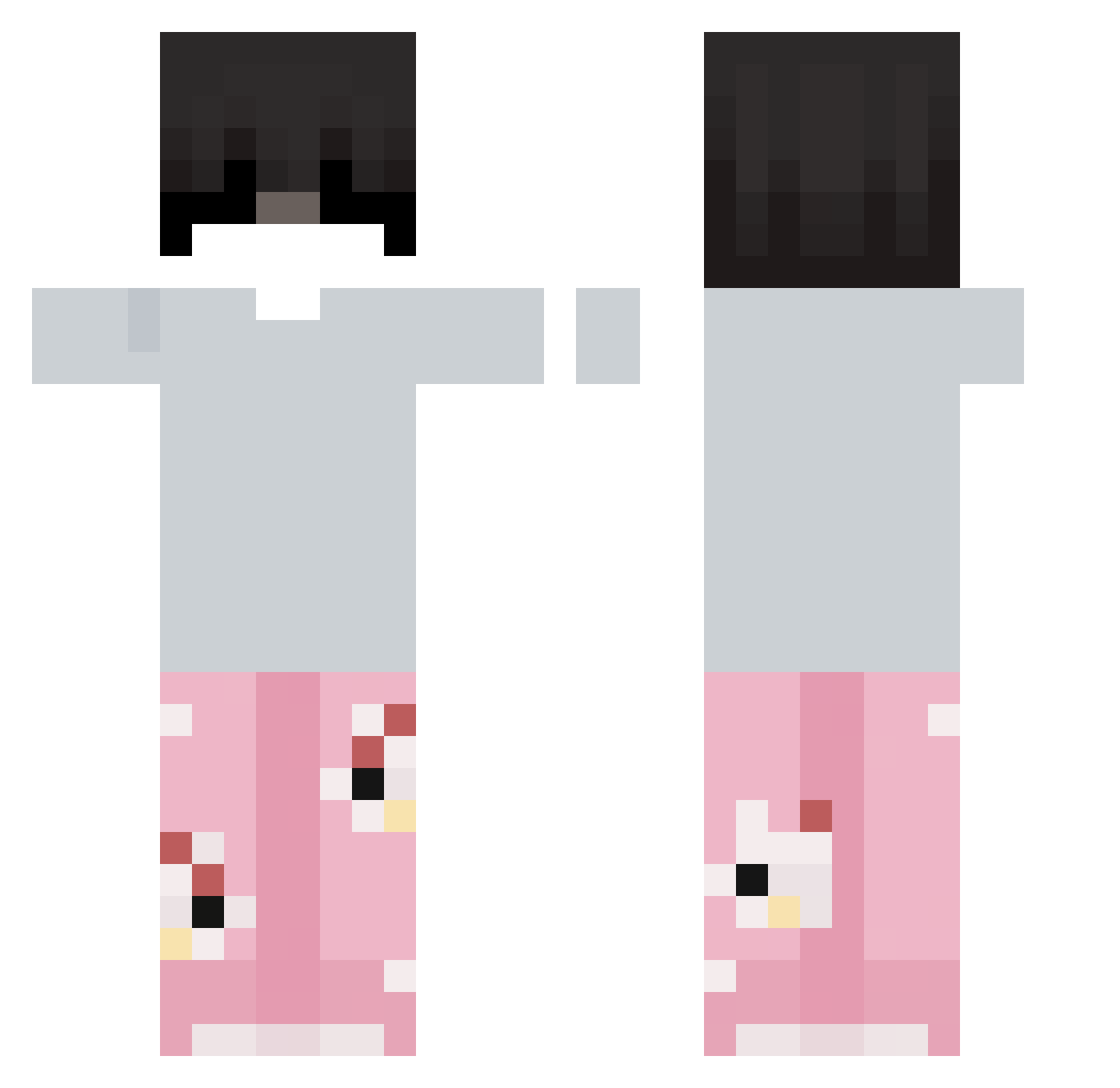
Current Minecraft skin of the player El_proo, loaded from the official Mojang API. Rotate the 3D model with your mouse or finger, then download the skin as a PNG file and use it in Minecraft: Bedrock Edition or Java Edition for free. When El_proo changes their skin, this page updates automatically and the old skin stays in the history below.
Other players with this skin (115)
El_proo was the 82nd player we have seen with this skin, first spotted on 29.09.2026. The same skin was seen on these players. Open a nickname to see their current skin and skin history.
 Y2022CA yoonseokyeong AsiimoF __Piotr___ Tamuny89 littyar EhoSoulzas _Kloudi_ 0Zanee0 nlea87 BurritoSexi KiliHim NexusLmao_Zz18 ItzRealMe02 CatGirlJackSon imloocky ___2123 zfumandotussy_ Rauuly __Nats_ lovnzi Kedamono31 versa_ceii Junnorange Trappa__ AR_MrAxel_JK BenMac2004 Knox2x jomniran123 galaxyfounded Vdudu YatLanYou Enah3o XXilouuu 0h59fps boeeee_ Shadow_N1ghtz gaabsqz uosueq zxxcv__ AstroSkyXD ngphogg abo_m6er x1yrus Fizzy6 CauBeeCrazy DAVOR11 ZzzRyx TheZakiiRage nopmemet yahiadaboy XfrytekPL _Blaszka_11 GoatedAtPvP PsychoAimx Notrealpepe d7izr Valextrumn neocoool HBala12
More Pyjamas Minecraft skins
How to install the El_proo skin
- Press the Download button above to save the skin as a PNG file.
- Minecraft: Bedrock Edition (PE): open the Dressing Room from the main menu (or tap your character → Edit Character), go to Classic Skins → Owned, press the + (new skin) button, choose the downloaded PNG and pick the Classic (Steve) model. Works on PC and mobile; consoles cannot import custom skins.
- Minecraft: Java Edition: open the Minecraft Launcher, go to the Skins tab, click New Skin, load the PNG, pick the Classic (Steve) model and press Save & Use. You can also upload it at minecraft.net → Profile → Change Skin.
The skin does not show up after import - what should I do?
Restart Minecraft and open the Dressing Room again - imported skins sometimes appear only after a restart. Also make sure you selected the imported skin and picked the Classic (Steve) model.
Which model should I choose, Classic or Slim?
This skin is designed for the Classic (Steve) model. If you pick the wrong model, the arms of the skin will look stretched or squeezed.
Is the skin of El_proo free to download?
Yes. Press Download, save the PNG file and use it in Minecraft: Bedrock Edition or Java Edition - no payment or registration needed. The skin also works on multiplayer servers and Realms.
More skins
Looking for more? Go back to all Minecraft skins and check the top skins of the week, month and all time, or find any player's skin by nickname.