
EclipseHonk - Minecraft Skins & Skin History
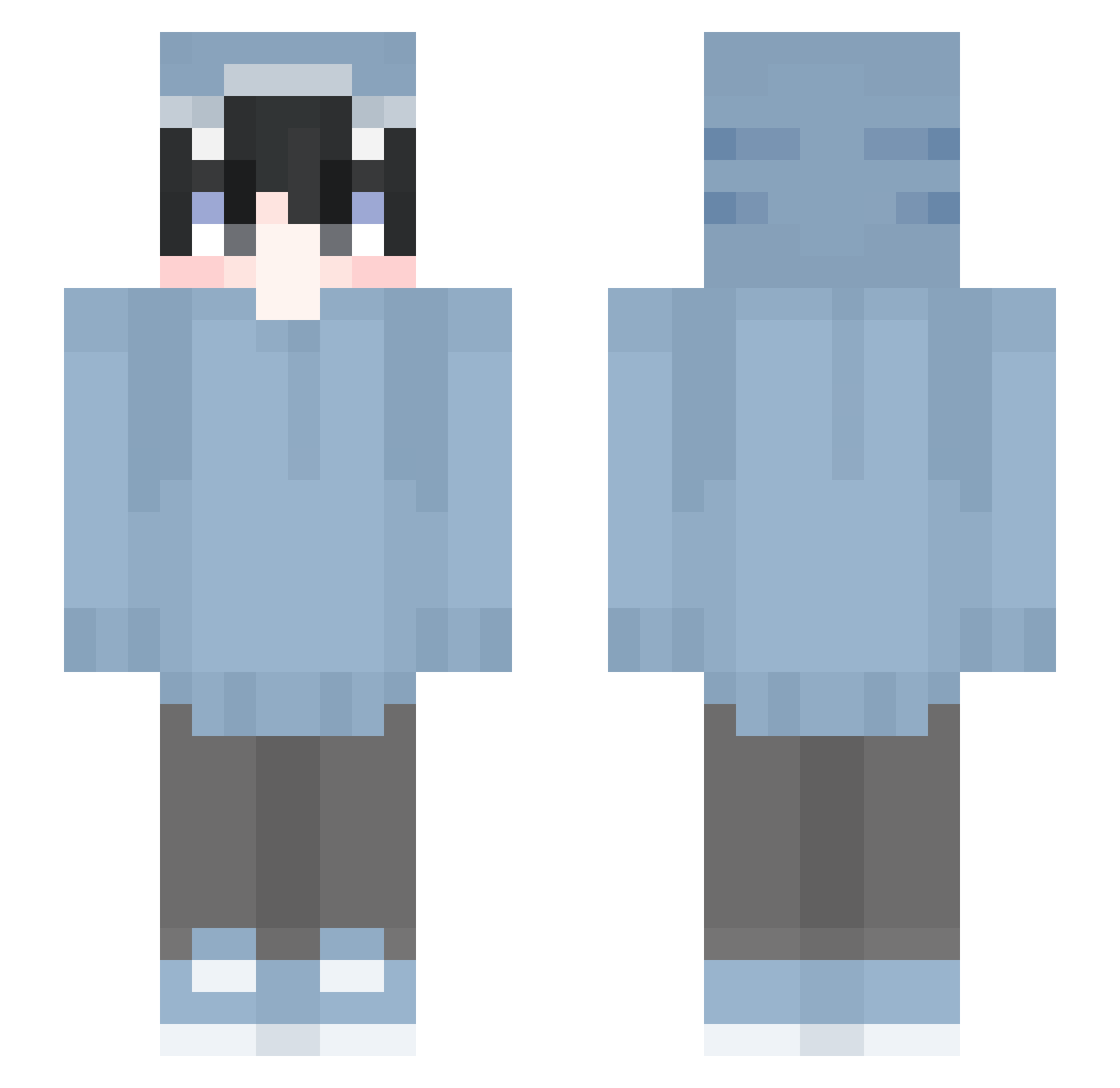
Current Minecraft skin of the player EclipseHonk, loaded from the official Mojang API. Rotate the 3D model with your mouse or finger, then download the skin as a PNG file and use it in Minecraft: Bedrock Edition or Java Edition for free. When EclipseHonk changes their skin, this page updates automatically and the old skin stays in the history below.
Other players with this skin (641)
EclipseHonk was the 459th player we have seen with this skin, first spotted on 12.10.2026. The same skin was seen on these players. Open a nickname to see their current skin and skin history.
 Quertwy _ItzDave Lut4 Gemi08 Apollo6541 GLWM vqu_ Water_Crabs karaage9250 ByeKnife1 youscammedme samuelonit iEyup22 Alphacetone IuryDrT KisameShiro Hankman0731 Proky_CZ hadee7 Jxmescss Danger_kwt morikumasaan0808 Montana_Cocaina spideroier MacklinLauren allsanq wataru0709 Michaeeeeeeeeel JimmyChen566 SDADASASD Riri011110 _SeaShark_ lemonfromohio DocMom Llamas19997 IPhxne UsusioIkura Valchyr Rexxy3131 JustSharkyy Cosmo_J Grafeur6 Redamancy0722 ProfiJulien Its_Ch4rlie happyharry123 YUGA1210 AlverMert ragumaro chapepe cahpexx hippy3500 Akane1011 LocCaChep tsuzuri_uta Yozola0718 Chasann Yuzpon01 seira1231 __AbsoluteMadlad
More Shark Onesie Minecraft skins
See all 191 Shark Onesie skins
How to install the EclipseHonk skin
- Press the Download button above to save the skin as a PNG file.
- Minecraft: Bedrock Edition (PE): open the Dressing Room from the main menu (or tap your character → Edit Character), go to Classic Skins → Owned, press the + (new skin) button, choose the downloaded PNG and pick the Slim (Alex) model. Works on PC and mobile; consoles cannot import custom skins.
- Minecraft: Java Edition: open the Minecraft Launcher, go to the Skins tab, click New Skin, load the PNG, pick the Slim (Alex) model and press Save & Use. You can also upload it at minecraft.net → Profile → Change Skin.
The skin does not show up after import - what should I do?
Restart Minecraft and open the Dressing Room again - imported skins sometimes appear only after a restart. Also make sure you selected the imported skin and picked the Slim (Alex) model.
Which model should I choose, Classic or Slim?
This skin is designed for the Slim (Alex) model. If you pick the wrong model, the arms of the skin will look stretched or squeezed.
Is the skin of EclipseHonk free to download?
Yes. Press Download, save the PNG file and use it in Minecraft: Bedrock Edition or Java Edition - no payment or registration needed. The skin also works on multiplayer servers and Realms.
More skins
Looking for more? Go back to all Minecraft skins and check the top skins of the week, month and all time, or find any player's skin by nickname.