
Eaglestone7480 - Minecraft Skins & Skin History
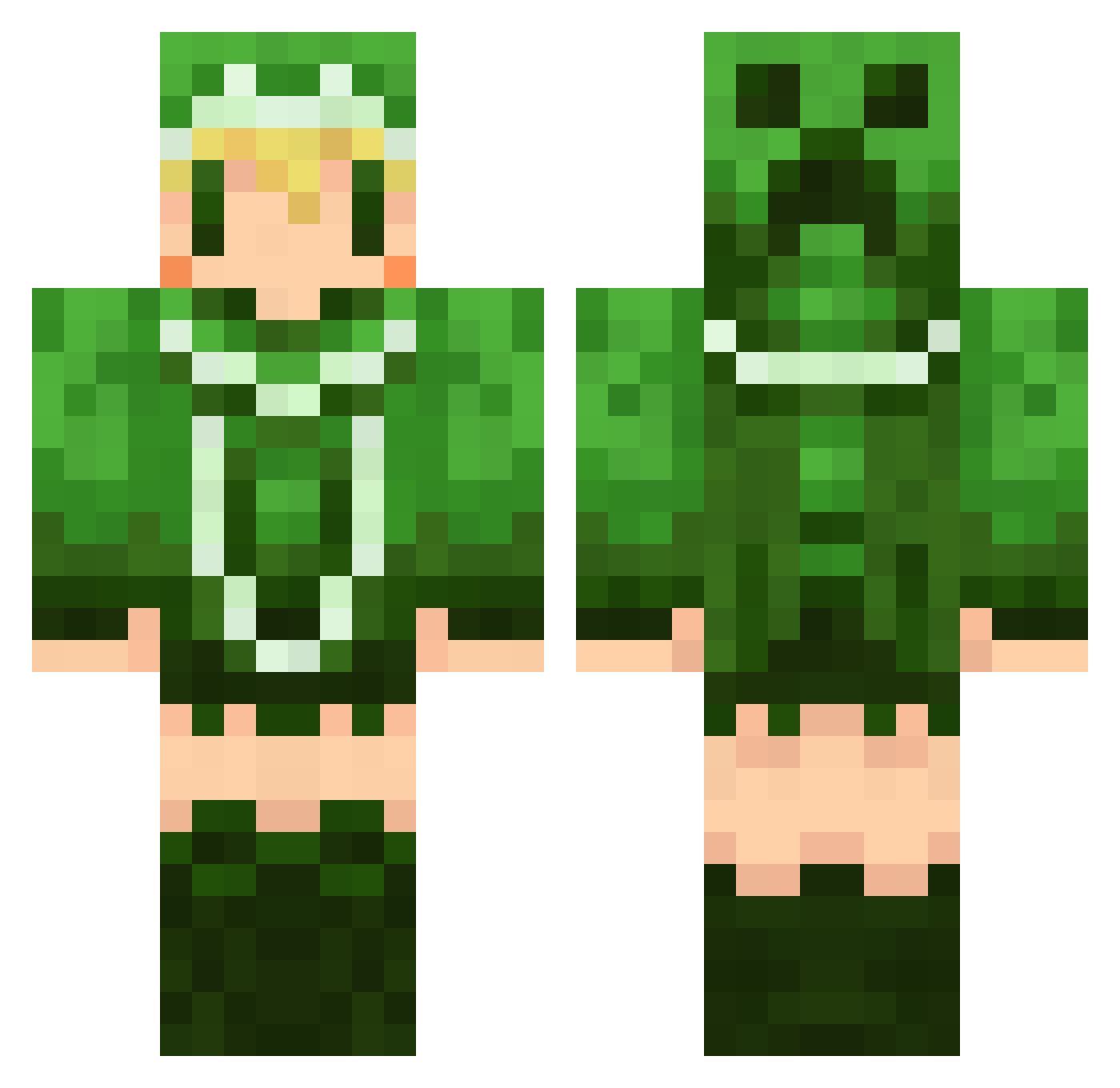
Current Minecraft skin of the player Eaglestone7480, loaded from the official Mojang API. Rotate the 3D model with your mouse or finger, then download the skin as a PNG file and use it in Minecraft: Bedrock Edition or Java Edition for free. When Eaglestone7480 changes their skin, this page updates automatically and the old skin stays in the history below.
Other players with this skin (498)
Eaglestone7480 was the 136th player we have seen with this skin, first spotted on 17.08.2026. The same skin was seen on these players. Open a nickname to see their current skin and skin history.
 tengaricorn aseroraaa _qfir_ terakazujp tak041 pocky000 Mnisk KzRapha Chaos0x 8Natto8 TKmay taacian huu511 ririka2004 Hacory sucre666 ke1kuma SiLVeR_48 horubin yuri_ko syunttv masaki0716 LecK_MicK Gouten atuyagt xxXsetsunaXxx muratan_ teny29 loveharu mame1189 kirin0504 520syota wikret nakanosuke de_inferno1 karu_siki gurakoro55 CoCo6673 Fumi_Lum skyblue_215 Garland64 fire_ajex naotobi sironoa23 INUHIME Garlicgirl omochi12 kuroinaba yaaaaamaji may01230 minthi takumimasao Dachimon reemkon KUZUbox kumonorei yuzuhomura tamamax soumen1001 okinami
More Creeper Minecraft skins
How to install the Eaglestone7480 skin
- Press the Download button above to save the skin as a PNG file.
- Minecraft: Bedrock Edition (PE): open the Dressing Room from the main menu (or tap your character → Edit Character), go to Classic Skins → Owned, press the + (new skin) button, choose the downloaded PNG and pick the Classic (Steve) model. Works on PC and mobile; consoles cannot import custom skins.
- Minecraft: Java Edition: open the Minecraft Launcher, go to the Skins tab, click New Skin, load the PNG, pick the Classic (Steve) model and press Save & Use. You can also upload it at minecraft.net → Profile → Change Skin.
The skin does not show up after import - what should I do?
Restart Minecraft and open the Dressing Room again - imported skins sometimes appear only after a restart. Also make sure you selected the imported skin and picked the Classic (Steve) model.
Which model should I choose, Classic or Slim?
This skin is designed for the Classic (Steve) model. If you pick the wrong model, the arms of the skin will look stretched or squeezed.
Is the skin of Eaglestone7480 free to download?
Yes. Press Download, save the PNG file and use it in Minecraft: Bedrock Edition or Java Edition - no payment or registration needed. The skin also works on multiplayer servers and Realms.
More skins
Looking for more? Go back to all Minecraft skins and check the top skins of the week, month and all time, or find any player's skin by nickname.