
EX01IC - Minecraft Skins & Skin History
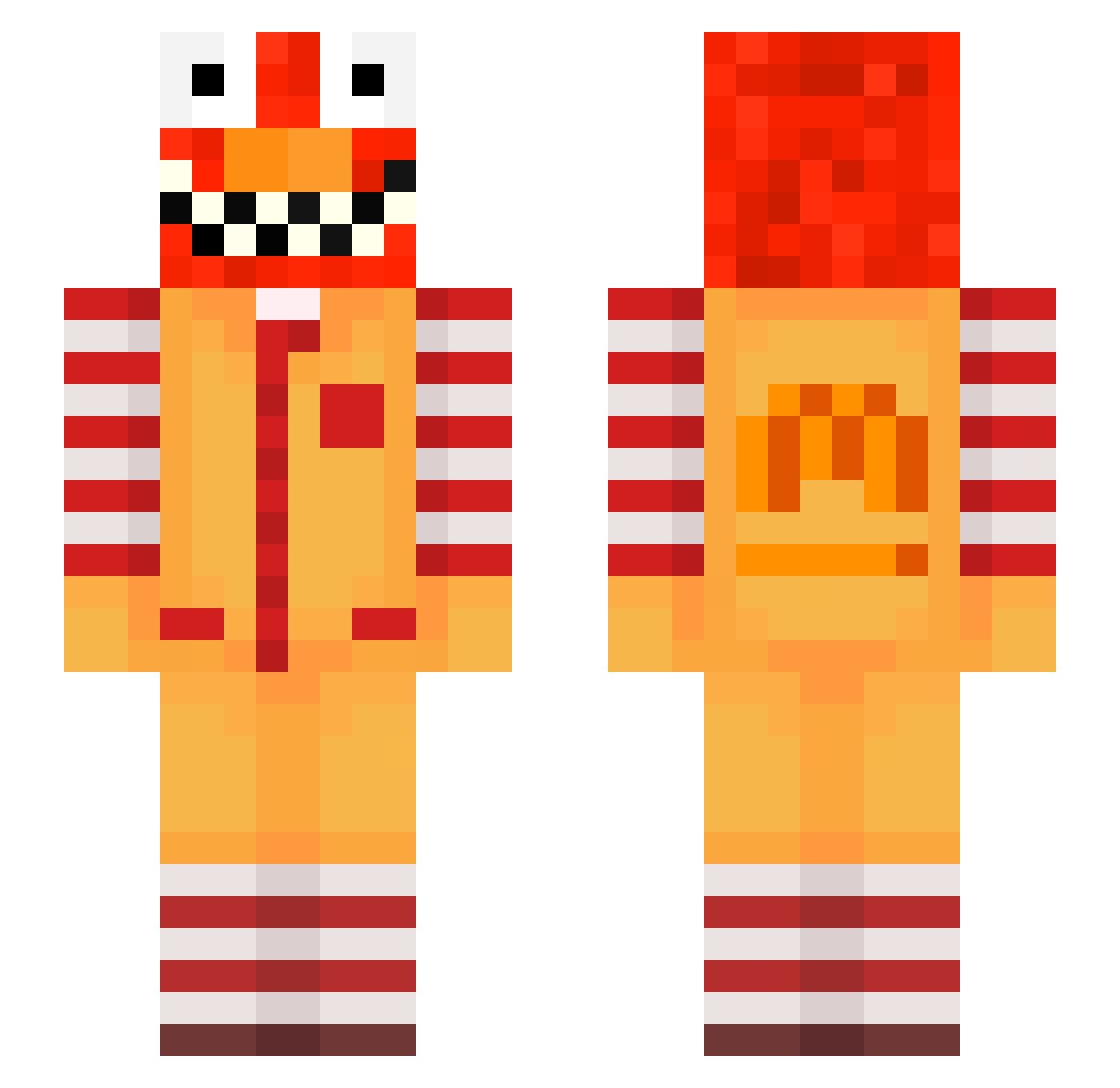
Current Minecraft skin of the player EX01IC, loaded from the official Mojang API. Rotate the 3D model with your mouse or finger, then download the skin as a PNG file and use it in Minecraft: Bedrock Edition or Java Edition for free. When EX01IC changes their skin, this page updates automatically and the old skin stays in the history below.
Other players with this skin (565)
EX01IC was the 30th player we have seen with this skin, first spotted on 26.07.2026. The same skin was seen on these players. Open a nickname to see their current skin and skin history.
 ALTe_keksby_2131 LinhwoxRl0203 happyslothXD TheFlyingUwU klika737 AltVerseAsfX9Sv2 81BOOM SaborLuvsDihhwo 4uk_msmc_gkl Anyanwu_yummy175 raverSPZwa5o AlexisSpot ravevdoNIdlz NotMastiYT Syfyyyy jac_mes CrownUntold Penz_joint6 sakunohLSLQ ala28bustling375 raveEIf3csp1 TimVanLeusden
 dwq_msmc_sx1 MoPday65 LinhAshhqzUwU tzi_NnEGF_10_20 evb_schizo_c60 tzi_pO84o_10_15 banksirawit ythz_XUmOb_11_05 tzi_AYOxZ_11_03 noehrl_suburban0 MatObr Manlove_fat96 Ingemar_valid4 raveDnPJKXvA raveRKTRFDBz zStorm_18 MysicSumo_01 __06__ PASIRwss5w7ht9cr Nixo6105 Limaye2winged400 Psychicals c3w_msmc_sfs Jeff__Bezos_123 Burlingfake56 okizamyy joNey9969 5341314234124123 LinhTideznsUwU raveFaLNibeP Lauzierorange811 Otoch_ cheloshw VolunteerMiner3 zz_unWLV_25 LinhMQPbI0113 artayaexhausted1 LinhWilds1xUwU
More Ronald Mcdonald Minecraft skins
See all 125 Ronald Mcdonald skins
How to install the EX01IC skin
- Press the Download button above to save the skin as a PNG file.
- Minecraft: Bedrock Edition (PE): open the Dressing Room from the main menu (or tap your character → Edit Character), go to Classic Skins → Owned, press the + (new skin) button, choose the downloaded PNG and pick the Slim (Alex) model. Works on PC and mobile; consoles cannot import custom skins.
- Minecraft: Java Edition: open the Minecraft Launcher, go to the Skins tab, click New Skin, load the PNG, pick the Slim (Alex) model and press Save & Use. You can also upload it at minecraft.net → Profile → Change Skin.
The skin does not show up after import - what should I do?
Restart Minecraft and open the Dressing Room again - imported skins sometimes appear only after a restart. Also make sure you selected the imported skin and picked the Slim (Alex) model.
Which model should I choose, Classic or Slim?
This skin is designed for the Slim (Alex) model. If you pick the wrong model, the arms of the skin will look stretched or squeezed.
Is the skin of EX01IC free to download?
Yes. Press Download, save the PNG file and use it in Minecraft: Bedrock Edition or Java Edition - no payment or registration needed. The skin also works on multiplayer servers and Realms.
More skins
Looking for more? Go back to all Minecraft skins and check the top skins of the week, month and all time, or find any player's skin by nickname.