
EUNCHEOK - Minecraft Skins & Skin History
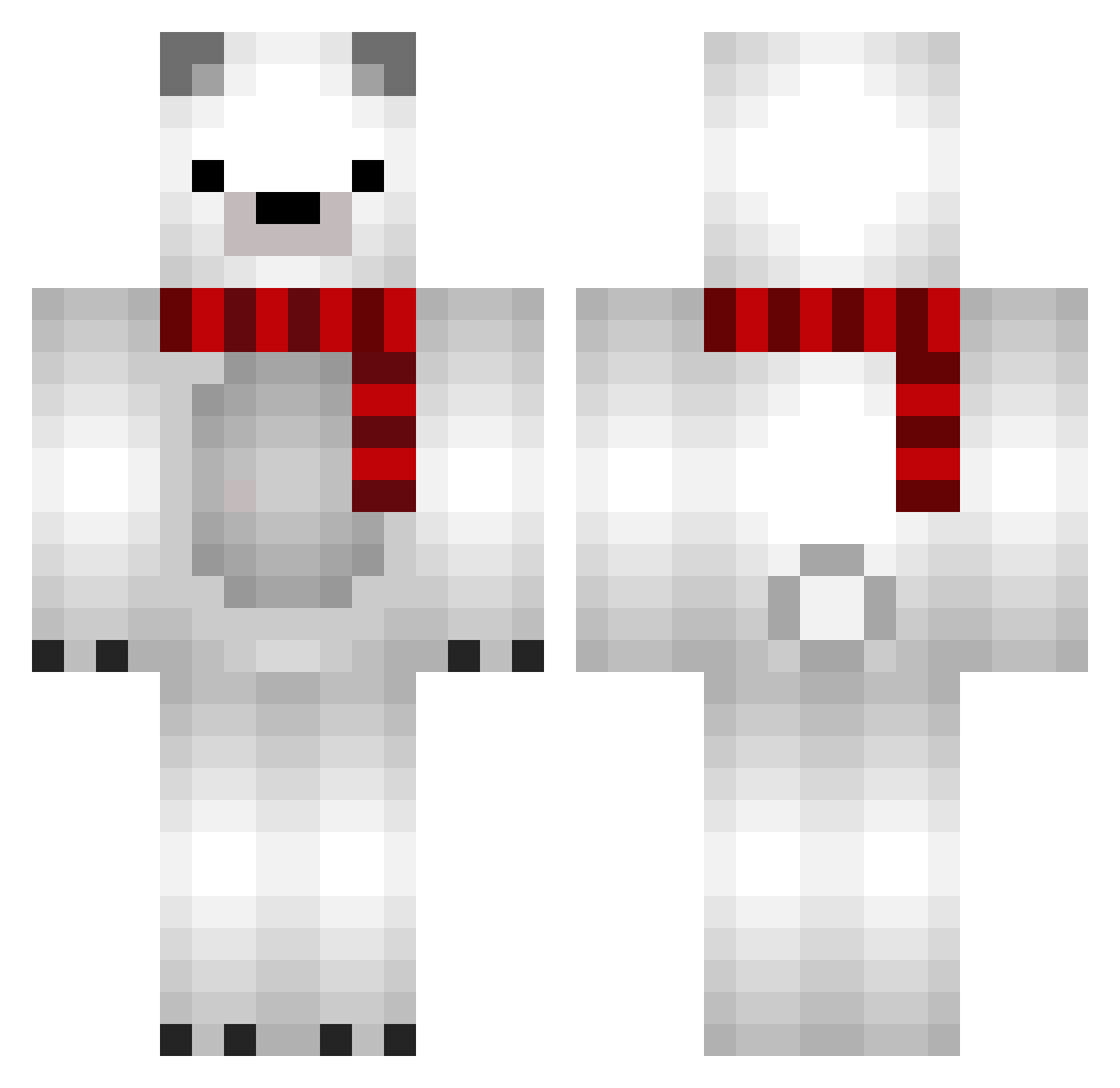
Current Minecraft skin of the player EUNCHEOK, loaded from the official Mojang API. Rotate the 3D model with your mouse or finger, then download the skin as a PNG file and use it in Minecraft: Bedrock Edition or Java Edition for free. When EUNCHEOK changes their skin, this page updates automatically and the old skin stays in the history below.
Other players with this skin (680)
EUNCHEOK was the 627th player we have seen with this skin, first spotted on 14.10.2026. The same skin was seen on these players. Open a nickname to see their current skin and skin history.
 jiwonBaek cheongsae YanLin1101 aobo_zzZ jooyoung_jj Tensai0806 Terrorist_NO1 ssh0325 miKneko75 mihyee07 FrankiesSara Pringway Codyeehaw Taiuss ZephyRM8 havocccc pang1866 eunGGING mino9900 Dasher28 Diablo2122 LeoDDDDDD Shxdow_man sungryeol_l Aoidee squre_up XIAOHONG87 Selmang infenstein yuxim0 HanDoB Stunq CptJonas Bodom31 Rainxmasterx19 TheDagofugo ThreeBugle LodoFoczka PAOPAON inckx888 yukiunanana Hynity HgLexx Disperins GloomyMarmot915 XIANAN01 Alemahnn Shiro_b OscarSpy Arek_09 oden04 MASAKINTV Cakeisluv EAreIcey Camistigris argidect Moddan25 p1gba Vxrzyy rdxan
More Polar Bear Minecraft skins
How to install the EUNCHEOK skin
- Press the Download button above to save the skin as a PNG file.
- Minecraft: Bedrock Edition (PE): open the Dressing Room from the main menu (or tap your character → Edit Character), go to Classic Skins → Owned, press the + (new skin) button, choose the downloaded PNG and pick the Classic (Steve) model. Works on PC and mobile; consoles cannot import custom skins.
- Minecraft: Java Edition: open the Minecraft Launcher, go to the Skins tab, click New Skin, load the PNG, pick the Classic (Steve) model and press Save & Use. You can also upload it at minecraft.net → Profile → Change Skin.
The skin does not show up after import - what should I do?
Restart Minecraft and open the Dressing Room again - imported skins sometimes appear only after a restart. Also make sure you selected the imported skin and picked the Classic (Steve) model.
Which model should I choose, Classic or Slim?
This skin is designed for the Classic (Steve) model. If you pick the wrong model, the arms of the skin will look stretched or squeezed.
Is the skin of EUNCHEOK free to download?
Yes. Press Download, save the PNG file and use it in Minecraft: Bedrock Edition or Java Edition - no payment or registration needed. The skin also works on multiplayer servers and Realms.
More skins
Looking for more? Go back to all Minecraft skins and check the top skins of the week, month and all time, or find any player's skin by nickname.