
EPICLEGEND21 - Minecraft Skins & Skin History
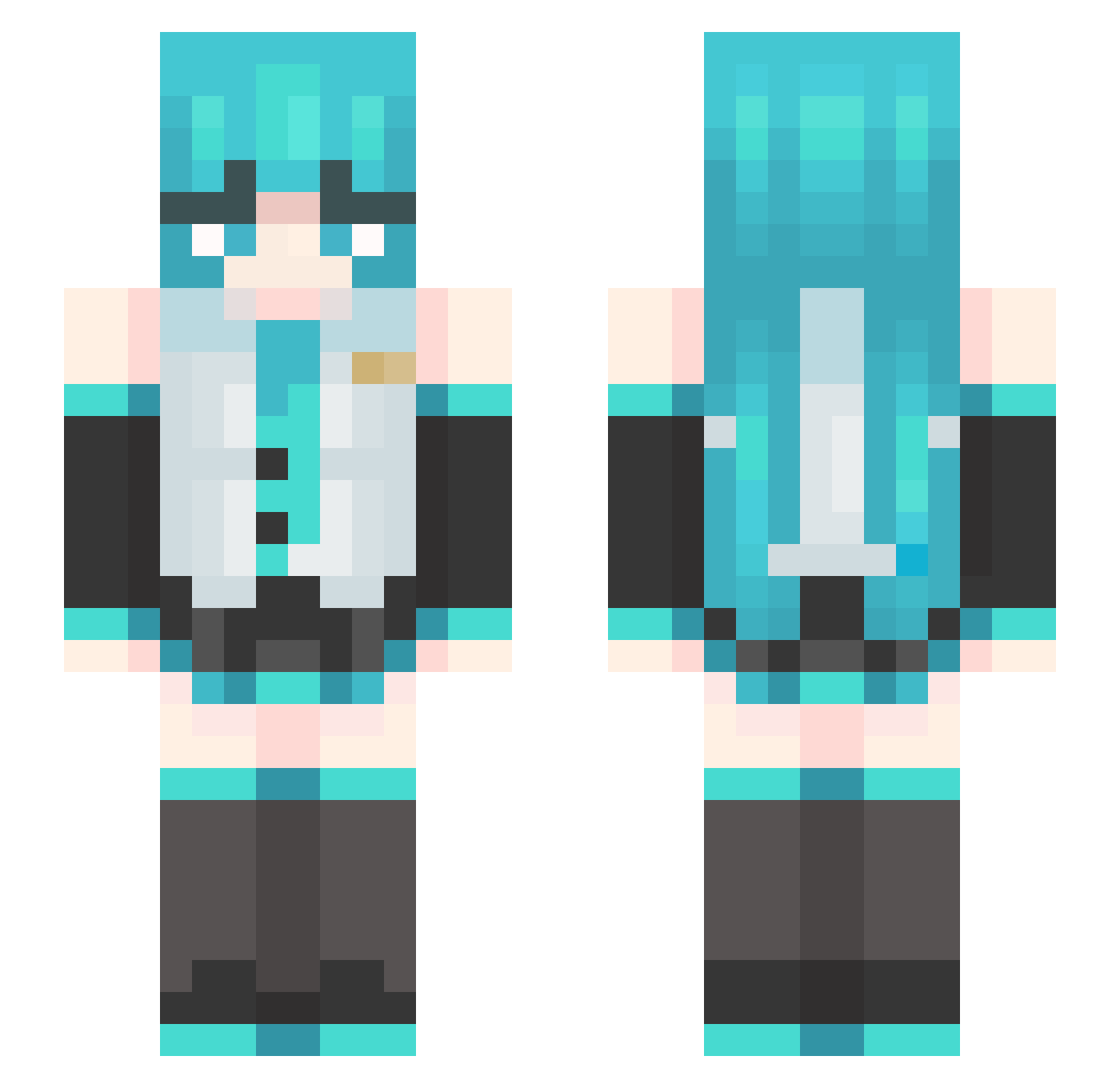
Current Minecraft skin of the player EPICLEGEND21, loaded from the official Mojang API. Rotate the 3D model with your mouse or finger, then download the skin as a PNG file and use it in Minecraft: Bedrock Edition or Java Edition for free. When EPICLEGEND21 changes their skin, this page updates automatically and the old skin stays in the history below.
Other players with this skin (455)
EPICLEGEND21 was the 181st player we have seen with this skin, first spotted on 08.09.2026. The same skin was seen on these players. Open a nickname to see their current skin and skin history.
 ASao2 J4ydedd qiuranning Amnz11apkyavuz Not_Gateko sajojajo lilltoebeans sonicspider32 _Wuthering_ __darknight_ darealmxd CAPSALTS Yuqing417 broly521 knoown_ Shell_by Sasamask Svathee Sandrier 2020_BMW_M240 karamon0189 dbdbdbb Rika_tyama kfc666123 CTimelord 12345678910seren Tiermagier qiudaoyu111 _0v0_p RealFuture lasanharosa LIZHI0000 himalaya111 porgie555 KUhan112 bagil_01 ViccyFuentes RaidenVR ailiman liweili hatsTUNEMIKU Shayulajiao27 MoonWatcher0 lvedn steoph Soujii_ Purinhime Moises070 TUYU__ Lettie14 Serenical_ Pani104 beniuwpralce Jade_Skywalker gyuratni SIMPLYADUMY Pepsi_3 TAM4_GO 69innocent Koda_J
More Hatsune Miku Minecraft skins
See all 856 Hatsune Miku skins
How to install the EPICLEGEND21 skin
- Press the Download button above to save the skin as a PNG file.
- Minecraft: Bedrock Edition (PE): open the Dressing Room from the main menu (or tap your character → Edit Character), go to Classic Skins → Owned, press the + (new skin) button, choose the downloaded PNG and pick the Slim (Alex) model. Works on PC and mobile; consoles cannot import custom skins.
- Minecraft: Java Edition: open the Minecraft Launcher, go to the Skins tab, click New Skin, load the PNG, pick the Slim (Alex) model and press Save & Use. You can also upload it at minecraft.net → Profile → Change Skin.
The skin does not show up after import - what should I do?
Restart Minecraft and open the Dressing Room again - imported skins sometimes appear only after a restart. Also make sure you selected the imported skin and picked the Slim (Alex) model.
Which model should I choose, Classic or Slim?
This skin is designed for the Slim (Alex) model. If you pick the wrong model, the arms of the skin will look stretched or squeezed.
Is the skin of EPICLEGEND21 free to download?
Yes. Press Download, save the PNG file and use it in Minecraft: Bedrock Edition or Java Edition - no payment or registration needed. The skin also works on multiplayer servers and Realms.
More skins
Looking for more? Go back to all Minecraft skins and check the top skins of the week, month and all time, or find any player's skin by nickname.