
EMR1434 - Minecraft Skins & Skin History
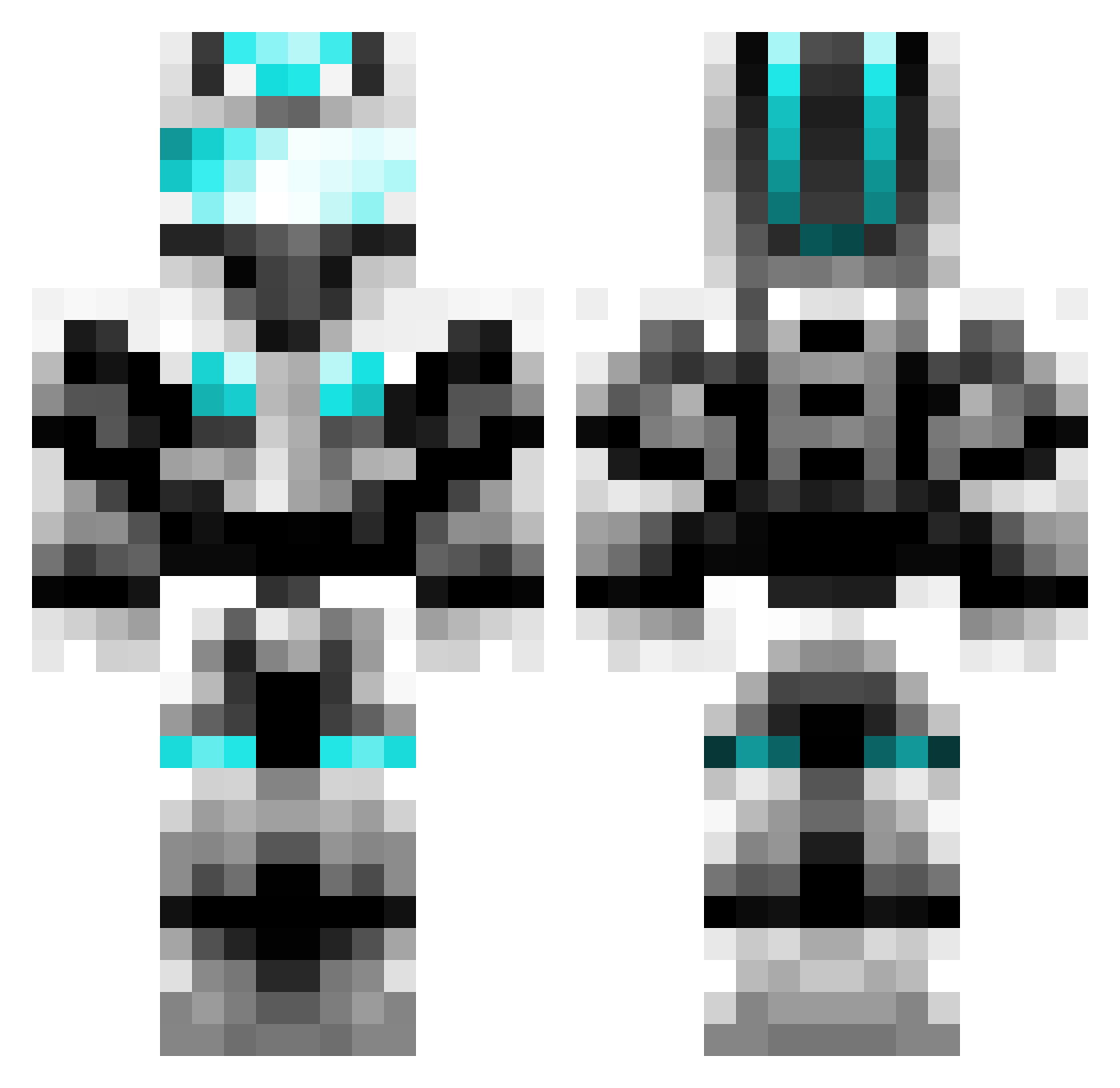
Current Minecraft skin of the player EMR1434, loaded from the official Mojang API. Rotate the 3D model with your mouse or finger, then download the skin as a PNG file and use it in Minecraft: Bedrock Edition or Java Edition for free. When EMR1434 changes their skin, this page updates automatically and the old skin stays in the history below.
Other players with this skin (597)
EMR1434 was the 44th player we have seen with this skin, first spotted on 01.08.2026. The same skin was seen on these players. Open a nickname to see their current skin and skin history.
 Boomstick98 ForeverL9 cadenwright1 themainasian bigdog4 DUX0R1989 spacejungske Candada Wesnath123 builder2056 Vanilla_J thesonny123 Parsa987 Demigra_Omni_God RAGINGDIAMONDS1 Vango31 ColefaxSurvival Chaos_Master_zx cjheese elite_laxer12 WaTude dihardgamer DCTsoccer lostorigins Wildcatminotaur theoriginalnate Misfitpawn Funtime1Cyborg jrhea360 flipster23 SgtCooper IronArmour10 TiberiumWolf liamofdarkens Appropriately Jonny_ Galactichero10 S3bast1aan soccerboss812 The2003T UnionJOE ddawg2012 a12luke lestasi yankees8142 kadenp83 AlphaWolf12345 zackdude55 miles_ewin noob_hunter101 SaintXII GhostXEffect megamario14 jimmytfan567 wesselhendrikx09 zhazhenka PavelC2006 CapTain_Eagle zombays mitts23
More Cyber Soldier Minecraft skins
See all 42 Cyber Soldier skins
How to install the EMR1434 skin
- Press the Download button above to save the skin as a PNG file.
- Minecraft: Bedrock Edition (PE): open the Dressing Room from the main menu (or tap your character → Edit Character), go to Classic Skins → Owned, press the + (new skin) button, choose the downloaded PNG and pick the Classic (Steve) model. Works on PC and mobile; consoles cannot import custom skins.
- Minecraft: Java Edition: open the Minecraft Launcher, go to the Skins tab, click New Skin, load the PNG, pick the Classic (Steve) model and press Save & Use. You can also upload it at minecraft.net → Profile → Change Skin.
The skin does not show up after import - what should I do?
Restart Minecraft and open the Dressing Room again - imported skins sometimes appear only after a restart. Also make sure you selected the imported skin and picked the Classic (Steve) model.
Which model should I choose, Classic or Slim?
This skin is designed for the Classic (Steve) model. If you pick the wrong model, the arms of the skin will look stretched or squeezed.
Is the skin of EMR1434 free to download?
Yes. Press Download, save the PNG file and use it in Minecraft: Bedrock Edition or Java Edition - no payment or registration needed. The skin also works on multiplayer servers and Realms.
More skins
Looking for more? Go back to all Minecraft skins and check the top skins of the week, month and all time, or find any player's skin by nickname.