
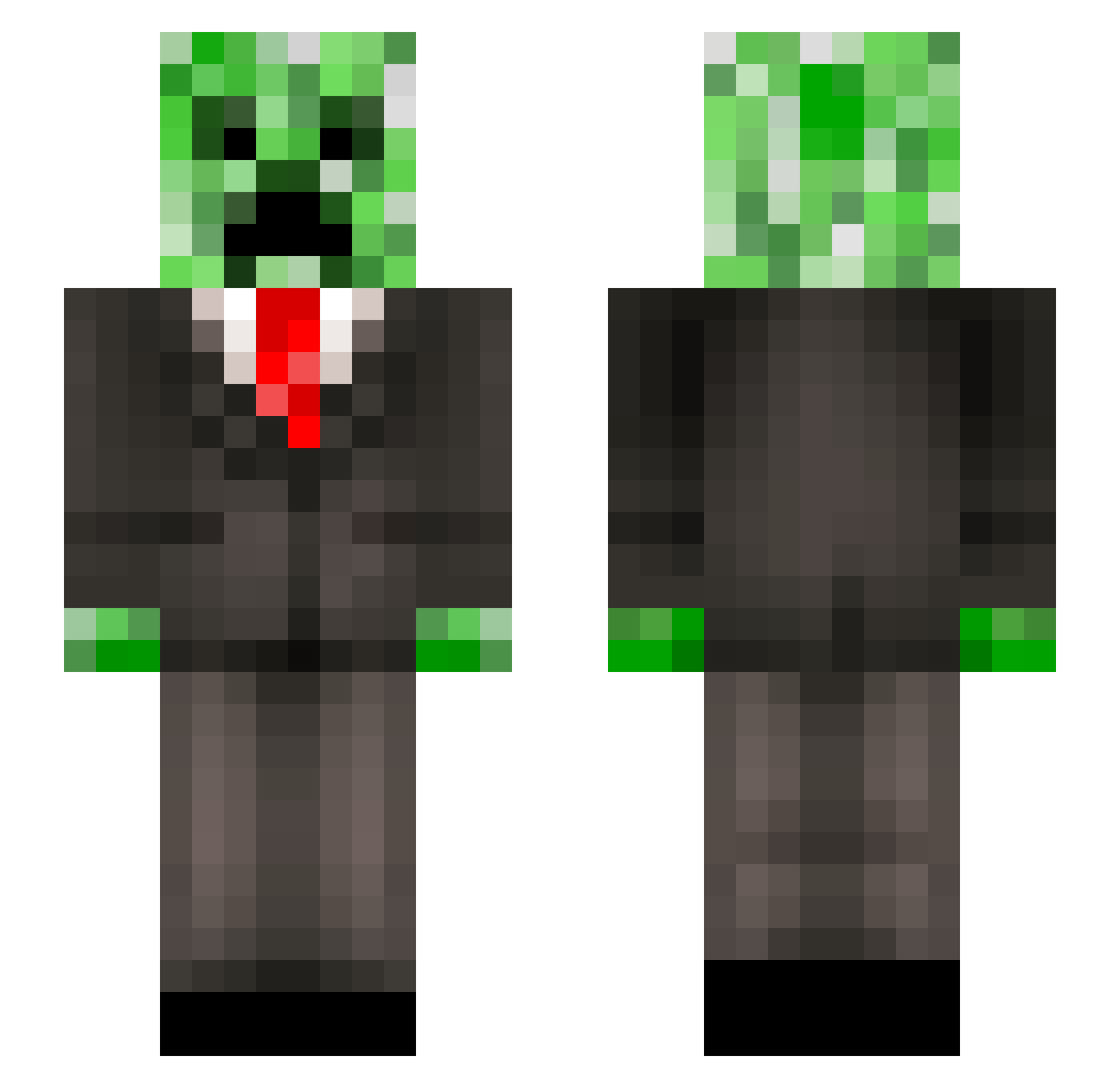
Current Minecraft skin of the player Durk___, loaded from the official Mojang API. Rotate the 3D model with your mouse or finger, then download the skin as a PNG file and use it in Minecraft: Bedrock Edition or Java Edition for free. When Durk___ changes their skin, this page updates automatically and the old skin stays in the history below.
Other players with this skin (190)
Durk___ was the 116th player we have seen with this skin, first spotted on 12.09.2026. The same skin was seen on these players. Open a nickname to see their current skin and skin history.
 ProWarriorZ JimJon23 OneWhoDiesFirst zommbi3738 WELLY990 Nakkibaroni Polydrop DrSchlaumixer BeefyMcWhatNow19 Mr_minecraftgod 76er OffizierFeldmaus Mincj TheCreeperCraftr wolf_man_2001 itsaiden27 ChinfreddyEA Supreme_Doughnut gillesB _Saxo_ DSCrafter95 Luxian86 wizkidweb dozl Ryno2487 Ashman26 sysop1021 JSaomreas WangEileen CountVonSnoo Inavera Hugh_baboon Rewier BudderBall31 robinkw99 paulleroux Shrimpy_bol DevilsFlame cheeking Shadow_Trooper10 Siuol77 Golden_Python Mikcza splavacados xDoubletapp Spoonhead98 L14mGaming creepyshaka DIODA16 WSHGoodnight Sebson04 omegakriper Bidal_54 Joki413 Mat08Fox ni147 KoKur1 Taironeeee Izwiz2007 lostnightarrow
More Creeper Minecraft skins
How to install the Durk___ skin
- Press the Download button above to save the skin as a PNG file.
- Minecraft: Bedrock Edition (PE): open the Dressing Room from the main menu (or tap your character → Edit Character), go to Classic Skins → Owned, press the + (new skin) button, choose the downloaded PNG and pick the Slim (Alex) model. Works on PC and mobile; consoles cannot import custom skins.
- Minecraft: Java Edition: open the Minecraft Launcher, go to the Skins tab, click New Skin, load the PNG, pick the Slim (Alex) model and press Save & Use. You can also upload it at minecraft.net → Profile → Change Skin.
The skin does not show up after import - what should I do?
Restart Minecraft and open the Dressing Room again - imported skins sometimes appear only after a restart. Also make sure you selected the imported skin and picked the Slim (Alex) model.
Which model should I choose, Classic or Slim?
This skin is designed for the Slim (Alex) model. If you pick the wrong model, the arms of the skin will look stretched or squeezed.
Is the skin of Durk___ free to download?
Yes. Press Download, save the PNG file and use it in Minecraft: Bedrock Edition or Java Edition - no payment or registration needed. The skin also works on multiplayer servers and Realms.
More skins
Looking for more? Go back to all Minecraft skins and check the top skins of the week, month and all time, or find any player's skin by nickname.