
DuckyDaddy69 - Minecraft Skins & Skin History
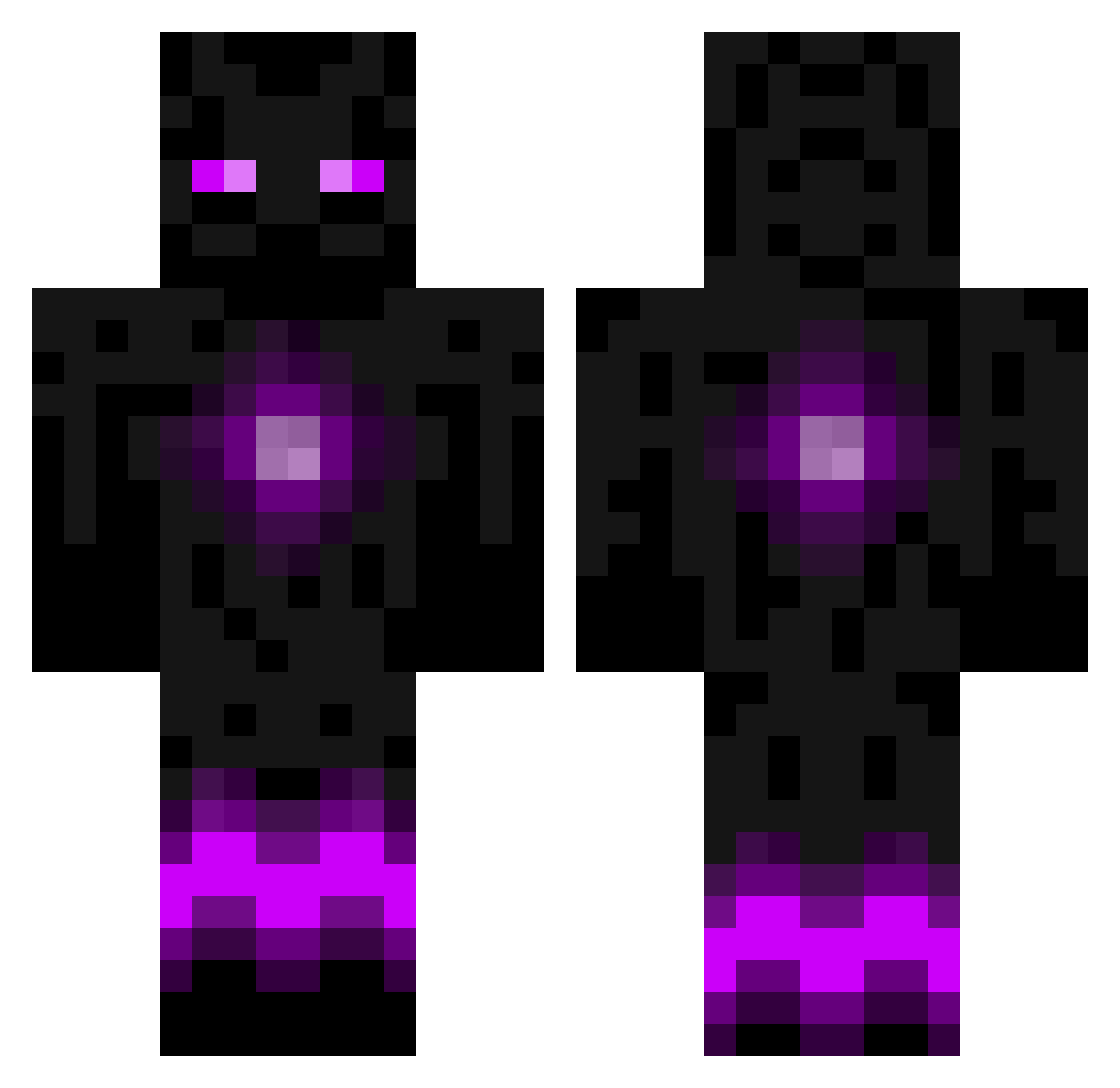
Current Minecraft skin of the player DuckyDaddy69, loaded from the official Mojang API. Rotate the 3D model with your mouse or finger, then download the skin as a PNG file and use it in Minecraft: Bedrock Edition or Java Edition for free. When DuckyDaddy69 changes their skin, this page updates automatically and the old skin stays in the history below.
Other players with this skin (949)
DuckyDaddy69 was the 829th player we have seen with this skin, first spotted on 05.11.2026. The same skin was seen on these players. Open a nickname to see their current skin and skin history.
 domelord DittoDemo SKILLTOTHEMAX Dovahkin98 Depthcat coffee_rf Rawkeye03 Leander23 rodrigorosado AlOz6 Avicii032013 Pranav5xd KaneX11 Evoxrus TRiceTheEffort robomaster08 lion11lion athleticboy Givdulkire Zattez saul148 MaxM009 Cypher_2000 boombox_16 pjl2000 Morgsey111 cuno10 KitKatDevine Sharknado49 sbbroman AsThickAsBlood josii4704 Marcello_2408 Power12340 Willwillwin09 Retro_Rives joshuab1105 FELEX789 Loosemadman Brain87 Sarannas zach0409 Mighty_M0use IxstrikeforcexI Joooseph2 Rageboy223 Mueggelhecht Baambou09 DrakeKiller55 KlNGKlLLA UrTypicalGuy MrFlubber12 ZB_block jack1057 Miiicka14 ReedWilson9 WOLF31000 alexhayes1 Tater_A1 Besssy
More Enderman Minecraft skins
How to install the DuckyDaddy69 skin
- Press the Download button above to save the skin as a PNG file.
- Minecraft: Bedrock Edition (PE): open the Dressing Room from the main menu (or tap your character → Edit Character), go to Classic Skins → Owned, press the + (new skin) button, choose the downloaded PNG and pick the Classic (Steve) model. Works on PC and mobile; consoles cannot import custom skins.
- Minecraft: Java Edition: open the Minecraft Launcher, go to the Skins tab, click New Skin, load the PNG, pick the Classic (Steve) model and press Save & Use. You can also upload it at minecraft.net → Profile → Change Skin.
The skin does not show up after import - what should I do?
Restart Minecraft and open the Dressing Room again - imported skins sometimes appear only after a restart. Also make sure you selected the imported skin and picked the Classic (Steve) model.
Which model should I choose, Classic or Slim?
This skin is designed for the Classic (Steve) model. If you pick the wrong model, the arms of the skin will look stretched or squeezed.
Is the skin of DuckyDaddy69 free to download?
Yes. Press Download, save the PNG file and use it in Minecraft: Bedrock Edition or Java Edition - no payment or registration needed. The skin also works on multiplayer servers and Realms.
More skins
Looking for more? Go back to all Minecraft skins and check the top skins of the week, month and all time, or find any player's skin by nickname.