
DropperZein - Minecraft Skins & Skin History
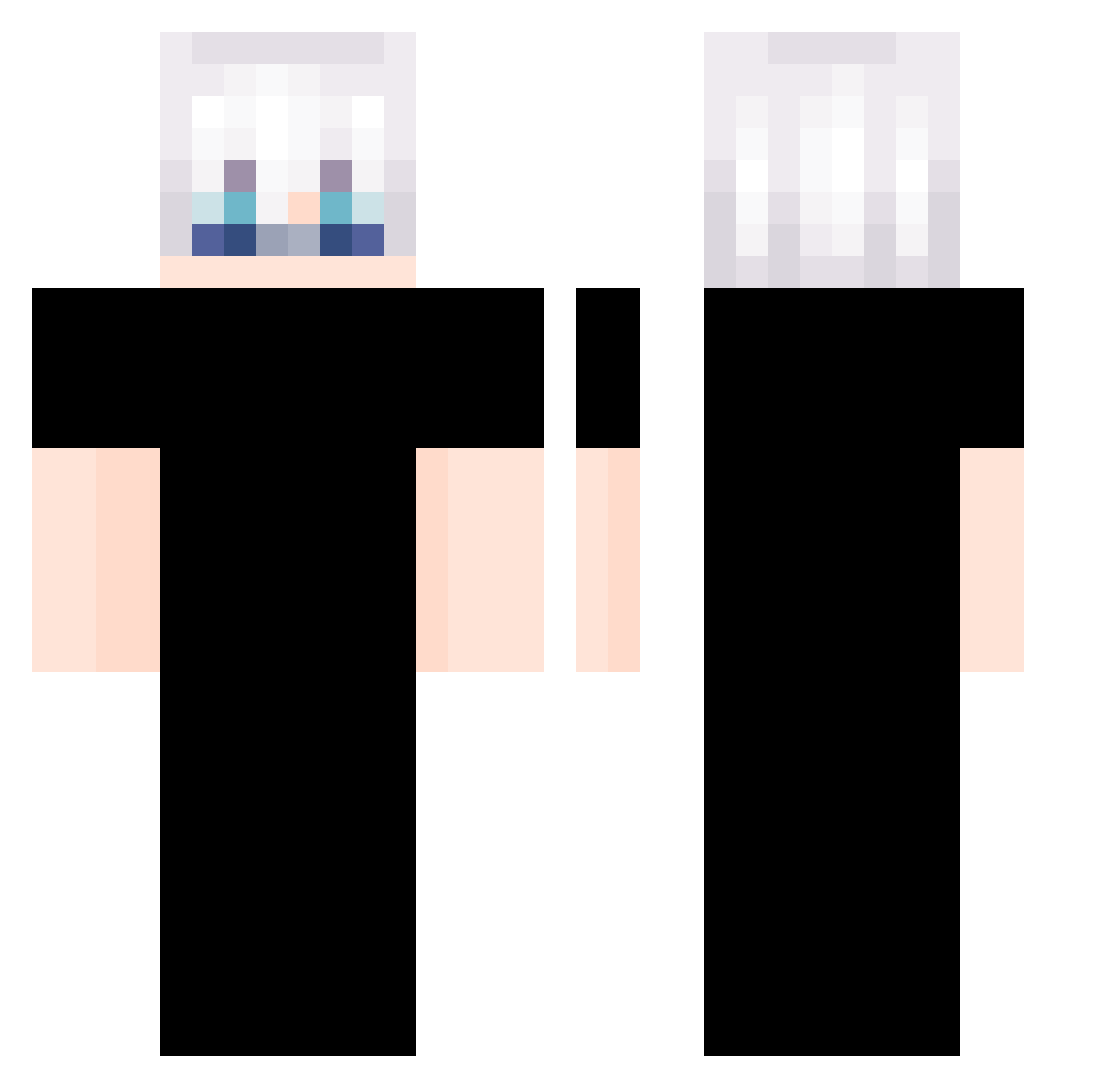
Current Minecraft skin of the player DropperZein, loaded from the official Mojang API. Rotate the 3D model with your mouse or finger, then download the skin as a PNG file and use it in Minecraft: Bedrock Edition or Java Edition for free. When DropperZein changes their skin, this page updates automatically and the old skin stays in the history below.
Other players with this skin (339)
DropperZein was the 107th player we have seen with this skin, first spotted on 02.09.2026. The same skin was seen on these players. Open a nickname to see their current skin and skin history.
 _Chinei littledemigodd brbKozy Yuhilol Maplewong LIBERTADORES2012 ShadowArakune blaulas iCantzzz Tendersse maybeBOSS Yans667 Mart1220 limeirax wanxxx1 Floores_ Dxminguez_ M_HARUSARLEE JingYioco_ Get50ms_ rafaelm_ TimeLiiiiii Osuma_Chen FR4NC15_CLP debuneko963 zombie_ninja06 _Pocc_ hsj_0629 Itts_IKKI ItsYeDucky Gushi521 hotgamz GabrielSkYT EXboo silentloki F3LIXzCz FhadowZ Lennox06 WojoHummis Danonezk jaehun201010 Bczzxc RamiGood23 KabyoX SyndiKatel ShirrZ genz0ne duyuqing Gojo_Satoru55_ JLwunai marcelincria Xun1ight07 roachwizard piusleev yang_choon weluwew Khb3608 Charliebot1 GohanNoobC spunkomo
More Satoru Gojo Minecraft skins
See all 1317 Satoru Gojo skins
How to install the DropperZein skin
- Press the Download button above to save the skin as a PNG file.
- Minecraft: Bedrock Edition (PE): open the Dressing Room from the main menu (or tap your character → Edit Character), go to Classic Skins → Owned, press the + (new skin) button, choose the downloaded PNG and pick the Classic (Steve) model. Works on PC and mobile; consoles cannot import custom skins.
- Minecraft: Java Edition: open the Minecraft Launcher, go to the Skins tab, click New Skin, load the PNG, pick the Classic (Steve) model and press Save & Use. You can also upload it at minecraft.net → Profile → Change Skin.
The skin does not show up after import - what should I do?
Restart Minecraft and open the Dressing Room again - imported skins sometimes appear only after a restart. Also make sure you selected the imported skin and picked the Classic (Steve) model.
Which model should I choose, Classic or Slim?
This skin is designed for the Classic (Steve) model. If you pick the wrong model, the arms of the skin will look stretched or squeezed.
Is the skin of DropperZein free to download?
Yes. Press Download, save the PNG file and use it in Minecraft: Bedrock Edition or Java Edition - no payment or registration needed. The skin also works on multiplayer servers and Realms.
More skins
Looking for more? Go back to all Minecraft skins and check the top skins of the week, month and all time, or find any player's skin by nickname.