
DrewPeacok - Minecraft Skins & Skin History
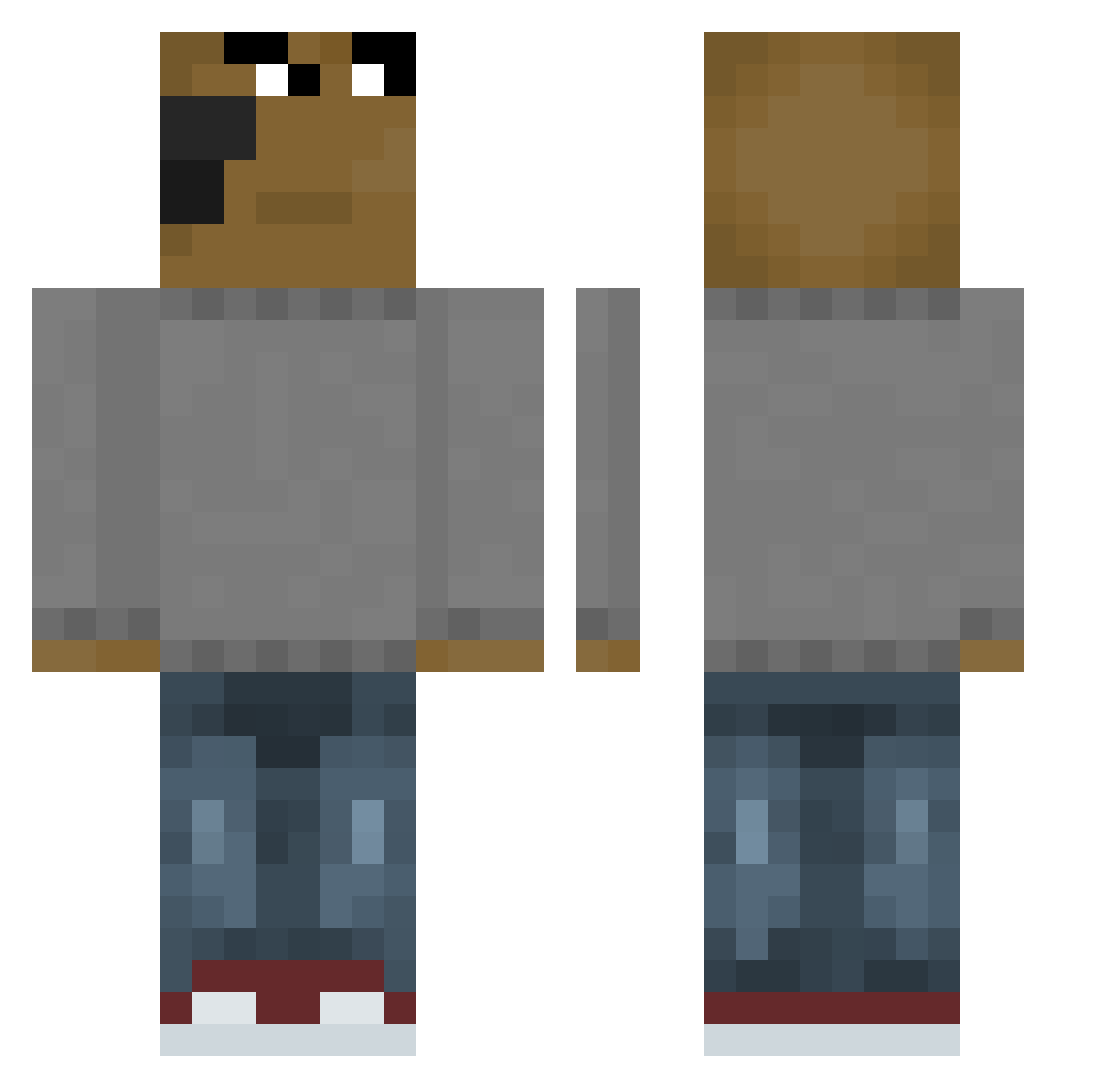
Current Minecraft skin of the player DrewPeacok, loaded from the official Mojang API. Rotate the 3D model with your mouse or finger, then download the skin as a PNG file and use it in Minecraft: Bedrock Edition or Java Edition for free. When DrewPeacok changes their skin, this page updates automatically and the old skin stays in the history below.
Other players with this skin (653)
DrewPeacok was the 146th player we have seen with this skin, first spotted on 20.08.2026. The same skin was seen on these players. Open a nickname to see their current skin and skin history.
 1Geoo BlueUpByAhmad Captain_Fiz Chazzz_Michaels Firelion8972 barcadegunoi Clannish9 WMast M1ku11 ohhu12si RubberJay RunningHappyness PitbullRockNRoll hochance Alfachr1 moutarde27 Enhyuk Mataply_aura Kylorence dinologist RayValo slinmer123 Minestar1612 Jefferboy kingkang777 SpoonWhisper Nugu_sam muyalz kookaaburra Day0sz shinleehyeon kierceisawesome1 vipeRR_zV_kEdAx changsjk golumiasty1 LolzKing TheCoolGuy38 Asen_h gamermmo HereKokoJambo flywhale123 FLASH2409 K00MzY1 yankes29 diego1018 salamander_2550 Donate22 kulak_ Astrov43 jiaz122 HOOKIHOOKI NythicTG Pinheirouo gurrty Vikkie qazwsxedc01123 Kewlasticcc Beeleyplayz Samuh42 Kby1_
How to install the DrewPeacok skin
- Press the Download button above to save the skin as a PNG file.
- Minecraft: Bedrock Edition (PE): open the Dressing Room from the main menu (or tap your character → Edit Character), go to Classic Skins → Owned, press the + (new skin) button, choose the downloaded PNG and pick the Classic (Steve) model. Works on PC and mobile; consoles cannot import custom skins.
- Minecraft: Java Edition: open the Minecraft Launcher, go to the Skins tab, click New Skin, load the PNG, pick the Classic (Steve) model and press Save & Use. You can also upload it at minecraft.net → Profile → Change Skin.
The skin does not show up after import - what should I do?
Restart Minecraft and open the Dressing Room again - imported skins sometimes appear only after a restart. Also make sure you selected the imported skin and picked the Classic (Steve) model.
Which model should I choose, Classic or Slim?
This skin is designed for the Classic (Steve) model. If you pick the wrong model, the arms of the skin will look stretched or squeezed.
Is the skin of DrewPeacok free to download?
Yes. Press Download, save the PNG file and use it in Minecraft: Bedrock Edition or Java Edition - no payment or registration needed. The skin also works on multiplayer servers and Realms.
More skins
Looking for more? Go back to all Minecraft skins and check the top skins of the week, month and all time, or find any player's skin by nickname.