
DrVoltar - Minecraft Skins & Skin History
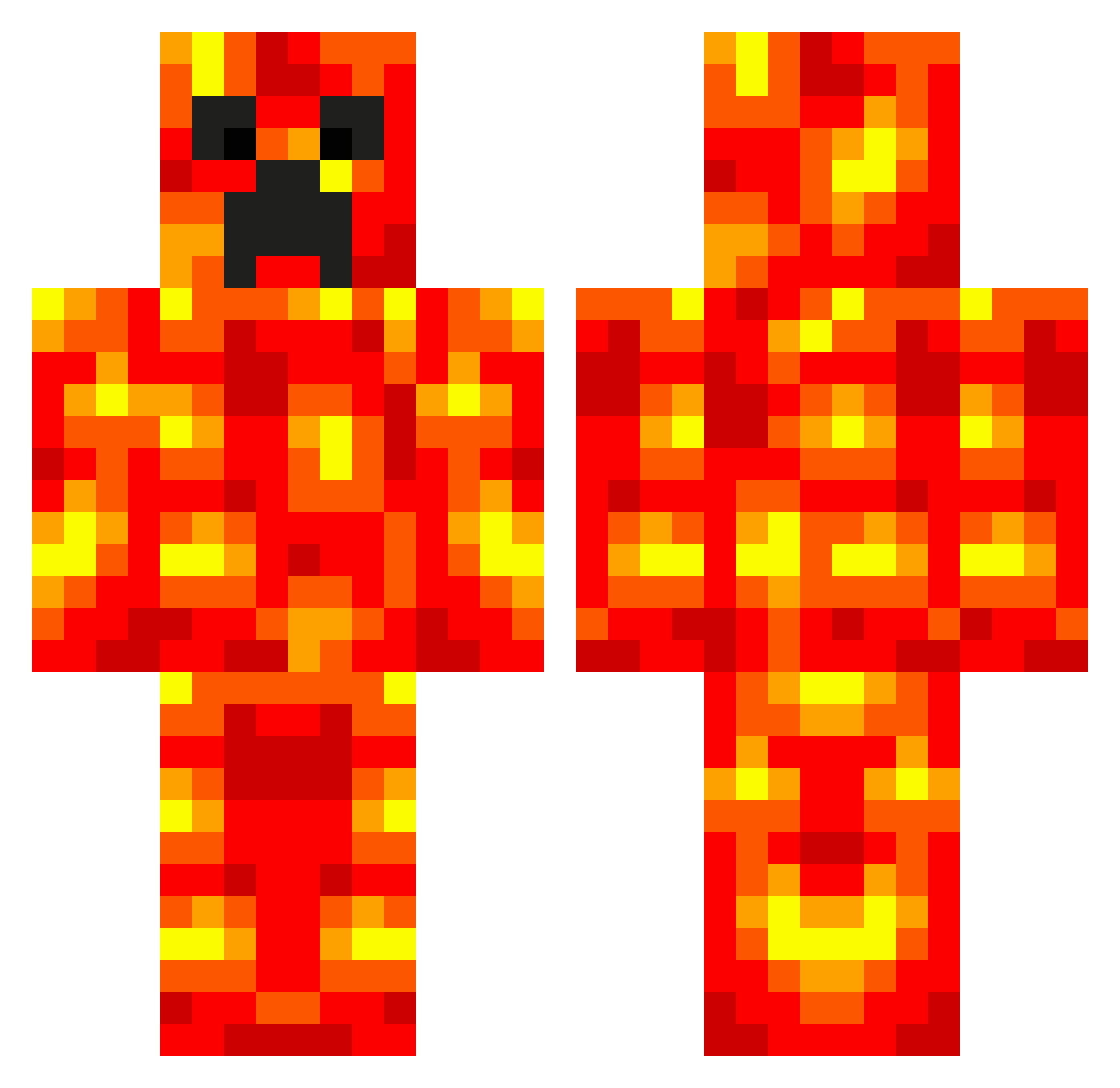
Current Minecraft skin of the player DrVoltar, loaded from the official Mojang API. Rotate the 3D model with your mouse or finger, then download the skin as a PNG file and use it in Minecraft: Bedrock Edition or Java Edition for free. When DrVoltar changes their skin, this page updates automatically and the old skin stays in the history below.
Other players with this skin (70)
DrVoltar was the 57th player we have seen with this skin, first spotted on 01.10.2026. The same skin was seen on these players. Open a nickname to see their current skin and skin history.
 MegaLuci meninoserelepe j2gn RedTiger0218 owemor Archie91 rumlover126 Dr_Pleblord the_Slayn ShirotaShun ParkerFTW tolonator will146 goodmates jack_wortho3 jiangjiang2020 Emiliano7567 Dragon778541 SanaChitose foamycolin Billy_P TacoTitan_101 panhong6667 11Lucas Lava_Heart Noelitos123 martini2991 Jaydeeke DiamondDude5982 kouzijiao 5485der Leogoon JR_kopankang2 Xiao_Xiao_Liu FRAN1013 Torikoshi_ _LeviathanHunter ybll512 MinemeStevie Midas9592 Straight450 MagicMaayan Jaylen28 Godzodar sb0894 Hurdale Wishagon mikuran01 plamendobrev Dreadboss Garyxbee Unk0wn_ Nick5k AlmaMinelan sgt_muffulbuns King_Ayman masterali100 Reri13 thekillersteven McBoodl3
More Magma Minecraft skins
How to install the DrVoltar skin
- Press the Download button above to save the skin as a PNG file.
- Minecraft: Bedrock Edition (PE): open the Dressing Room from the main menu (or tap your character → Edit Character), go to Classic Skins → Owned, press the + (new skin) button, choose the downloaded PNG and pick the Classic (Steve) model. Works on PC and mobile; consoles cannot import custom skins.
- Minecraft: Java Edition: open the Minecraft Launcher, go to the Skins tab, click New Skin, load the PNG, pick the Classic (Steve) model and press Save & Use. You can also upload it at minecraft.net → Profile → Change Skin.
The skin does not show up after import - what should I do?
Restart Minecraft and open the Dressing Room again - imported skins sometimes appear only after a restart. Also make sure you selected the imported skin and picked the Classic (Steve) model.
Which model should I choose, Classic or Slim?
This skin is designed for the Classic (Steve) model. If you pick the wrong model, the arms of the skin will look stretched or squeezed.
Is the skin of DrVoltar free to download?
Yes. Press Download, save the PNG file and use it in Minecraft: Bedrock Edition or Java Edition - no payment or registration needed. The skin also works on multiplayer servers and Realms.
More skins
Looking for more? Go back to all Minecraft skins and check the top skins of the week, month and all time, or find any player's skin by nickname.