
Doominator357 - Minecraft Skins & Skin History
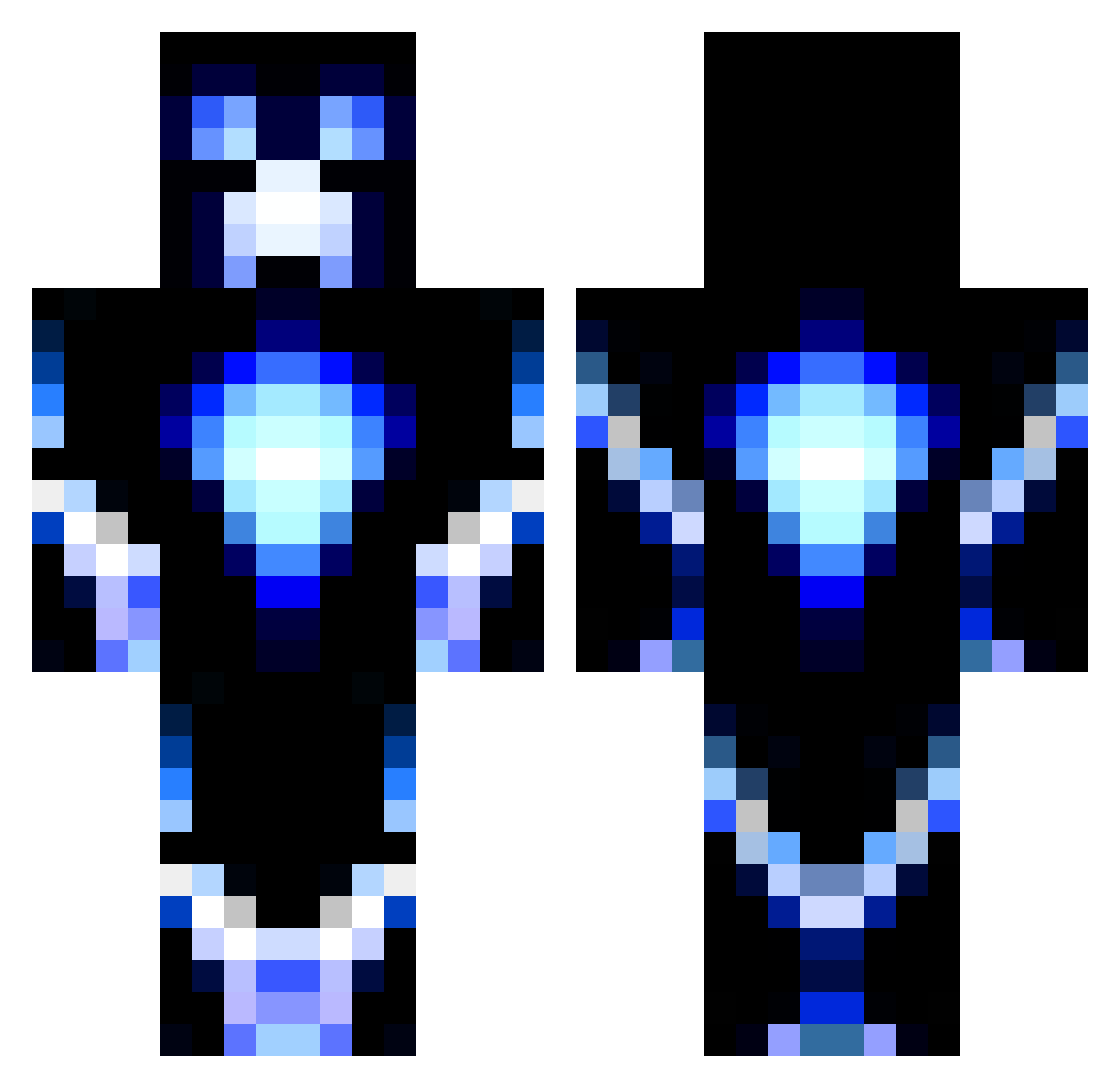
Current Minecraft skin of the player Doominator357, loaded from the official Mojang API. Rotate the 3D model with your mouse or finger, then download the skin as a PNG file and use it in Minecraft: Bedrock Edition or Java Edition for free. When Doominator357 changes their skin, this page updates automatically and the old skin stays in the history below.
Other players with this skin (956)
Doominator357 was the 913th player we have seen with this skin, first spotted on 14.10.2026. The same skin was seen on these players. Open a nickname to see their current skin and skin history.
 Carl_Soccer Static_Reaper mrpizza7766 madluc20 Cptdrup AgentFishsidekik Ryrockstar PuppyGloves HugoDq Alster135 gamer46506 gertgames2007 jakub03123 hockeydude714 Xtudo0612 NovaAllusion Shayrouze EpicPredator050 iGangBang bren908 bshred8 OHARABOYS Demons0ul Replaysam Jakeiscool1028 corell9876 Tempo007 laxjaw MrEetu2000 Karvatonmato Kitekat11 lKekol Partycraft_HD awesome_ninja7 ParallelScroll WamiDaWabsta Pinkman14 owendong Dylan121121 ZombieSammy AnnaFnr6 draco_hydrus CrazyMonkey0001 Neon_T1ger trymegil2002 RealGBoy TungstenT1ger jacktheblaster05 dergeraed redsoxmikey JONAH_E zelen_ia DaunteBoss Farfare FreeAccGG pizzaking482 mistydrew Paddybear1 Zcorec Django_Fett69
More Glowing Minecraft skins
How to install the Doominator357 skin
- Press the Download button above to save the skin as a PNG file.
- Minecraft: Bedrock Edition (PE): open the Dressing Room from the main menu (or tap your character → Edit Character), go to Classic Skins → Owned, press the + (new skin) button, choose the downloaded PNG and pick the Classic (Steve) model. Works on PC and mobile; consoles cannot import custom skins.
- Minecraft: Java Edition: open the Minecraft Launcher, go to the Skins tab, click New Skin, load the PNG, pick the Classic (Steve) model and press Save & Use. You can also upload it at minecraft.net → Profile → Change Skin.
The skin does not show up after import - what should I do?
Restart Minecraft and open the Dressing Room again - imported skins sometimes appear only after a restart. Also make sure you selected the imported skin and picked the Classic (Steve) model.
Which model should I choose, Classic or Slim?
This skin is designed for the Classic (Steve) model. If you pick the wrong model, the arms of the skin will look stretched or squeezed.
Is the skin of Doominator357 free to download?
Yes. Press Download, save the PNG file and use it in Minecraft: Bedrock Edition or Java Edition - no payment or registration needed. The skin also works on multiplayer servers and Realms.
More skins
Looking for more? Go back to all Minecraft skins and check the top skins of the week, month and all time, or find any player's skin by nickname.