
Dongle305 - Minecraft Skins & Skin History
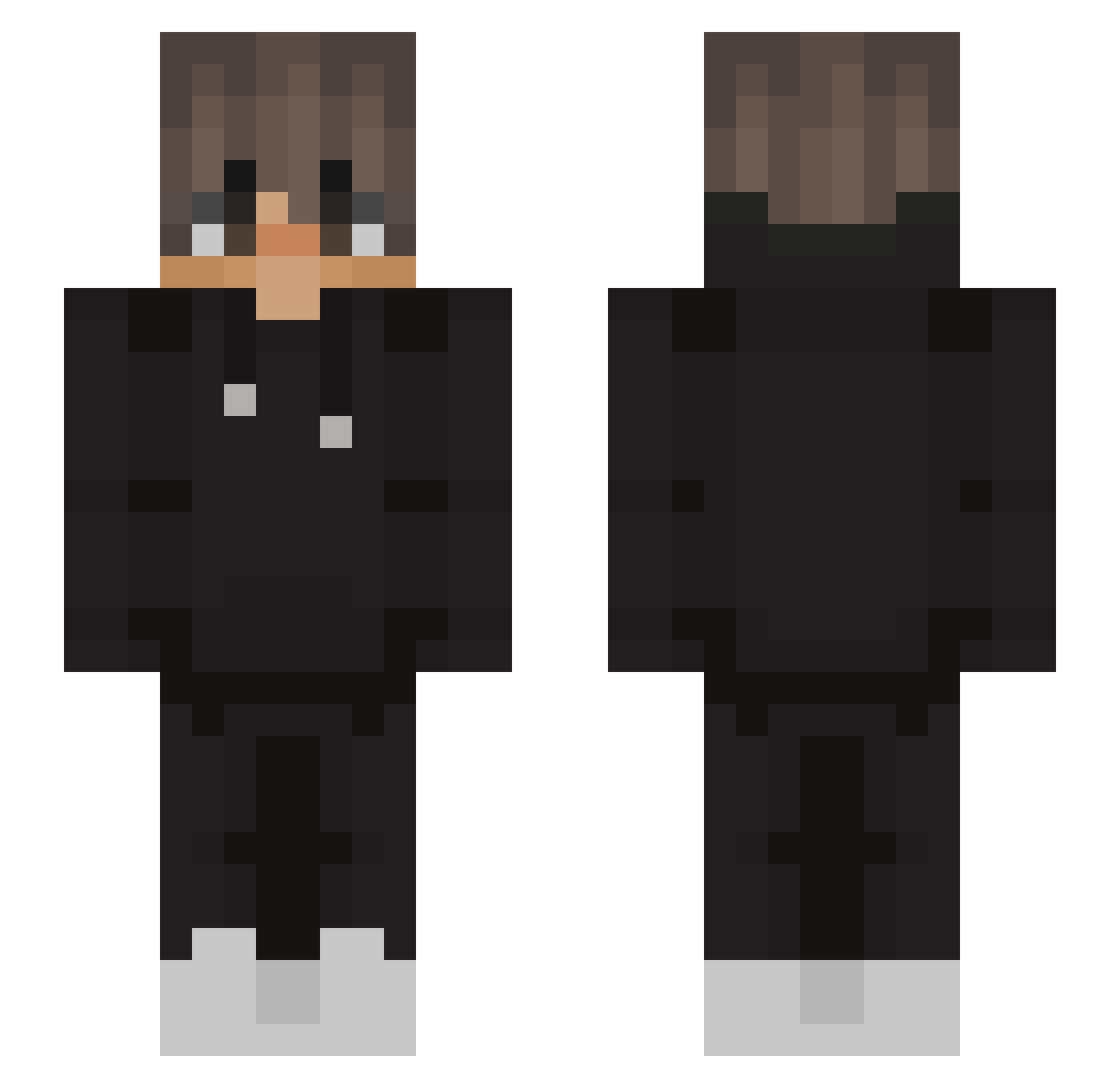
Current Minecraft skin of the player Dongle305, loaded from the official Mojang API. Rotate the 3D model with your mouse or finger, then download the skin as a PNG file and use it in Minecraft: Bedrock Edition or Java Edition for free. When Dongle305 changes their skin, this page updates automatically and the old skin stays in the history below.
Other players with this skin (563)
Dongle305 was the 133rd player we have seen with this skin, first spotted on 22.08.2026. The same skin was seen on these players. Open a nickname to see their current skin and skin history.
 ICaNL0vEYOU meliepops Ninja_1010 erigil12 Bl4ck_Dr4g0n HaZ_4 Enzoold10 FellPandora9895 Zan199 gontersaurus unknownsexking ImDenali iiantamis9 LEEXIOZ _ciorny07 Ki77el Lukamis Stas1342 _Michal_yo Kimono1000 Cerandior I_Buritos_I Marcosypunto ClashgamerMarvin Herobrol MangoIsBetter _StipcakU__U Rawri Etrnl_ LeRider vxhelper _Roseanna Jaayyb ItzPelle0929 Emi2oo8 Deodred f3mn BA_LA_ Scxmk Grosso_mano Jaybird334 John08W1ck FinlayCam Rai_1205 Emsix_X _Snowdie_ hot_kubson Teraforce333 DampedChair1491 David2889 hamseojin bigguychimi Jensdeakleine NiiiBoR CatEmpiree Lasocik K_J215 MrLino23 jepsk1 KLSLinx
More Streetwear Minecraft skins
How to install the Dongle305 skin
- Press the Download button above to save the skin as a PNG file.
- Minecraft: Bedrock Edition (PE): open the Dressing Room from the main menu (or tap your character → Edit Character), go to Classic Skins → Owned, press the + (new skin) button, choose the downloaded PNG and pick the Slim (Alex) model. Works on PC and mobile; consoles cannot import custom skins.
- Minecraft: Java Edition: open the Minecraft Launcher, go to the Skins tab, click New Skin, load the PNG, pick the Slim (Alex) model and press Save & Use. You can also upload it at minecraft.net → Profile → Change Skin.
The skin does not show up after import - what should I do?
Restart Minecraft and open the Dressing Room again - imported skins sometimes appear only after a restart. Also make sure you selected the imported skin and picked the Slim (Alex) model.
Which model should I choose, Classic or Slim?
This skin is designed for the Slim (Alex) model. If you pick the wrong model, the arms of the skin will look stretched or squeezed.
Is the skin of Dongle305 free to download?
Yes. Press Download, save the PNG file and use it in Minecraft: Bedrock Edition or Java Edition - no payment or registration needed. The skin also works on multiplayer servers and Realms.
More skins
Looking for more? Go back to all Minecraft skins and check the top skins of the week, month and all time, or find any player's skin by nickname.