
Doncarne98 - Minecraft Skins & Skin History
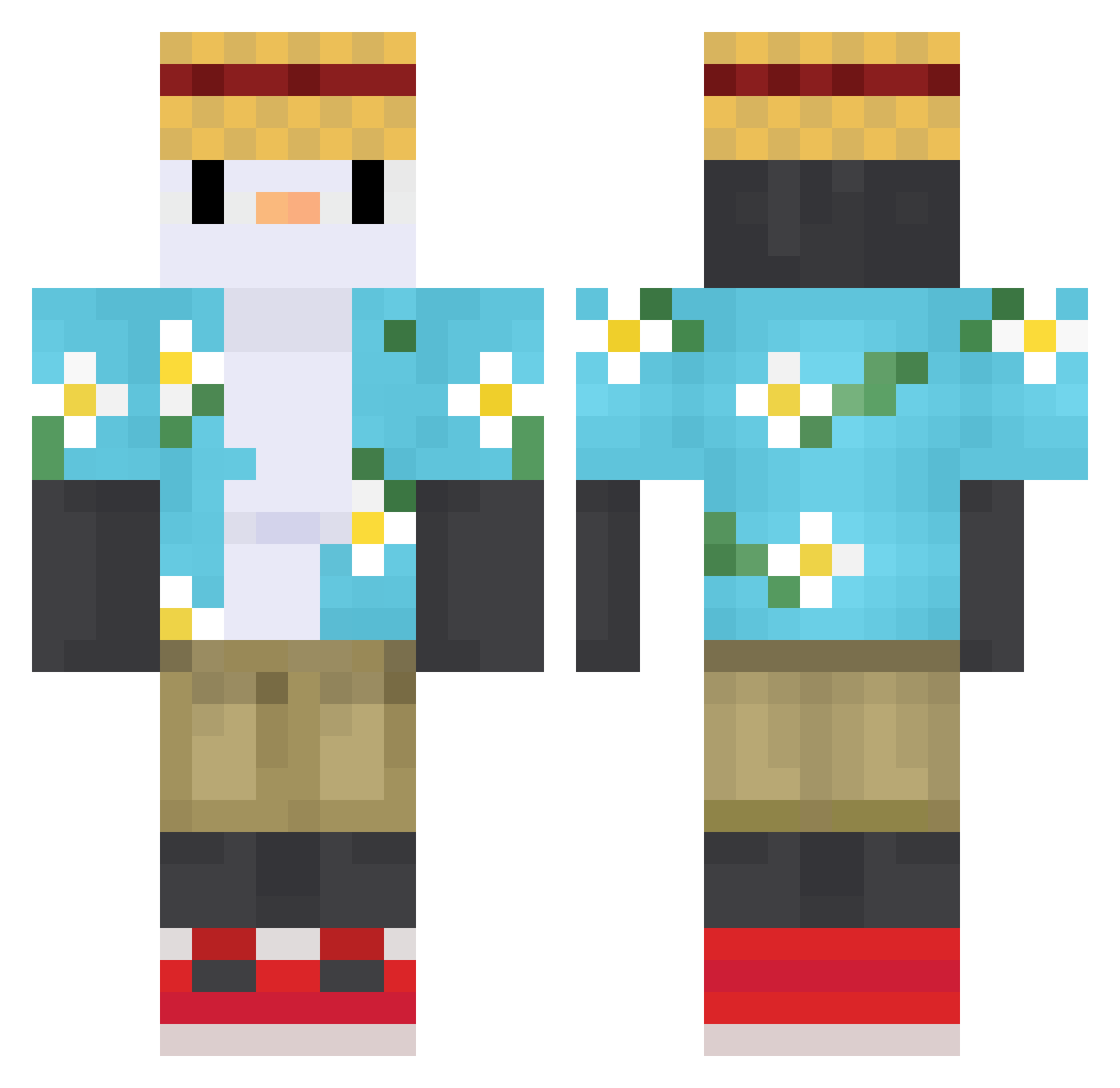
Current Minecraft skin of the player Doncarne98, loaded from the official Mojang API. Rotate the 3D model with your mouse or finger, then download the skin as a PNG file and use it in Minecraft: Bedrock Edition or Java Edition for free. When Doncarne98 changes their skin, this page updates automatically and the old skin stays in the history below.
Other players with this skin (758)
Doncarne98 was the 712th player we have seen with this skin, first spotted on 13.11.2026. The same skin was seen on these players. Open a nickname to see their current skin and skin history.
 diwD9 LeafFall203 Guyujustmet Oniim CobbTorrey Kiwi6026 Oswso Gxnzalito Piinguuuuu banana38_ Zetzukxge ShiPoem NotBlaek SRFNews Rocerbere DaddyCRIXO Rudax wenzi1004 PedrokGamer kongkong188 Brajt mu_s29 JoshH498 iCryPTS MiniFrikiii XiaoMo1025 kenny0930 Muddyflame Dagudstuf Ariki2708 japanwyd CODE_09 SsqiHzZ mushwesh caldomagic Hingsy AstraKurai unrealPu yasickkim Ilovesomething14 Celeste_Dye SirColera xMn Wombiye WuBobobo 0b3yM3 Yukio7 bingtyl ronas_ enzovanden TSUMIISHI Bolmug pablo_Shinoboom Phtato bandabi123 Sfernox__ Battleship0477 Yezz00 _iM4tt bestwen
More Straw Hat Minecraft skins
How to install the Doncarne98 skin
- Press the Download button above to save the skin as a PNG file.
- Minecraft: Bedrock Edition (PE): open the Dressing Room from the main menu (or tap your character → Edit Character), go to Classic Skins → Owned, press the + (new skin) button, choose the downloaded PNG and pick the Classic (Steve) model. Works on PC and mobile; consoles cannot import custom skins.
- Minecraft: Java Edition: open the Minecraft Launcher, go to the Skins tab, click New Skin, load the PNG, pick the Classic (Steve) model and press Save & Use. You can also upload it at minecraft.net → Profile → Change Skin.
The skin does not show up after import - what should I do?
Restart Minecraft and open the Dressing Room again - imported skins sometimes appear only after a restart. Also make sure you selected the imported skin and picked the Classic (Steve) model.
Which model should I choose, Classic or Slim?
This skin is designed for the Classic (Steve) model. If you pick the wrong model, the arms of the skin will look stretched or squeezed.
Is the skin of Doncarne98 free to download?
Yes. Press Download, save the PNG file and use it in Minecraft: Bedrock Edition or Java Edition - no payment or registration needed. The skin also works on multiplayer servers and Realms.
More skins
Looking for more? Go back to all Minecraft skins and check the top skins of the week, month and all time, or find any player's skin by nickname.