
Don_Michikun3 - Minecraft Skins & Skin History
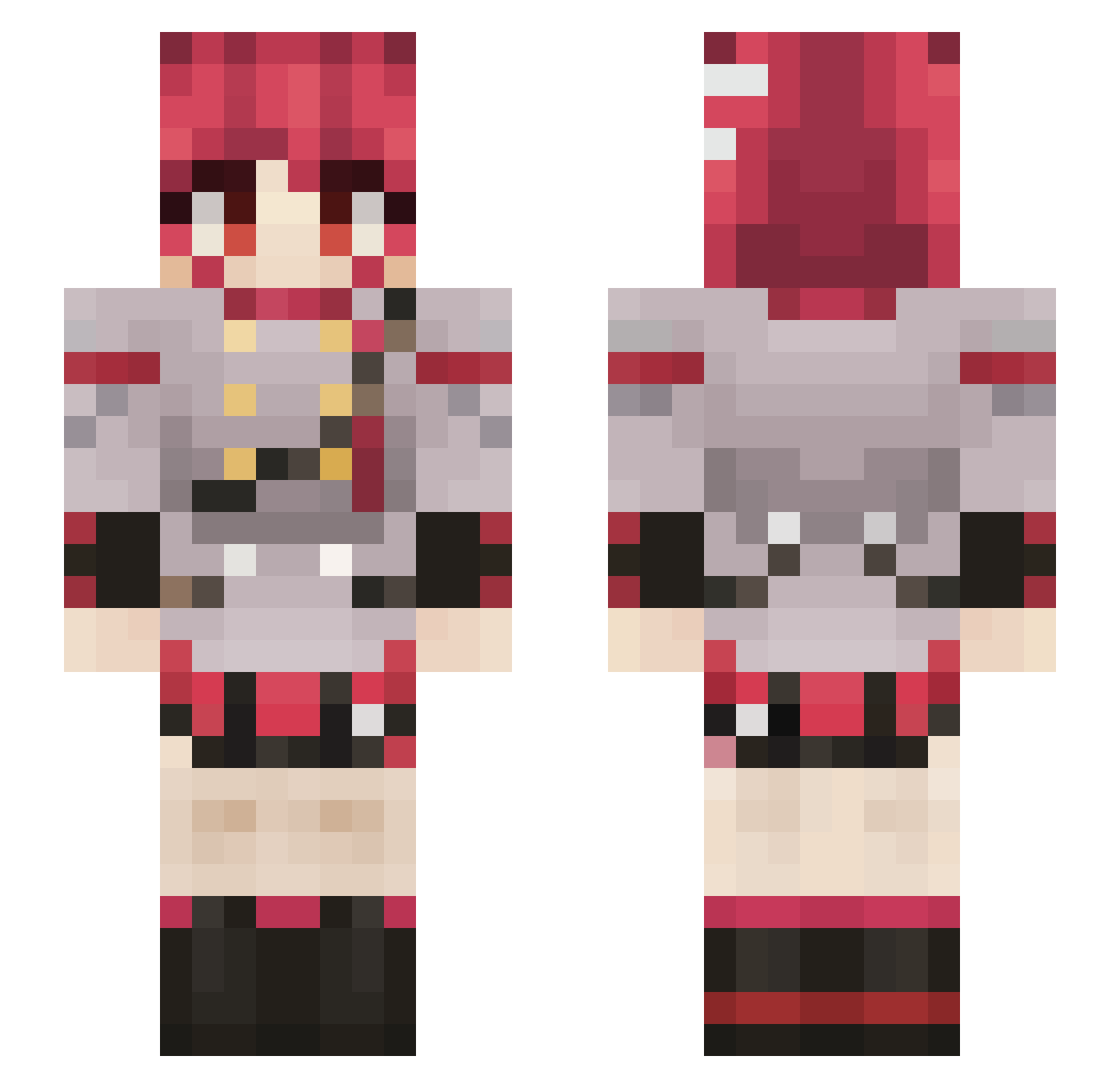
Current Minecraft skin of the player Don_Michikun3, loaded from the official Mojang API. Rotate the 3D model with your mouse or finger, then download the skin as a PNG file and use it in Minecraft: Bedrock Edition or Java Edition for free. When Don_Michikun3 changes their skin, this page updates automatically and the old skin stays in the history below.
Other players with this skin (798)
Don_Michikun3 was the 506th player we have seen with this skin, first spotted on 01.10.2026. The same skin was seen on these players. Open a nickname to see their current skin and skin history.
 CardboardRoboTTV Kubix1088 Neul233 nomets whaphy Moruq34 Warese4529 Ya_Boy69 dvpee1 blakee200 fffjsk MumpyMen Asyut_ CliffofDover Yan_0w0_0423 KA4ZZ1 Dijianum Husky_427 ABone16 OMGitsluke744 PamilPlayz Siskio76 When_1 ItsAGhostx akiyamaF1 Crimson1204 Jocat203 ItsDAPenguin MeraOfTheSong Mimepandas allulose_mal AAdesu WerWolve elprems dubfabio Murlok322 bonkvolk griiwithe Creeper_Peace IggyKy Po0Oo0OoOoO0P Lenneth1031 MusenTino Scylku mikytoast takakara unnamedLR AfterLight_YH AlvimWill crystaldark64 Tobywankenobi42 Autumn2473 TheInactivity R4d3rd2 prostooval Farmer_tk ShrimpKruger BababooeyXD Iv101 Horry02
More Idol Minecraft skins
How to install the Don_Michikun3 skin
- Press the Download button above to save the skin as a PNG file.
- Minecraft: Bedrock Edition (PE): open the Dressing Room from the main menu (or tap your character → Edit Character), go to Classic Skins → Owned, press the + (new skin) button, choose the downloaded PNG and pick the Slim (Alex) model. Works on PC and mobile; consoles cannot import custom skins.
- Minecraft: Java Edition: open the Minecraft Launcher, go to the Skins tab, click New Skin, load the PNG, pick the Slim (Alex) model and press Save & Use. You can also upload it at minecraft.net → Profile → Change Skin.
The skin does not show up after import - what should I do?
Restart Minecraft and open the Dressing Room again - imported skins sometimes appear only after a restart. Also make sure you selected the imported skin and picked the Slim (Alex) model.
Which model should I choose, Classic or Slim?
This skin is designed for the Slim (Alex) model. If you pick the wrong model, the arms of the skin will look stretched or squeezed.
Is the skin of Don_Michikun3 free to download?
Yes. Press Download, save the PNG file and use it in Minecraft: Bedrock Edition or Java Edition - no payment or registration needed. The skin also works on multiplayer servers and Realms.
More skins
Looking for more? Go back to all Minecraft skins and check the top skins of the week, month and all time, or find any player's skin by nickname.