
Dominito - Minecraft Skins & Skin History
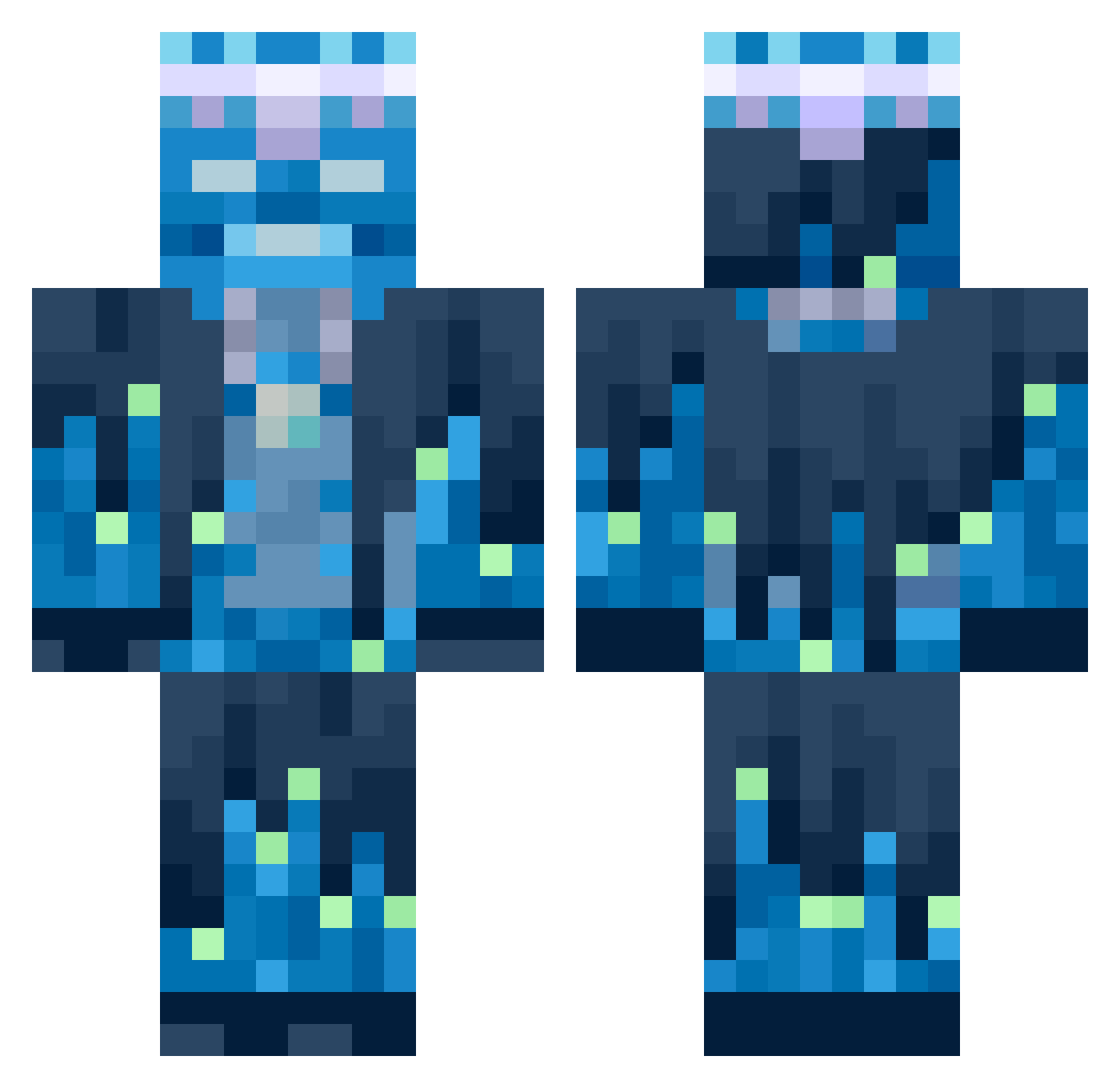
Current Minecraft skin of the player Dominito, loaded from the official Mojang API. Rotate the 3D model with your mouse or finger, then download the skin as a PNG file and use it in Minecraft: Bedrock Edition or Java Edition for free. When Dominito changes their skin, this page updates automatically and the old skin stays in the history below.
Other players with this skin (623)
Dominito was the 539th player we have seen with this skin, first spotted on 18.10.2026. The same skin was seen on these players. Open a nickname to see their current skin and skin history.
 AstroPK Ethannoll Groqx LeCrocodile2011 A_missing_spoon KVcat1 Garyy___ Liro08 GalaxyHonZa bbbbb555 Jampro123 DermicCandy Wynderrr Kaper_2137 LostKingdom_ FoeGod sariordekadam AEpsion konos4321 Ati0 MennoM WillHallas Giovanni260416 pizzagx210 Yamakaroo Schuetze_LP KIIDGAMING Lechero96 DusTillDawn23 rezzy16 Noransan Gaurav__ BerniePaPa Wyattdoesminetrx YumYum2026 Scooterkid08 BroskiMaMoski kuyapcdad elcaballerofenix punkhang MeetChops LarssonLiman GermanInter DoktorKazo ExZiiTx Strathese dany45901 pigsilike fifferlinger Nagash01 HawliKipir IQvPlays AbuRetmor KX7UP ALHOA12 PromoStarl Johnny30cmRakete piggy550 Sidetylol Gosta000
More Glowing Minecraft skins
How to install the Dominito skin
- Press the Download button above to save the skin as a PNG file.
- Minecraft: Bedrock Edition (PE): open the Dressing Room from the main menu (or tap your character → Edit Character), go to Classic Skins → Owned, press the + (new skin) button, choose the downloaded PNG and pick the Classic (Steve) model. Works on PC and mobile; consoles cannot import custom skins.
- Minecraft: Java Edition: open the Minecraft Launcher, go to the Skins tab, click New Skin, load the PNG, pick the Classic (Steve) model and press Save & Use. You can also upload it at minecraft.net → Profile → Change Skin.
The skin does not show up after import - what should I do?
Restart Minecraft and open the Dressing Room again - imported skins sometimes appear only after a restart. Also make sure you selected the imported skin and picked the Classic (Steve) model.
Which model should I choose, Classic or Slim?
This skin is designed for the Classic (Steve) model. If you pick the wrong model, the arms of the skin will look stretched or squeezed.
Is the skin of Dominito free to download?
Yes. Press Download, save the PNG file and use it in Minecraft: Bedrock Edition or Java Edition - no payment or registration needed. The skin also works on multiplayer servers and Realms.
More skins
Looking for more? Go back to all Minecraft skins and check the top skins of the week, month and all time, or find any player's skin by nickname.