
DoeyHuey - Minecraft Skins & Skin History
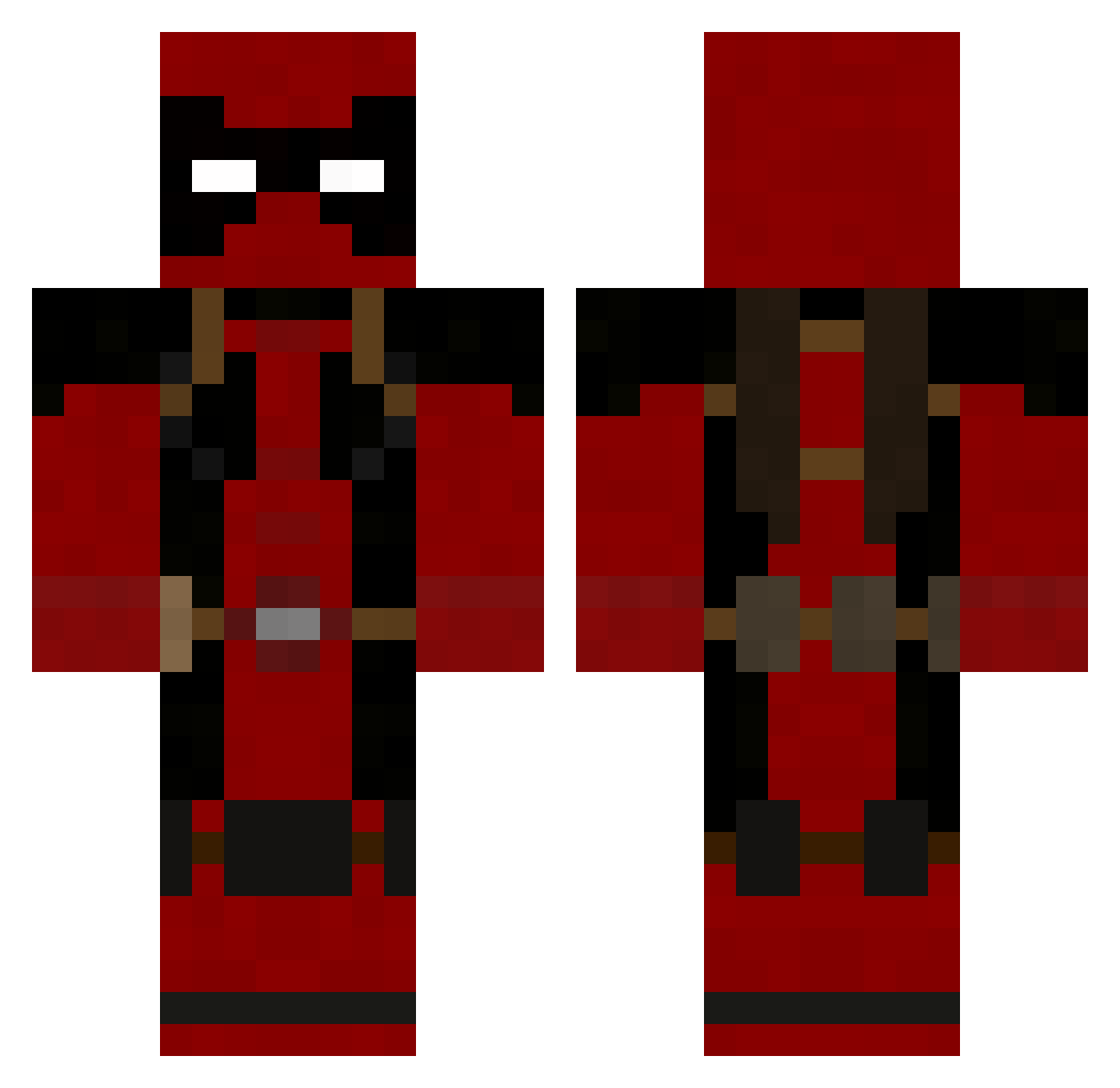
Current Minecraft skin of the player DoeyHuey, loaded from the official Mojang API. Rotate the 3D model with your mouse or finger, then download the skin as a PNG file and use it in Minecraft: Bedrock Edition or Java Edition for free. When DoeyHuey changes their skin, this page updates automatically and the old skin stays in the history below.
Other players with this skin (190)
DoeyHuey was the 28th player we have seen with this skin, first spotted on 04.08.2026. The same skin was seen on these players. Open a nickname to see their current skin and skin history.
 freenia chikichiki FUJIMON7931 BruhK0 Tobi6 Anatomi246 Noobixi irisyuuki xThemarshi Addisensticks Frallsa tartifion SgtEpicz Lagiaking momo14290 SeanyCakes RedxStatic Wei__Yang Tiz_1 Maelstrom3 aluckyboy Gregouzz31 KaYoZzPaTeK lucakettler erento14 dnwk012
 Ogg2104 hunterjml CEVIXERO CougarLove MidwestsBest00 Lordjaw timaxou Kurtii xHooligans Ciccio00 PonchyOtter cafenyan Vengeance1996 Blastaxe StemisS xDesiredAngel mikechoch ethanblee essentra isaiah_ref Stompy007 xShaNayNay Hypocritex deghy1 ElGrillo1999 Varcan59 Colonel_Sanders2 im_a_noob_12 Arthas200200 YgrekZed nagrom1234 plokecraft bustersfuneral ChodyGay
More Deadpool Minecraft skins
How to install the DoeyHuey skin
- Press the Download button above to save the skin as a PNG file.
- Minecraft: Bedrock Edition (PE): open the Dressing Room from the main menu (or tap your character → Edit Character), go to Classic Skins → Owned, press the + (new skin) button, choose the downloaded PNG and pick the Classic (Steve) model. Works on PC and mobile; consoles cannot import custom skins.
- Minecraft: Java Edition: open the Minecraft Launcher, go to the Skins tab, click New Skin, load the PNG, pick the Classic (Steve) model and press Save & Use. You can also upload it at minecraft.net → Profile → Change Skin.
The skin does not show up after import - what should I do?
Restart Minecraft and open the Dressing Room again - imported skins sometimes appear only after a restart. Also make sure you selected the imported skin and picked the Classic (Steve) model.
Which model should I choose, Classic or Slim?
This skin is designed for the Classic (Steve) model. If you pick the wrong model, the arms of the skin will look stretched or squeezed.
Is the skin of DoeyHuey free to download?
Yes. Press Download, save the PNG file and use it in Minecraft: Bedrock Edition or Java Edition - no payment or registration needed. The skin also works on multiplayer servers and Realms.
More skins
Looking for more? Go back to all Minecraft skins and check the top skins of the week, month and all time, or find any player's skin by nickname.