
DoctorDumb101 - Minecraft Skins & Skin History
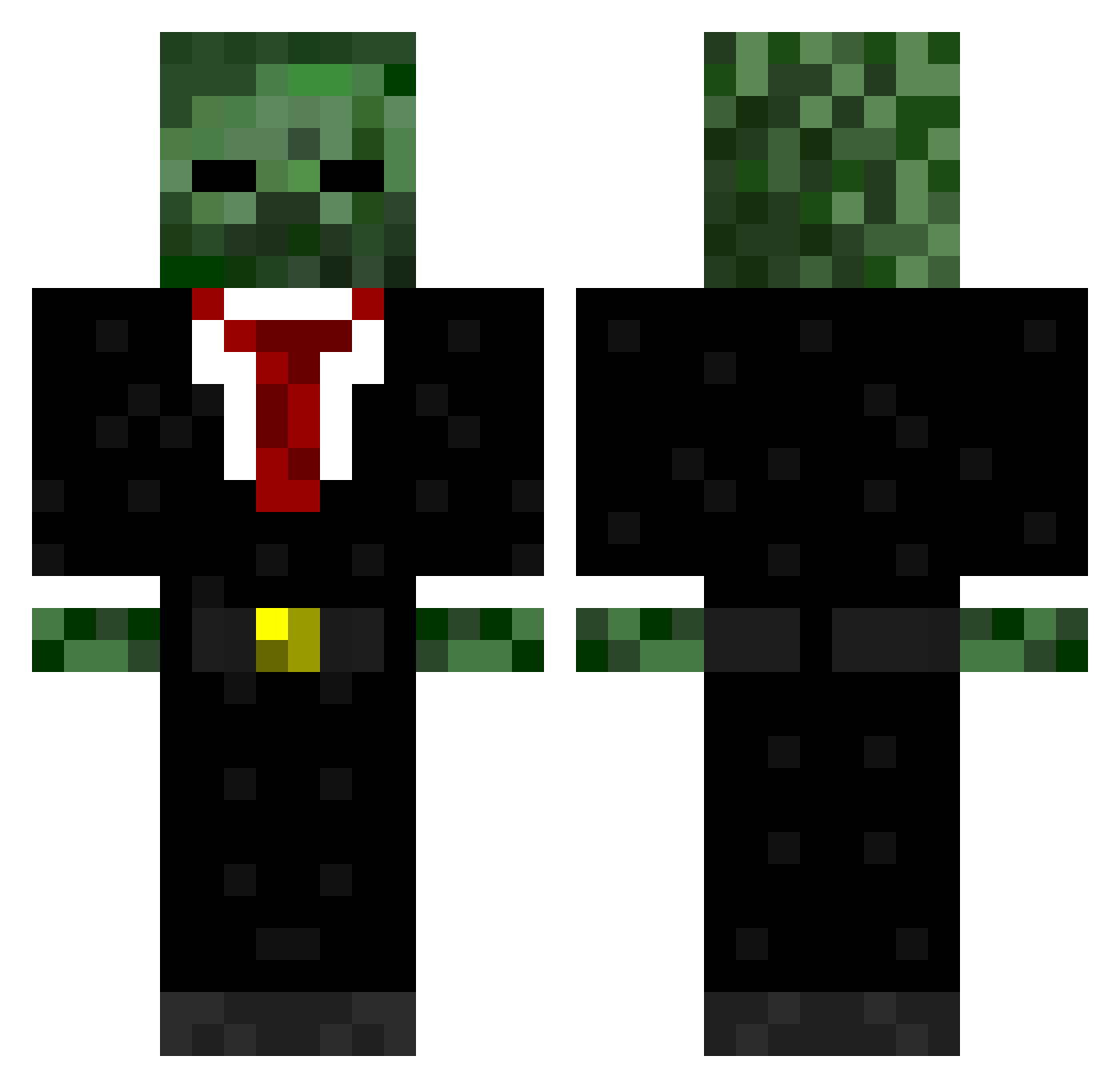
Current Minecraft skin of the player DoctorDumb101, loaded from the official Mojang API. Rotate the 3D model with your mouse or finger, then download the skin as a PNG file and use it in Minecraft: Bedrock Edition or Java Edition for free. When DoctorDumb101 changes their skin, this page updates automatically and the old skin stays in the history below.
Other players with this skin (571)
DoctorDumb101 was the 213th player we have seen with this skin, first spotted on 06.09.2026. The same skin was seen on these players. Open a nickname to see their current skin and skin history.
 slamy_boy BIGYANEZ09 Johnboy631 EEP101 MinerHD77 Tommy_Monster stauers xDozeK_ _apkrow_ wapper123 filopride30 DesTroxic209 Joshc1231 3t3o3m sixwhys goreo114 Xx5n1P3ZxX benjo123r NutellaWaffle sproule7979 twoshot2 Popeye_2000 GurmanGrewal Fasto999 JTTobi rhyslad bulldogchris99 DENNISWEBER WhiteNiTro dakro1998 Chubbsjr minemonster13 Squatting_fish ZombieBgone dudeman2699 olib619 RaptorJXL Dpettigrew123 dmagdrums WraithX_ Challis19 millenniumchild Savage4433 legendcraftia kevinek08 codeman11501 Bowley07 purepowerr AdamGaming12345 Apax_kun CONNORKELL Enduff jamie36 Flynn78 codmw2dud rhys187 Yogscastfan78 CODBOPSWAW Khayat45 SYNDICATExPRO
More Zombie Minecraft skins
How to install the DoctorDumb101 skin
- Press the Download button above to save the skin as a PNG file.
- Minecraft: Bedrock Edition (PE): open the Dressing Room from the main menu (or tap your character → Edit Character), go to Classic Skins → Owned, press the + (new skin) button, choose the downloaded PNG and pick the Classic (Steve) model. Works on PC and mobile; consoles cannot import custom skins.
- Minecraft: Java Edition: open the Minecraft Launcher, go to the Skins tab, click New Skin, load the PNG, pick the Classic (Steve) model and press Save & Use. You can also upload it at minecraft.net → Profile → Change Skin.
The skin does not show up after import - what should I do?
Restart Minecraft and open the Dressing Room again - imported skins sometimes appear only after a restart. Also make sure you selected the imported skin and picked the Classic (Steve) model.
Which model should I choose, Classic or Slim?
This skin is designed for the Classic (Steve) model. If you pick the wrong model, the arms of the skin will look stretched or squeezed.
Is the skin of DoctorDumb101 free to download?
Yes. Press Download, save the PNG file and use it in Minecraft: Bedrock Edition or Java Edition - no payment or registration needed. The skin also works on multiplayer servers and Realms.
More skins
Looking for more? Go back to all Minecraft skins and check the top skins of the week, month and all time, or find any player's skin by nickname.