
Dipper610 - Minecraft Skins & Skin History
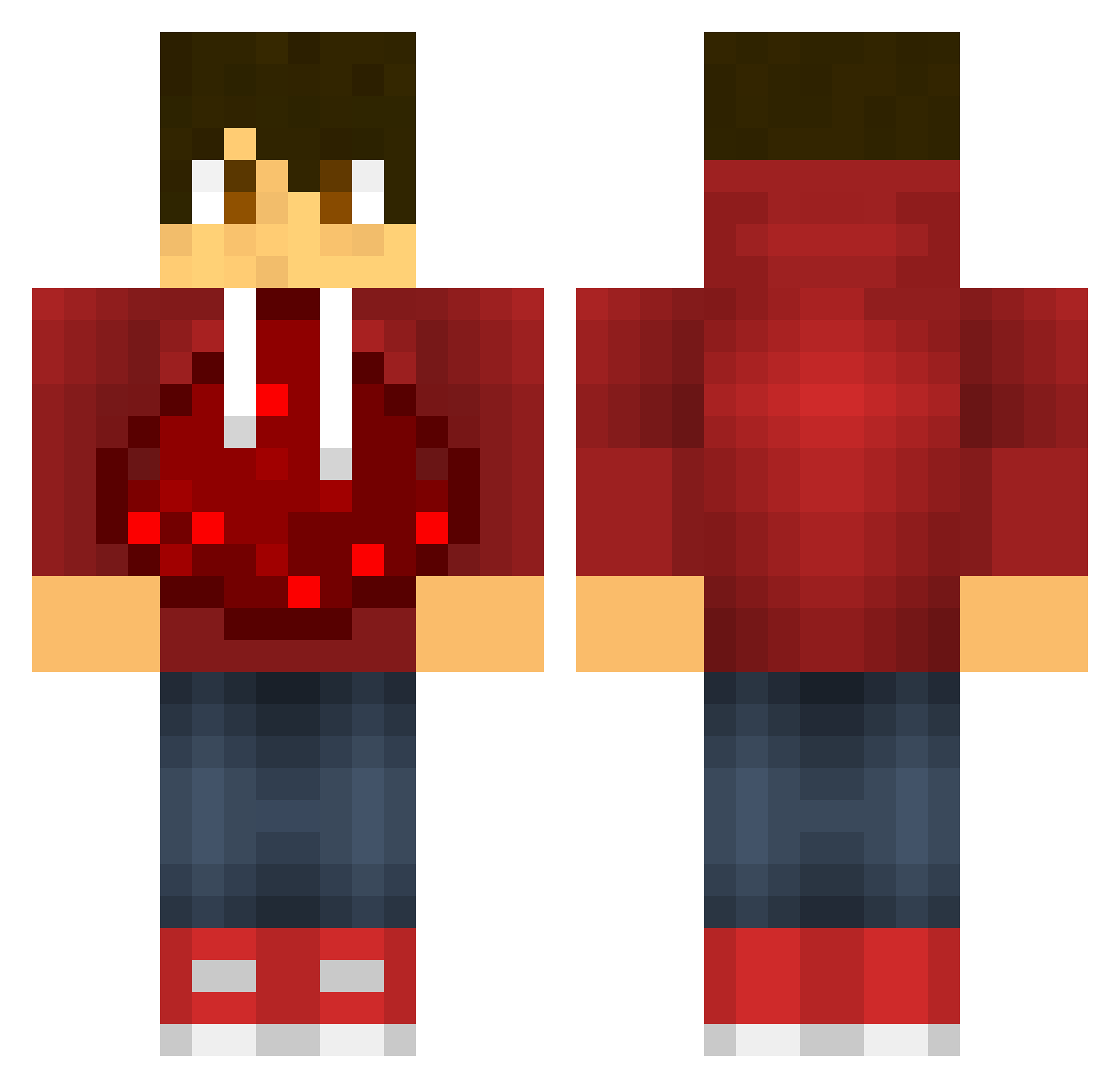
Current Minecraft skin of the player Dipper610, loaded from the official Mojang API. Rotate the 3D model with your mouse or finger, then download the skin as a PNG file and use it in Minecraft: Bedrock Edition or Java Edition for free. When Dipper610 changes their skin, this page updates automatically and the old skin stays in the history below.
Other players with this skin (93)
Dipper610 was the 34th player we have seen with this skin, first spotted on 23.08.2026. The same skin was seen on these players. Open a nickname to see their current skin and skin history.
 Toledo33033 ikiZraZ MJcKLe ferro33 Pacheco_000 paulolpop Scutiger herobrine5313 Tans01 YS_JW IceYixian zouzhao hpya Slmia chingchiu169 OldSoup44 HaNessy0 josefdobes Moondaeho Redstone_Sniper DiegoMendez WYb_TimeBro Coolmoon233 fhantazmm ImSliv Crusior ZY_xiaotian Patrick_2603 jjjunsu xinzzzzzz penbinglong Drechs thominator32 DNQHY jiangegege LifeOnEarth Misaya321 summer_moon233 thmscnnn TheDark_Devil BlazingConqueror jjsnn Flerken kaikelps123 Atom_Fullerene ishurboi B4CKSP4C3 as2903 chicken__0 Bernardo1109 HeroElf IDEK11 frede0710 FuriousToast NoaeMelody BoLuo_Chui_Xue XSEEDD Dr_Vaux WYb_zeus SimplyPatrick
More Redstone Minecraft skins
How to install the Dipper610 skin
- Press the Download button above to save the skin as a PNG file.
- Minecraft: Bedrock Edition (PE): open the Dressing Room from the main menu (or tap your character → Edit Character), go to Classic Skins → Owned, press the + (new skin) button, choose the downloaded PNG and pick the Classic (Steve) model. Works on PC and mobile; consoles cannot import custom skins.
- Minecraft: Java Edition: open the Minecraft Launcher, go to the Skins tab, click New Skin, load the PNG, pick the Classic (Steve) model and press Save & Use. You can also upload it at minecraft.net → Profile → Change Skin.
The skin does not show up after import - what should I do?
Restart Minecraft and open the Dressing Room again - imported skins sometimes appear only after a restart. Also make sure you selected the imported skin and picked the Classic (Steve) model.
Which model should I choose, Classic or Slim?
This skin is designed for the Classic (Steve) model. If you pick the wrong model, the arms of the skin will look stretched or squeezed.
Is the skin of Dipper610 free to download?
Yes. Press Download, save the PNG file and use it in Minecraft: Bedrock Edition or Java Edition - no payment or registration needed. The skin also works on multiplayer servers and Realms.
More skins
Looking for more? Go back to all Minecraft skins and check the top skins of the week, month and all time, or find any player's skin by nickname.