
Dexter9696 - Minecraft Skins & Skin History
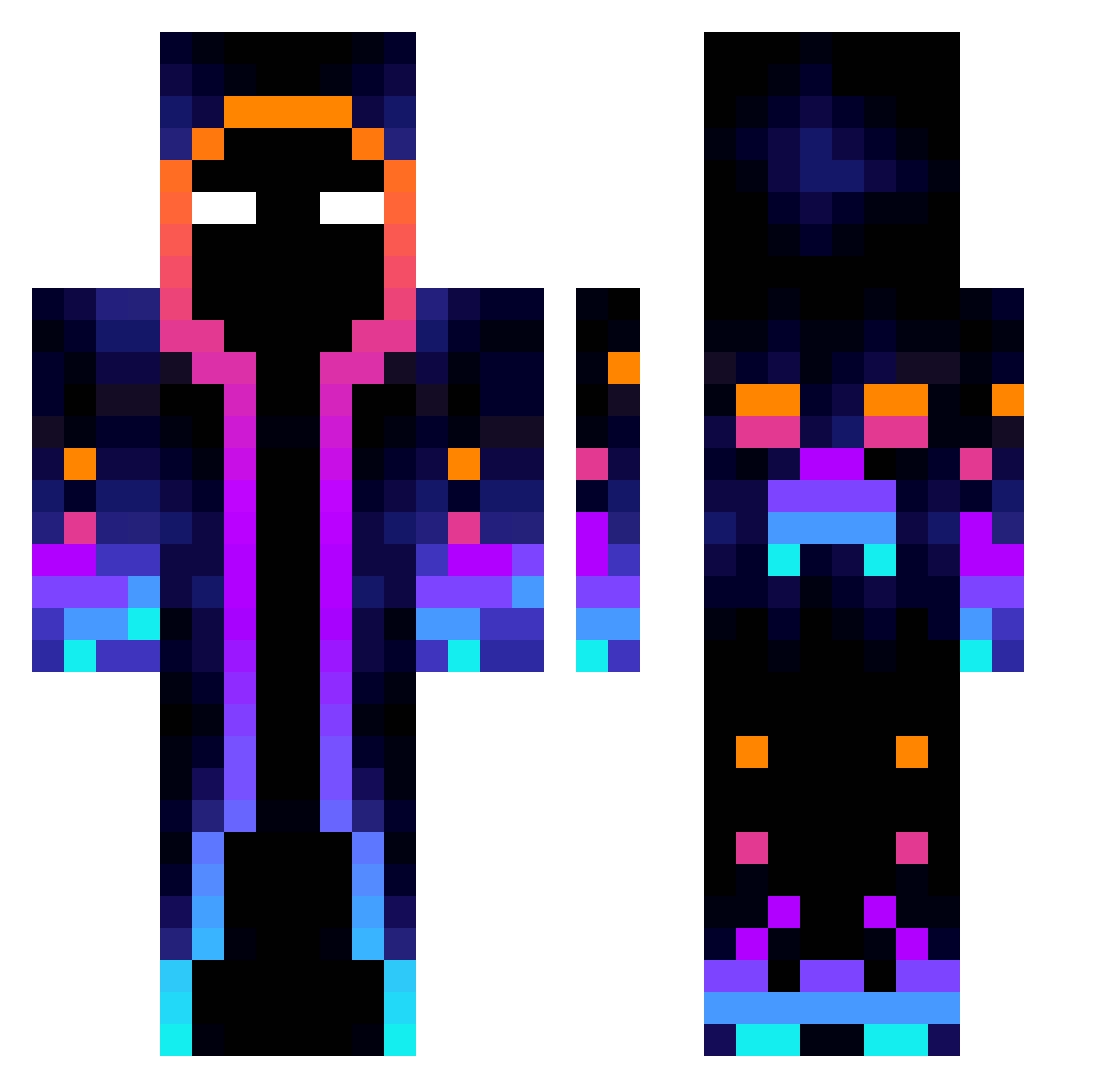
Current Minecraft skin of the player Dexter9696, loaded from the official Mojang API. Rotate the 3D model with your mouse or finger, then download the skin as a PNG file and use it in Minecraft: Bedrock Edition or Java Edition for free. When Dexter9696 changes their skin, this page updates automatically and the old skin stays in the history below.
Other players with this skin (827)
Dexter9696 was the 311th player we have seen with this skin, first spotted on 10.09.2026. The same skin was seen on these players. Open a nickname to see their current skin and skin history.
 aL4k Hixkyl CrazyYuno pixelaxel Keluarr muskitos KuroYu_Xen BIBIDOUDA Ivan_Vasilevich Freekslol Kuba_2014x _Ovis Kacperwoski2014 Angelo22 JOCK_2125 Robert444222 Vitrakx playerhg1904 ace_juice npepperoni aga29109 YunusEBSR MasterJ_Craft Jafads lilfacher mnt294 nono0605 gigreen CHARLIZARD_x giorgiorock camilva Stante00 FrostiPotato muliro27 chickendinner184 IGunFive TommygunX3 15306 koal2k HypeXPonton KinanSt Leo313 Chillinnnz Kumoz27 Zodiax12 CrafterNiklas1 Jarpse ScorpnokOG Calliostro_ redlaef1469831 HeRoBrIa Saifant KingSilva_ Mashiro11 pleyerXD MariaJoze Masny_Znojdek CrafterBTC ZombieNinja88 FastSlugger69
More Galaxy Minecraft skins
How to install the Dexter9696 skin
- Press the Download button above to save the skin as a PNG file.
- Minecraft: Bedrock Edition (PE): open the Dressing Room from the main menu (or tap your character → Edit Character), go to Classic Skins → Owned, press the + (new skin) button, choose the downloaded PNG and pick the Classic (Steve) model. Works on PC and mobile; consoles cannot import custom skins.
- Minecraft: Java Edition: open the Minecraft Launcher, go to the Skins tab, click New Skin, load the PNG, pick the Classic (Steve) model and press Save & Use. You can also upload it at minecraft.net → Profile → Change Skin.
The skin does not show up after import - what should I do?
Restart Minecraft and open the Dressing Room again - imported skins sometimes appear only after a restart. Also make sure you selected the imported skin and picked the Classic (Steve) model.
Which model should I choose, Classic or Slim?
This skin is designed for the Classic (Steve) model. If you pick the wrong model, the arms of the skin will look stretched or squeezed.
Is the skin of Dexter9696 free to download?
Yes. Press Download, save the PNG file and use it in Minecraft: Bedrock Edition or Java Edition - no payment or registration needed. The skin also works on multiplayer servers and Realms.
More skins
Looking for more? Go back to all Minecraft skins and check the top skins of the week, month and all time, or find any player's skin by nickname.